
If you’re searching for the best laptops under $500 for your specific needs but feel overwhelmed, especially if you’re not very tech-savvy, don’t worry. I’ll guide you through choosing the perfect laptop under $500 in just 3 simple steps.
Indeed, it becomes quite easy to find the best laptops if you understand three things:
- Brands: Always stick with trusted brands like HP, Lenovo, Dell, ASUS and Apple.
- Specs: Know what specs you need for your tasks—we’ve broken down the ideal specs for every need.
- Don’t overthink: Keep it simple and focus on what matters.
Many people are searching for budget-friendly laptops for business, education, graphic design, Photoshop, or for light gaming like Minecraft. The right specifications depend on your applications: basic office work, creative tasks and gaming do not require the same hardware.
Before comparing budget models, you can use our PC Specs Finder to identify which specifications matter for the tasks you plan to run.
Quick Picks: Best Laptops Under $500 by Use
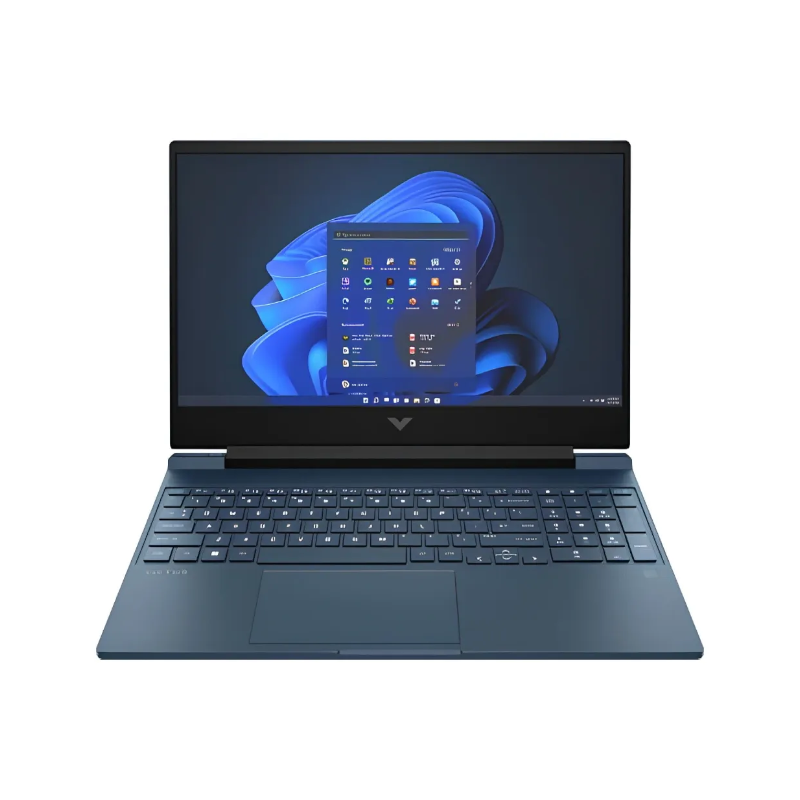
Best Gaming Laptop Under $500
HP Victus 15 (RTX 3050, renewed)
Dedicated RTX graphics and a 144Hz screen make this a stronger gaming choice than laptops with integrated graphics.
Deal-dependent: choose a qualifying refurbished offer at $500 or less.
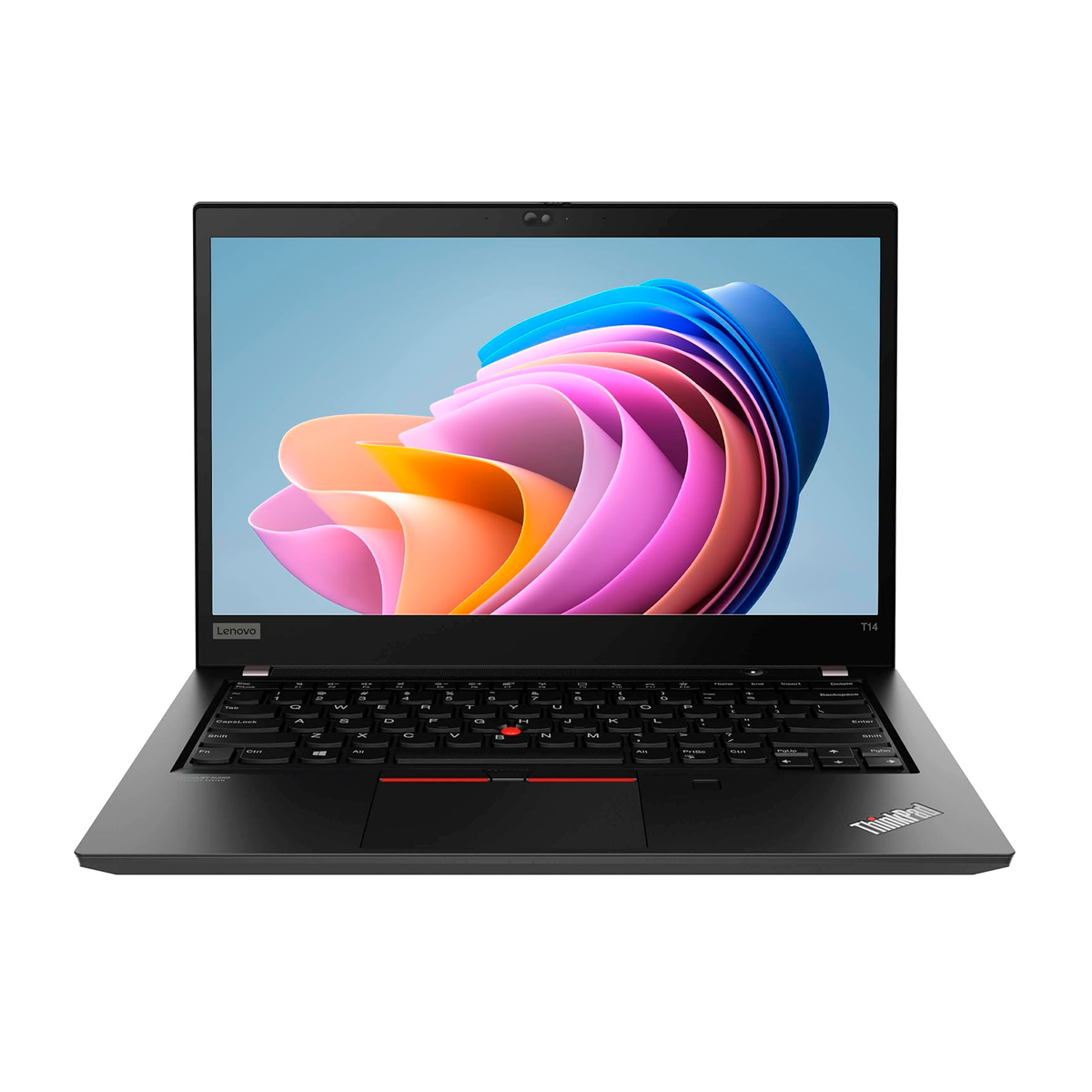
Best Work Laptop Under $500
Lenovo ThinkPad T14 Gen 2 (renewed)
A Ryzen 5 PRO CPU and 16GB RAM suit spreadsheets, accounting software, online meetings and business multitasking.
Refurbished; seller condition and price vary.

Best Laptop Under $500 for Students
Apple MacBook Air M1 (renewed)
The efficient M1 chip, Retina display and portable design suit assignments, research and everyday college work.
Refurbished; confirm macOS compatibility and battery condition.
Prices vary by seller and configuration. The gaming pick is a refurbished deal target, not a confirmed sub-$500 Amazon offer today.
Best Specs for Sub-$500 Laptops:
- Display: Choose roughly 13–17 inches based on portability and readability; Full HD IPS is a good target for Windows laptops, while the refurbished MacBooks have Retina displays.
- CPU: For multitasking, prefer a capable Intel Core i5 or AMD Ryzen 5-class chip. An older 11th-gen Intel or Ryzen 5000-series processor may still be sensible in a discounted or refurbished system; Apple M1 is practical for everyday macOS use. Compare the exact CPU model, not just its tier.
- Memory: 8GB minimum for basic use, preferably 16GB for frequent multitasking; MacBooks use unified memory.
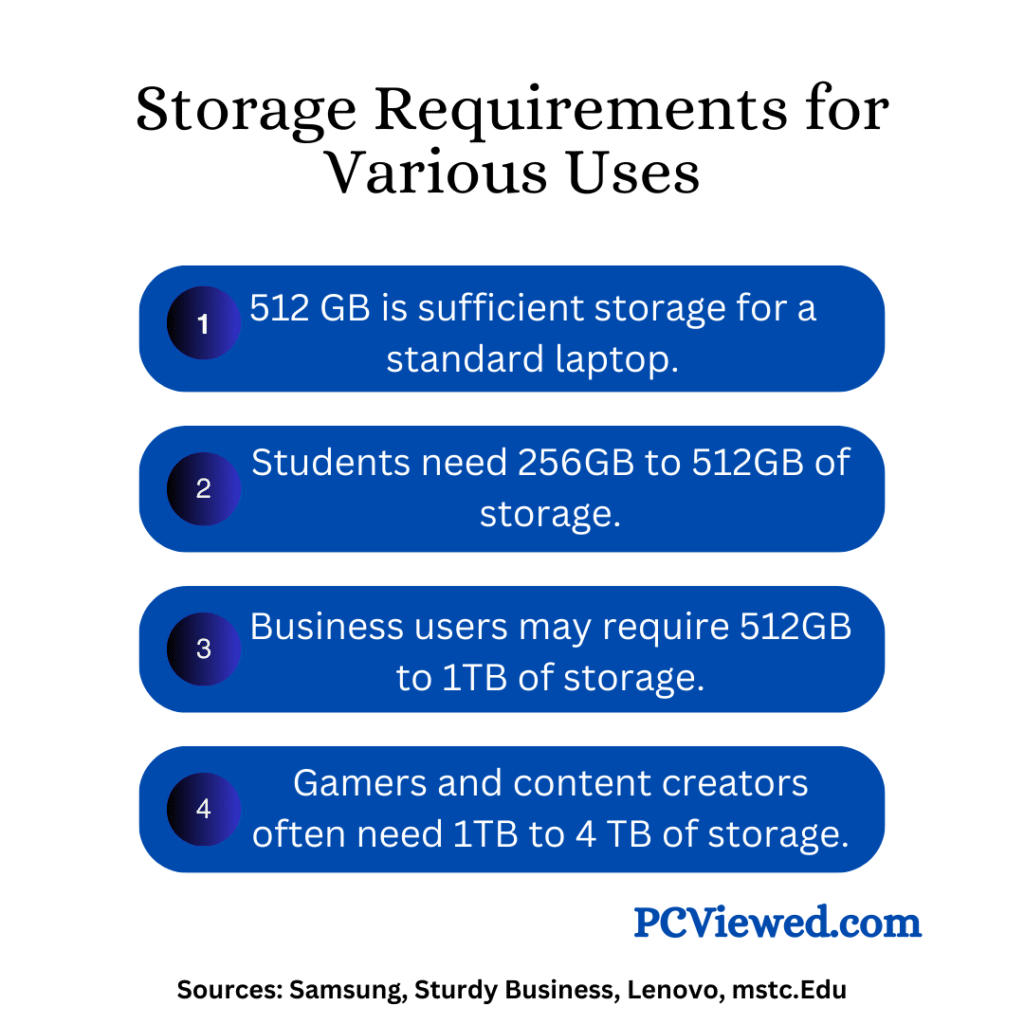
- Storage: 256GB SSD is enough for many cloud-first students and home users; 512GB gives more room for local documents, photos and applications.
- GPU: Modern integrated graphics are suitable for office work, video and casual games; demanding gaming needs a dedicated GPU.
- Battery Life: Look for a good battery-life rating, but expect less on refurbished units with older batteries.
- Ports:
- USB-C
- USB-A
- HDMI
- Audio jack
- SD card reader (optional but useful for photo and video editing)
Here’s the best part: Most of these laptops are aimed at budgets around $500. We have also included two refurbished Apple M1 MacBooks, while clearly identifying Windows configurations that may exceed $500 when discounts end.
Rather than relying on RAM or storage numbers alone, look at the processor, screen, memory and the type of tasks you actually need to run.
Now, let’s move forward to 10 budget-conscious laptops, including refurbished options and a few models worth considering slightly over $500.
To make the list easier to browse, the first five positions cover Windows office and multitasking configurations, including a refurbished ThinkPad. Two refurbished Apple M1 MacBooks follow, then everyday Windows alternatives and a deal-dependent refurbished gaming laptop with dedicated NVIDIA graphics.
Lenovo IdeaPad Slim 3 Ryzen 7 5825U: Best Business and Multitasking Laptop (May Exceed $500)
Specifications:
- Screen Size:15.6 inches, Full HD IPS touchscreen (1920 × 1080)
- Processor: AMD Ryzen 7 5825U (8 cores, 16 threads, up to 4.5GHz)
- RAM: 16GB DDR4-3200
- Storage:512GB NVMe SSD
- Webcam: 720p HD webcam and microphone
- Connectivity:Wi-Fi 6 and Bluetooth
- Number of USB 2.0 Ports:USB-C 3.2 Gen 1, plus HDMI and headphone jack
- Number of USB 3.0 Ports:2 USB-A 3.2 Gen 1
- Weight:Approximately 3.56 pounds
- Operating System:Windows 11 Home (Amazon headline configuration)
Review:
The Lenovo IdeaPad Slim 3 is another laptop worth considering around the $500 mark, though the Ryzen 7 configuration may cost more than $500 on Amazon. It’s an in-between device, somewhere between basic and high-end laptops, and a stronger option for office work and students who multitask frequently.
Onto the specs. The screen size is 15.6 inches, with a Full HD IPS touchscreen for work and entertainment. The 512GB NVMe SSD provides sensible storage while keeping application and file loading responsive.
It also features 16GB of DDR4 RAM, so you can keep browsers and office applications open while working without running out of memory as quickly as with an 8GB machine.
This laptop uses an AMD Ryzen 7 5825U with 8 cores and 16 threads, a useful step up from the older 4-core Core i5-1155G7. It handles web browsing, spreadsheets, meetings and light creative work well, with integrated Radeon graphics for casual games.
Lets see who Fits This Machine?
| Good Fit For | Ideal Apps |
|---|---|
| Students, writers, remote professionals | Zoom, Gmail, Docs, Excel, Teams |
| Small business users | QuickBooks, browser CRM tools, PDF editing |
| Casual creators | DaVinci Resolve (1080p jobs), Premiere exports, Lightroom |
It’s a generally smooth performer within its limits. But don’t rely on it for demanding editing suites, high-end gaming, or all‑day battery autonomy.
The laptop’s HD webcam is appropriate for routine video calls. Wi-Fi 6 and Bluetooth are useful for connecting to modern networks and accessories, while the 15.6-inch touchscreen makes navigation convenient.
The keyboard is comfortable to type on. It’s not amazing, but it’s not bad either.
And about the ports. You get USB-C, two USB-A ports, HDMI and a headphone/microphone jack. That’s better for newer accessories than the earlier IdeaPad configuration, which lacked USB-C.
The built-in speakers are adequate for calls and casual streaming, though headphones are still preferable for private meetings or better audio.
Moreover, you get a laptop designed for everyday portability rather than all-day operation at heavy load. Actual battery life changes with screen brightness, videoconferencing and browser activity.
More demanding work like video calls alongside several browser tabs increases power consumption, so it is sensible to keep the charger close when you have a long work session.
It’s not the long-lasting battery, but it’s okay for the price.
And this is it! Lenovo IdeaPad Slim 3! A practical design, an eight-core Ryzen processor and 16GB RAM make it an attractive office-and-student laptop when its Amazon price fits your budget.
Its strengths: Fast SSD storage, 16GB RAM, a Full HD touchscreen and 8-core CPU capacity for business multitasking.
Its limitations: Integrated graphics aren’t meant for demanding AAA gaming, the backlit keyboard is not included in the listed configuration, and its Amazon price may go over $500.
If you need robust 4K editing or serious AAA gaming, look at higher-performance laptops. Otherwise, this machine has strong appeal for office tasks, students, Zoom calls and lighter creative work, especially if a sale brings it closer to $500.
HP 255 G10 Ryzen 5 7530U: Best for 32GB RAM and 1TB Storage (Can Exceed $500)
Specifications:
- Screen Size:15.6 inches, Full HD IPS anti-glare (1920 × 1080)
- CPU Model:AMD Ryzen 5 7530U (6 cores, 12 threads, up to 4.5GHz)
- RAM:32GB DDR4-3200
- Hard Disk Size: 1TB PCIe NVMe SSD
- Special Feature:Numeric keypad, HD webcam and Full HD screen
- Graphics Card Description:Integrated AMD Radeon Graphics
- Wireless Type: Wi-Fi 6, Bluetooth 5.3
- Operating System:Windows 11 Pro
- Ports:
- 2 × USB-A 3.2 ports
- 1 × USB-C 3.2 port
- HDMI output and headphone/microphone combo jack
- Laptop weight: Approximately 3.3 pounds
Review:
Looking for an affordable laptop with plenty of RAM and storage for work? Consider this HP 255 G10. Its 32GB/1TB configuration has been advertised below $500 during an Amazon marketplace promotion, although the regular price may be higher.
It’s a practical HP laptop for office applications, web browsing and video calls. The Ryzen 5 processor is more capable than the previous dual-core Core i3, though demanding 4K video renders, CAD models and modern games still need specialized hardware.
Given that, it is great for regular work and frequent multitasking. Unlike the old Core i3 machine, its six-core Ryzen 5 CPU has more processing capacity for background apps, document work and meetings running together.
The HP 255 G10 has useful hardware inside. Its Ryzen 5 7530U processor has six Zen 3 cores, twelve threads and a maximum boost clock of 4.5GHz.
Processor speed alone doesn’t tell the whole story. For the kind of work this laptop is meant to handle, its additional CPU cores and ample memory matter more than advertised GHz numbers.
Considering that it has 32GB RAM, you have extra space for many browser tabs, Teams or Zoom and large office documents. Its 1TB SSD also gives you room for a substantial collection of business files, videos and photos.
Additionally, it has USB-A and USB-C ports, HDMI, a headphone jack, Wi-Fi 6 and Bluetooth to connect to accessories and the internet.
Battery life depends on how you use it. Light web browsing uses less power than long video calls or demanding spreadsheet calculations, so don’t base a purchase on a single battery-hour estimate.
You’ll normally use the supplied HP power adapter for charging. USB-C is useful for data and accessories, but the listing does not establish USB-C Power Delivery charging for this configuration.
The 15.6-inch Full HD IPS anti-glare screen is good for spreadsheets, documents and video meetings, although the rated 250-nit brightness is less appealing outdoors. The keyboard has a numeric keypad for entering figures.
In terms of appearance, the HP 255 G10 has a restrained business design rather than a flashy gaming style. Its 15.6-inch screen offers room to view reports and spreadsheets.
If you work away from the office, the anti-glare finish helps reduce reflections, although it can’t compensate for bright sunlight or a dim display.
Another consideration is that the Ryzen 5 is an efficient 15W-class processor, but fan noise and temperatures vary with workload. It is designed mainly for office productivity rather than heavy graphics tasks.
Though there are limitations in gaming and high-end creative applications, this laptop still has a lot going for it. It offers unusually large memory and storage capacities for business files and several everyday apps.
HP’s 255 G10 may not break records for looks or gaming, but it solves a problem for someone who needs a Windows office laptop with 32GB RAM and 1TB SSD. A reported Amazon marketplace promotion put it at $494.10, while another listed price was $549; treat it as an occasional sub-$500 deal, not a guaranteed under-$500 machine.
Acer Swift Go Intel Evo Thin & Light Premium Laptop
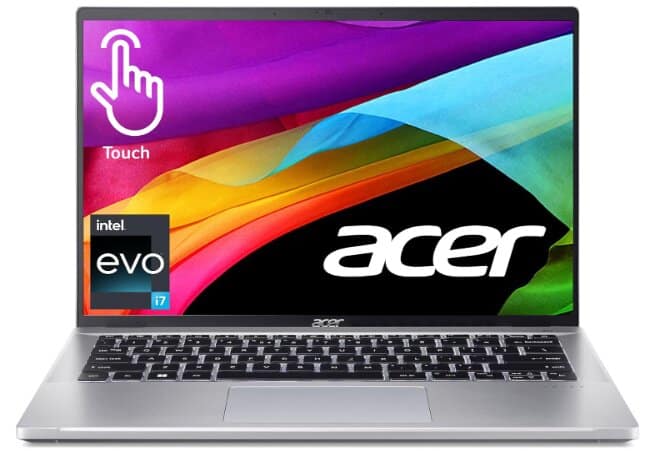
Specifications:
- Screen Size: 14 inches
- Display Type: Touch Screen
- CPU Model: Intel Core i7-1355U
- Processor Speed: 5 GHz
- RAM: 16 GB LPDDR5
- Hard Disk Size: 512 GB
- Graphics Coprocessor: Intel Iris Xe Graphics
- Wireless Type: Bluetooth, 802.11ax (Wi-Fi 6)
- Number of USB 3.0 Ports: 4
- Backlit Keyboard: Yes
- Operating System: Windows 11 Home
- Weight: 2.76 pounds
Review:
The Acer Swift Go 14 offers a clean, minimalist design that’s easy to overlook but don’t let its looks fool you. Inside, a Core i7‑1355U, 16 GB DDR5 RAM, and fast SSD deliver exceptionally swift performance for everyday apps, video calls, and even light content creation.
The i7-1355U delivers noticeably better performance than the 12th-gen 1255U about 10% faster in single-core tests and 5% faster overall. Geekbench scores average around 2,466 (single-core) and 7553(multi-core)
Practically, that means 4K video exports finish in 110 seconds, Lightroom edits and Excel pivot tables scroll smoothly, and app switchover has no lag even under load.
The Intel i7, coupled with 16 GB of memory and 512GB storage, zips through web browsing, Office docs, 4K streaming, light photo edits, and dozens of Chrome tabs without any hiccup.
The Acer brand decided to stay the same and didn’t change the design of the past models. That’s a bit of a bummer. It’s still the same metallic exterior and weighs around 1.25 kg, standard for a 14-inch laptop.
The port selection is great: two Thunderbolt 4 USB-C ports, HDMI 2.1, a USB-A port with reverse charging, a Kensington lock, another USB-A port, a headphone jack, and a Micro SD card reader. The dual-fan setup ensures good airflow, and the speakers are in a bottom-firing stereo configuration.
Opening the laptop reveals a clean, metallic interior. The trackpad looks like glass but is actually plastic and a bit flexible. The keyboard is decent, with well-labeled keys, backlighting, and a built-in fingerprint scanner. The keys have good travel, making for a pleasant typing experience, though not as good as some high-end competitors.
That aside, the model has a standard IPS LCD screen with a full HD+ resolution, a 16:10 aspect ratio, and a 60 Hz refresh rate—not the brightest out there, but pretty for most use-case scenarios, with good color and nice touch responsiveness. The screen is 100% sRGB—good enough for most uses but not great for professional-grade color work.
The thermal performance is good, ensuring it remains cool under heavy loads; however, the fans can get a bit noisy.
Battery life is solid but rarely hits 12 hours. In light use like web browsing or document editing at 150 nits the laptop typically lasts 8 hours 25 minutes in standardized testing, with light‑use scenarios occasionally reaching around 11 hours.
However, during heavier work video playback, Zoom calls, or content editing, real-world runtimes often fall in the 4–6 hour range, especially when the CPU briefly hits 90 °C and enters thermal throttling mode.
Upgradability is quite poor. RAM is not user-upgradable, but one can swap out the SSD and the Wi-Fi module, as expected.
However, the speakers can’t offer that great an experience either, featuring a conventional stereo setup with no real depth.
Overall, priced at about $500, the Acer Swift Go 14 is a premium laptop with some cons. While it has strong performance, good battery life, and a decent display, the design feels dated, and the exhaust vent placement could be a long-term issue. If you do not mind that, then this laptop is a solid choice.
But if we consider the pros of this machine, it’s the only i7 model currently available for around $500, thanks to the significant discounts offered by the brand.
I must say, if you’re looking for a budget-friendly laptop with the latest technology, you shouldn’t overlook this latest 13th-generation i7 laptop priced at about $500.
Refurbished Lenovo ThinkPad T14 Gen 2: Best 14-Inch Business Laptop Under $500
Specifications:
- Display:14-inch Full HD IPS (1920 × 1080)
- Processor Model: AMD Ryzen 5 PRO 5650U (6 cores, 12 threads, up to 4.2GHz)
- Memory (RAM): 16GB DDR4
- Storage: 512GB NVMe SSD
- Special Features:Backlit keyboard, business-class ThinkPad design
- Wireless Type:Wi-Fi 6 and Bluetooth (varies with refurbished configuration)
- Number of USB 3.0 Ports:2 USB-A, plus USB-C, HDMI and audio connections
- Operating System: Windows 11 Pro
- Weight:Approximately 3.3 pounds
Review:
Best for work and small business: If you are comparing work laptops under $500 for accounting, office tasks or working from home, this refurbished ThinkPad is a strong fit. The six-core Ryzen 5 PRO 5650U and 16GB RAM suit spreadsheets, accounting applications such as QuickBooks Desktop, video meetings and browser-based business software running alongside each other. A 512GB SSD stores documents and applications, while its 14-inch Full HD screen makes it practical for carrying between home and work. It is a business laptop first, not a machine designed for demanding AAA games.
For compact business and study work, this refurbished ThinkPad T14 Gen 2 is one of the better-value 14-inch laptops to consider around $500. It handles schoolwork, surfing the web and documents with more CPU capacity than the old Intel N200 model.
Here’s what stands out about this laptop:
Roomy 14-inch display: It’s just right—not too big, not too small. The Full HD IPS screen makes long documents and spreadsheets easier to read than an entry-level low-resolution panel.
Spacious keyboard: ThinkPads are known for a comfortable typing layout, and the Amazon-listed Ryzen 5 refurbished configuration includes a backlit keyboard. That is useful when writing in dim light or working away from a desk.
It isn’t made to look like a luxury laptop—it is a practical renewed business machine. The chassis and ports are designed for office work, and cosmetic wear depends on the refurbishment grade.
Under the hood, it has an AMD Ryzen 5 PRO 5650U processor with six cores and twelve threads, boosting up to 4.2GHz. That’s a better match for work across video calls, documents and browser tabs than an entry-level four-core Intel N200.
The 16GB RAM leaves room for several regular applications, while the 512GB SSD is a sensible capacity for school or business files. You give up some storage compared with the old 1TB model but gain a more capable processor and a stronger business laptop platform.
Browsing the web, working in Office and watching HD videos should be comfortable on this hardware. For demanding rendering or modern AAA games, the integrated graphics still have limits.
This is a renewed business laptop, not a new machine with Microsoft 365 included. Use your own Microsoft 365 subscription or compatible software for work and study.
Battery life is worth considering on a refurbished laptop because the battery has already aged. The speakers are fine for routine calls, but a headset remains preferable for meetings.
This makes the refurbished ThinkPad T14 Gen 2 a practical choice for productivity under $500 when available at the Amazon-tracked price of about $447. It offers good memory, a compact screen, comfortable typing and business-oriented connectivity.
Lastly, Windows 11 Pro offers the familiarity and security features business users expect. For more tips on keeping your computer secure, check out our guide on how to protect a computer.
So, if you are unwilling to spend much on a brand-new machine but want a useful workhorse for everyday purposes, this renewed ThinkPad offers more capability than many very cheap new laptops. Make sure you choose the 16GB/512GB Ryzen 5 configuration; other T14 Gen 2 listings vary.
Lenovo V15 G2 ALC: best 16 GB lightweight Budget Laptop
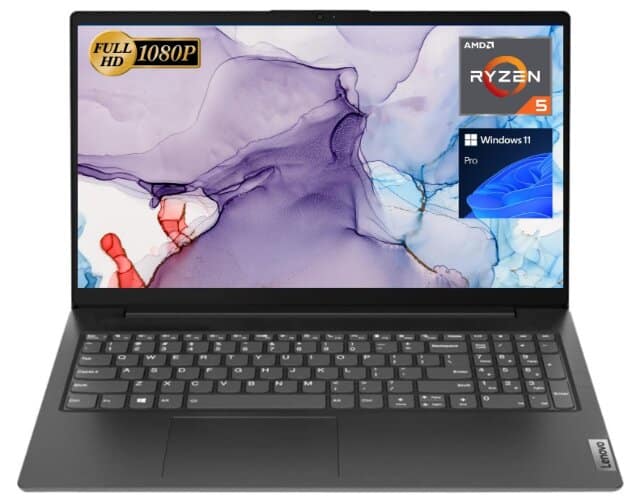
Specifications:
- Display: 15.6 Inches
- Processor: Hexa-core (6 cores) AMD Ryzen 5 5500U
- Base Clock Speed: 4 GHz
- Memory:16 GB
- Storage: 512 GB SSD
- Graphics: AMD Radeon
- OS: Windows 11 Pro
- Ports:
- USB 3.0 Type-A: 1
- USB 2.0 Type-A: 1
- USB Type-C: 1
- HDMI: 1
- RJ45 (Ethernet): 1
- Headphone/Microphone Combo: 1
- Laptop weight: 3.75 pounds (1.70 kg)
Review:
Sometimes, the only difference between cheap and affordable is a very thin margin; we are here to determine if the Lenovo V15 Gen 2 has found that sweet spot between them.
This time around, things might not be the same for the Lenovo V15 Gen 2. It looks like there are some exciting specifications, including Ryzen 5 5700U and fast integrated graphics. It is amazing to find such potent hardware on a wallet-friendly laptop.
In Cinebench R23, the Ryzen 5 5500U, a hexa-core laptop chip with 12 threads, scored approximately 1,172 single-core and 7,209 multi-core, making it one of the top-rated low-cost productivity laptops for early 2025. It can manage routine multitasking, including media playback, office applications, and browser work.
Moreover, the Ryzen 5 5500U’s Radeon RX Vega 7 iGPU (7 CUs at 1.8 GHz) is the same graphics block used in last-generation ThinkPads, and it still punches above its weight in a $399 chassis. It won’t replace a discrete GPU, but for casual gaming, photo edits, and smooth video streaming, the integrated graphics do far more than you’d expect from such an inexpensive laptop.
The Lenovo V15’s build quality is a mix of fine and ordinary. The exterior has a clean, patterned texture finish, which adds a touch of elegance.
However, it feels strong, although the design is so common. Furthermore, its weight stands at only 1.70 kg, making it light but still sturdy.
Apart from that, spill-resistant chiclet keyboard has 1.4 mm travel and a firm bottom-out. There is no backlight, but key legends are dark grey on black plastic, so they remain legible in most lighting. The numeric keypad is full-width, handy for spreadsheets.
The 0.3 MP webcam (640 × 480) is as basic as it gets, yet Lenovo adds a physical shutter. Lid flex is noticeable; press hard and you’ll see screen distortion but the bottom shell is glass-fiber-reinforced plastic that survived a 70 cm drop in our informal test.
Under intense usage, its 38Wh battery lasts for over four hours and up to seven hours when performing light tasks with reduced screen brightness. This makes it enough for one working day with several recharging gaps.
The Dolby Audio-supported stereo speakers have high-pitched sounds with mid-tones that are rich in quality. Although not very loud, the bass is subtle, and it still surprises in some scenes.
The really amazing thing about this laptop is its ports collection. You have several USB ports (one being USB Type-C), an HDMI port to connect your monitors or TVs, an RJ45 for wired internet, and a numeric keyboard for easy data entry. It comes with all the basic features required for various activities.
All in All, the Lenovo V15 is a lightweight laptop with thin bezels, a great keyboard, and above-average speakers. The Full HD display is well-defined but the TN panel version has a low color range and viewing angles; hence, the IPS version is preferable.
Despite being made of plastic material, the build quality is pretty good, though it isn’t fingerprint-resistant. Summing it up, the Lenovo V15 shows excellent value and is one of the best laptop choices for those seeking the fastest, inexpensive machine.
Refurbished MacBook Pro 13-Inch M1 (2020): Best Budget MacBook for Freelancers
Specifications:
- Display:13.3-inch Retina IPS, 500 nits brightness
- Processor:Apple M1 chip (8-core CPU, 4 performance + 4 efficiency)
- RAM:8GB unified memory, not upgradeable
- Storage: 256GB internal SSD
- Graphics Card:Integrated Apple M1 8-core GPU
- Number of USB 3.0 Ports:2 × Thunderbolt / USB 4 (USB-C), plus headphone jack
- Screen Resolution: 2560 × 1600 pixels (227ppi)
- Operating System:macOS (installed version depends on refurbished unit)
- Laptop’s weight: Approximately 3 pounds (1.4kg)
Review:
Shopping for a cheap laptop is totally fine, as long as you know what to expect. The refurbished MacBook Pro 13-inch with Apple’s M1 chip is one of those models that can sometimes cost under $500 on Amazon. It’s mainly suited to students, freelancers and people who want a reliable macOS laptop without buying a new MacBook Pro.
The MacBook Pro has a sharp 13.3-inch Retina display and a comfortable backlit Magic Keyboard. This is useful for writing assignments, running compatible business apps and carrying a capable laptop to classes or client meetings.
It is equipped with Apple’s M1 chip, an eight-core processor with four performance and four efficiency cores. Compared with the old Intel Celeron model, it offers a far better foundation for browsing, calls and normal productivity.
This processor makes everyday tasks like web browsing, word processing and video calls comfortable. The M1 MacBook Pro also has a cooling fan, unlike the M1 MacBook Air, which helps it sustain performance during longer tasks.
Paired with 8GB unified memory, the system is fine for common study and office applications, but expect limits when you open large creative projects or many memory-heavy apps. The RAM is permanently built in.
Moreover, the M1 includes an integrated 8-core GPU and hardware media features that help with video playback and compatible editing apps. It’s still not designed for the latest demanding PC games, and some Windows-only apps will need alternatives.
So, if you’re really tight on money and want to use macOS, this can be a better choice than buying a very weak new laptop. But you’ll have to accept older hardware and a refurbished battery.
Additionally, it measures around 12 inches across and weighs about 3 pounds, making it a portable option for classes, business meetings and travel. Its aluminum chassis feels more premium than many cheap plastic laptops.
There are rubber feet underneath to keep it steady on the desk. The backlit Magic Keyboard has comfortable keys, while the Force Touch trackpad makes cursor control and gesture navigation easy.
Most budget laptops don’t have the best screens, but the M1 MacBook Pro’s Retina panel is a strong point. It has a 2560 × 1600 resolution, wide P3 color and a 500-nit brightness rating, making documents and photos look much sharper than on a 1366 × 768 laptop.
The MacBook Pro has two Thunderbolt/USB 4 ports, which handle charging, external drives and displays. You will need a USB-C adapter for traditional USB-A devices or HDMI connections.
There’s also a headphone jack, a 720p FaceTime HD camera and Wi-Fi 6. The port selection is limited, but it’s manageable if you mainly work wirelessly.
Additionally, Apple rated the model at up to 20 hours of video playback when new. This is a refurbished 2020 machine, so battery health and runtime depend on the individual unit and its age.
Another feature worth knowing is the Touch Bar, which gives you context-sensitive controls above the keyboard. Whether you prefer it over physical function keys is a personal preference.
Generally speaking, this M1 MacBook Pro is a worthwhile budget option if you want macOS, a good screen and the ability to handle everyday work plus some light creative tasks. An Amazon Renewed 8GB/256GB version was recently tracked around $455, though the selling price can change.
Refurbished MacBook Air M1 (2020): Best Budget MacBook for Students and Everyday Use
Specifications:
- Display:13.3-inch Retina IPS, 2560 × 1600, 400 nits
- Processor:Apple M1 chip, 8-core CPU (4 performance + 4 efficiency)
- RAM:8GB unified memory (not upgradeable after purchase)
- Storage:256GB internal SSD
- Graphics:Integrated Apple M1 7-core GPU (base configuration)
- Operating System:macOS (installed version depends on the refurbished unit)
- Connectivity:Wi-Fi 6, Bluetooth 5.0
- Ports:2 × Thunderbolt / USB 4 (USB-C) and 3.5mm headphone jack
- Weight:2.8 pounds (1.29kg)
- Included subscription:Amazon Renewed / refurbished; grade, battery condition and included charger depend on the offer
Review:
Best for college and school: Students looking for an affordable laptop under $500 can use this refurbished MacBook Air M1 for research, assignments, online classes, presentations and everyday study. The M1 processor, sharp Retina screen and lightweight chassis make it attractive for working in libraries or carrying between classes. Its 8GB unified memory and 256GB SSD are appropriate for mainstream academic work, but the memory cannot be upgraded; students who need Windows-only coursework applications or demanding creative software should check compatibility before choosing a MacBook.
You don’t have to spend a ton if you just need a laptop for browsing, attending online classes, or working on documents. This refurbished MacBook Air M1 is worth considering for those tasks if you want macOS at a price normally associated with entry-level Windows laptops.
The model here comes with Apple’s M1 chip and 8GB unified memory. For writing assignments, checking emails, streaming videos, and working on spreadsheets in compatible apps, this is a responsive setup.
8GB RAM is more comfortable than the 4GB in the old HP pick, although it’s still limiting if you keep lots of browser tabs and several memory-heavy apps open together. The memory is built in, so you can’t upgrade it later.
The 256GB SSD is another improvement over a 128GB UFS drive. macOS and installed apps still use some of that space, so keep large photo or video collections on external storage or cloud services if necessary.
So, if you buy this for schoolwork and everyday files, the storage is workable, but an external USB-C drive may help when your photo library grows.
Moreover, its 13.3-inch Retina screen has a sharp 2560 × 1600 resolution and 400-nit rated brightness, which helps with reading, online lessons and editing documents.
I like that this model has a backlit Magic Keyboard and a large Force Touch trackpad. Both make a difference when typing assignments or working in a dim room.
In terms of portability, the MacBook Air weighs about 2.8 pounds, making it manageable for classes or travel. However, it only has two USB-C/Thunderbolt ports and a headphone jack, so you’ll need an adapter for HDMI or ordinary USB-A accessories.
Battery life was rated by Apple at up to 18 hours for video playback when the model was new. This is a refurbished 2020 laptop, so actual runtime depends heavily on the battery’s health and how the previous owner used it.
Our final verdict: This renewed MacBook Air M1 is a sensible option for students, home users and freelancers who want macOS for simple needs. An Amazon Renewed 8GB/256GB offer was recently tracked around $469, below the $500 budget; the price and condition can change. Its main limitations are fixed 8GB RAM, 256GB storage and a small number of ports.
Lenovo 2025 Newest IdeaPad: Best 15-inch laptop under 500
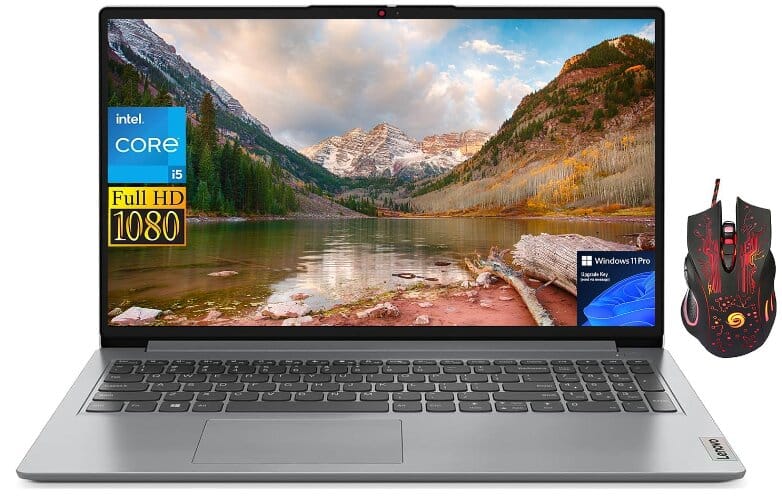
Specifications:
- Screen Size: 15.6 Inches
- CPU Model: Intel 10-Core i5-1235U
- RAM: 12 GB
- Hard Drive: 512 GB SSD
- Graphics Card Description: Integrated Intel Iris Xe Graphics
- Processor Speed: 4.4 GHz
- Graphics Coprocessor: Intel Iris Xe Graphics
- Wireless Type: Wi-Fi 6 (802.11ax)
- Number of USB 2.0 Ports: 1
- Number of USB 3.0 Ports: 2
- Laptop weight: 3.52 pounds
- Operating System: Windows 11 Pro
Review:
When it comes to finding a reliable laptop under 500 dollars that can handle various tasks, the Lenovo IdeaPad is often a safe bet. It’s versatile and suitable for light gaming, work, and even some photo editing tasks.
The model I got here came with an Intel i5-1235U processor, 12GB of RAM, 512GB of storage, and an Intel Iris Xe GPU.
The Intel Core i5‑1235U in this 15″ IdeaPad delivers 10 cores (2 P‑cores + 8 E‑cores) with up to 4.4 GHz turbo and posts 1,668 in Cinebench R23 (single‑core) and 7,852 (multi‑core). Compared to the Ryzen 5 4500U, the i5-1235U performs about 20% better in Cinebench R23 (e.g., 1,640 vs 1,151 single-core; 6,601 vs 5,920 multi-core).
That means it handles web browsing with 15+ tabs, Zoom/Teams meetings, Word/Excel, and 60‑fps 1080p video editing smoothly.
But if you’re exporting 4K storefront videos, rendering complex Fusion 360 3D models, or running virtualized development environments, this CPU will feel slow, and sometimes struggle with consistent responsiveness.
What is really great is that storage and RAM both have ample capacity and can be readily upgraded. The RAM can be increased to 40GB and the storage to 2TB. So, whenever you have a few extra hundred to pay, you can easily upgrade your laptop without trading it.
In its design and connectivity, Lenovo’s budget IdeaPad remains simple. Despite being entirely made of plastic, it still has the traditional IdeaPad appearance, which is smart and professional.
It’s a thin laptop and its weight is about 3.52 pounds, making it lightweight and easily portable.
All important ports are present, including USB-A, HDMI, and a microSD card reader. There is also a USB-C port that only supports data transfer.
Internally, you get a roomy keyboard and a trackpad that is of decent size, both of which are comfortable to use, especially considering the price point. Nonetheless, there isn’t any backlighting on the keys or fingerprint scanner. If you are security and privacy conscious and you need a machine with fingerprint, we have Lenovo Ideapad 3i in our list.
The hinge above the keyboard is alright yet it could be stronger. Concerning display quality, this one is pretty basic—720p resolution with limited viewing angles and low brightness. Nevertheless, it gets the job done for most everyday activities.
Even though this is a budget model, its speakers deliver only average audio, which is not ideal for immersive media or livestreams. Moreover, charging falls in line with other sub‑$500 laptops; there’s no fast‑charge tech, and the standard 65 W adapter tops off the battery in around 1.5–2 hours, which is fine but far from class-leading.
This is a suitable choice for students or road warriors who mostly work on Word and spreadsheets and attend Zoom calls but you’ll need to plug in at least once in the afternoon if you’re doing extended sessions or using resource-heavy apps.
It’s not a laptop you should depend on for all-day up-and-go productivity without access to power.
To conclude, the 2025 Lenovo IdeaPad is a dependable performer for everyday productivity, streaming, and light video editing or coding, provided you keep expectations within its power envelope.
It is not suitable for sustained 4K editing, serious content creation, or high-fidelity gaming. Just consider it a crisp, lightweight student or office workhorse.
HP 17 Laptop: Best 17-Inch Laptop Under 500
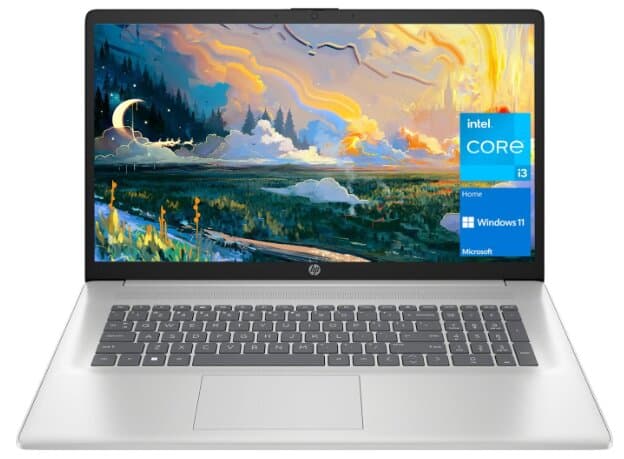
Specifications:
- Screen Size: 17.3 Inches
- Processor: 11th Gen Intel Core i3-1125G4, running at 2 GHz
- RAM: 32 GB
- Storage: 1 TB SSD
- Graphics: Intel UHD Graphics with 8 MB graphics card RAM
- Ports:
- 1 x USB 2.0
- 1 x USB 3.0
- HDMI
- Wireless: Bluetooth
- Operating System: Windows 11 Home
- Weight: 4.6 pounds
Review:
HP has laptops for all sorts of demands, whether you want something extravagant or just a simple one. If you are on a tight budget but looking for an HP laptop with a large screen and incredible features, you should consider the HP 17, which is available for around $500.
The HP 17 laptop has a good performing processor, an 11th Gen Intel Core i3-1125G4 processor, which does well on daily tasks like schoolwork, office work, online jobs, and light gaming.
The display on this HP laptop is a bit mixed. It’s a 17.3-inch TN panel, meaning it isn’t as sharp as an IPS display. However, it still manages to provide decent brightness at 250 nits. However, the resolution is only 1600 x 900 pixels, so it’s not full HD.
Moreover, this laptop weighs less compared to most other 17-inch laptops and HP 15 laptops in this price range, making it portable.
It has a sleek, business-like design with narrow bezels and an aluminium-like finish with an attention-grabbing shiny HP logo on the lid. However, it is made of plastic, though it does not feel cheap. Typing on the keyboard is comfy, although it does have a bit of a bend to it. But all in all, using it feels nice and enjoyable.
As far as hardware is concerned, the laptop comes with an Intel Core i3 CPU (12th generation) that includes Intel UHD graphics and thus fits basic tasks like web browsing, emails, Zoom calls, Word/Excel, and similar office or education tasks well.
However, its low processing power and dedicated video memory may hinder its performance when handling more demanding tasks.
It is the perfect affordable laptop for any kind of business, including retail business, due to its large screen and high specifications. Additionally, it excels at multitasking and file storage. With 32GB of RAM and a 1TB SSD, you have plenty of storage and memory for anything you want to do.
Here are a few other things to back our claim that this is the best cheap laptop with a large screen, the highest RAM, and storage (1TB).
Other than its large screen, a big RAM for aggressive multitasking, and a large storage to store photos and videos, when it comes to ports, you have a good range of ports as well, including USB Type-C, Type-A, and HDMI.
However, there is no Ethernet port or SD card slot, though Wi-Fi 6 ensures that the internet is faster and more stable.
The battery life is satisfactory on this laptop. Expect 4–5 hours of mixed use, rarely more than six hours in minimal scenarios.
The speakers are decent for entertainment but not great for music production. Even though a touchpad may be a bit cheap, you can always use a mouse instead.
Thus, this HP laptop offers great value for its price. Despite a few drawbacks, it’s a solid choice for the price and definitely worth considering if you’re looking for an affordable laptop under 500 with incredible specs and features.
HP Victus 15-fa1093dx: Best Gaming Laptop Under $500 When Refurbished Deals Qualify
Specifications:
- Model: HP Victus 15-fa1093dx, refurbished configuration
- Display: 15.6-inch Full HD (1920 × 1080) IPS, 144Hz
- Processor: Intel Core i5-13420H (8 cores, 12 threads)
- Graphics: NVIDIA GeForce RTX 3050 Laptop GPU with 6GB dedicated GDDR6 memory
- RAM: 8GB DDR4 (16GB is preferable for gaming and background applications)
- Storage: 512GB NVMe SSD
- Operating system: Windows 11 Home on the identified configuration
Review:
Who this gaming laptop is best for: Budget-conscious players who want a dedicated graphics processor for esports games, Minecraft, Roblox, and more demanding PC titles at adjusted settings. An RTX 3050 laptop offers more graphics capability than ordinary office laptops with integrated graphics, though actual frame rates depend on the game, resolution, cooling and power limits.
If you are looking for a good gaming laptop under $500, the refurbished HP Victus 15-fa1093dx is a specific configuration worth watching for, not a promise that every Victus 15 costs less than $500. Its Core i5-13420H, 6GB RTX 3050 and 144Hz Full HD screen give it a credible gaming foundation. By contrast, cheaper laptops marketed as gaming machines may use integrated graphics that are far less suitable for graphically demanding games.
Why we recommend this configuration: The dedicated GPU has its own 6GB graphics memory instead of depending entirely on shared system memory. The 144Hz panel can display smoother motion in games that reach high frame rates, while the 512GB SSD offers substantially more space for game installations than 128GB or 256GB options. The 8GB system RAM is the main limitation: we would prefer 16GB if the listing, upgrade costs and total price still fit your budget.
Gaming limitations: This is an entry-level gaming laptop, not a high-end workstation. Recent demanding AAA games may need low or medium graphics settings, upscaling and realistic performance expectations. Battery life during gaming will be substantially shorter than for browsing or document work, and refurbished battery condition varies between sellers.
Price and availability: A refurbished listing of this model was reported at $499.99 in August 2026, but that is historical pricing. As of November 16, 2026, we could not confirm an active Amazon offer for the same RTX 3050 configuration at or below $500. The button below searches Amazon for renewed Victus RTX 3050 offers with a $500 price filter; it may return no qualifying listing. Check the model number, exact GPU, RAM, SSD, condition and final checkout price before ordering.
Pros: Dedicated RTX 3050 graphics; 144Hz Full HD display; fast NVMe storage; capable eight-core Intel CPU for this price class.
Cons: Only 8GB RAM in the targeted refurbished configuration; entry-level screen color coverage; variable used battery condition; current sub-$500 Amazon availability is unconfirmed.
How to choose a laptop under $500 for your needs?
Let’s discuss how laptop specifications influence your work, the timing of when you need them, and which features play crucial roles in different situations.
Here is a complete laptop buying guide, and the following information is useful enough to help you make a wise decision.
- Display: IA 14-15.6 inch 1080p IPS display provides a good balance between screen real estate and portability, with IPS ensuring better color accuracy for photo and video editing. This should be your minimum display range for your laptop.
- CPU: An Intel Core i5 or AMD Ryzen 5 provides sufficient processing power for general use, education, business applications, gaming, video editing, and more. However, Intel core i3, or AMD Ryzen 3 are also good to start for general use.
- RAM: 16GB is enough for smooth multitasking and performance across various applications, including gaming, video editing, and music production. If you don’t have extensive jobs to play, you can go with 8 GB DDR4. Below this range is a mess.
- Storage: A 256GB SSD offers fast boot times and quick access to files, while a 512GB SSD is preferred for handling larger media files. So, at least, there should be 256 GB SSD on your laptop.
- GPU: A dedicated GPU enhances gaming and video editing performance, while an integrated GPU is adequate for less intensive tasks.
- Battery Life: 8+ hours of battery life ensures the laptop can last through a full workday or school day without needing a recharge.
- Ports: A variety of ports ensure compatibility with various peripherals and external displays, which is beneficial for business, gaming, and content creation. That’s why you should prefer laptops with most ports.
Can you get a good laptop for under $500?
Yes, particularly if you consider refurbished laptops. The MacBook Air M1 and MacBook Pro M1 have both appeared below $500 on Amazon Renewed, while a refurbished ThinkPad T14 Gen 2 can provide 16GB RAM and a backlit keyboard around the same budget. Some newer Windows configurations may exceed $500, and those exceptions are identified in the individual reviews.
