
If you’re searching for the best laptops under $500 for your specific needs but feel overwhelmed, especially if you’re not very tech-savvy, don’t worry. I’ll guide you through choosing the perfect laptop under $500 in just 3 simple steps.
Indeed, it becomes quite easy to find the best laptops if you understand three things:
- Brands: Always stick with trusted brands like HP, Dell, ASUS, MSI, etc.
- Specs: Know what specs you need for your tasks—we’ve broken down the ideal specs for every need.
- Don’t overthink: Keep it simple and focus on what matters.
Many people are searching for budget-friendly laptops for business, education, graphic design, Photoshop, or for light gaming like Minecraft. To meet these needs, any laptop with the following specs delivers solid performance at a budget-friendly price.
Best Specs for Sub-$500 Laptops:
- Display: 14-15.6 inches, 1080p resolution, IPS panel
- CPU: Intel Core i5 (8th gen or newer) or AMD Ryzen 5
- Memory: 16GB DDR4
- Storage: 512GB SSD is preferred for video editing and larger files.
- GPU: Dedicated GPU (e.g., NVIDIA GTX 1650) or Integrated GPU (e.g., Intel Iris Plus)
- Battery Life: 8+ hours
- Ports:
- USB-C
- USB-A
- HDMI
- Audio jack
- SD card reader (optional but useful for photo and video editing)
Here’s the best part: Most of the laptops listed below come with decent specs and are available for under $500. But this top pick stands out as the best deal. It’s available for just under $500, but it offers incredible features that handle anything in the blink of an eye.
And it’s not just us who’ve tested it—tens of thousands of users have rated this as the best laptop under $500.”
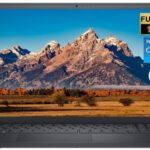
Most Powerful Windows Laptop under $500
2025 Newest Dell Inspiron 3511
This machine is designed for efficiency and performance, perfect for both everyday tasks and more demanding applications. With a sleek design and reliable build, it’s an exceptional value for money.
Value for Money: 9/10
Check For The DealsNow, let’s move forward to the top 10 laptops under $500.
To make your choice easier, I have categorized the laptops: the top 5 are recommended for extensive tasks, while the remaining 5 are ideal for general use.
Dell Inspiron 3511: Best overall laptop under $500
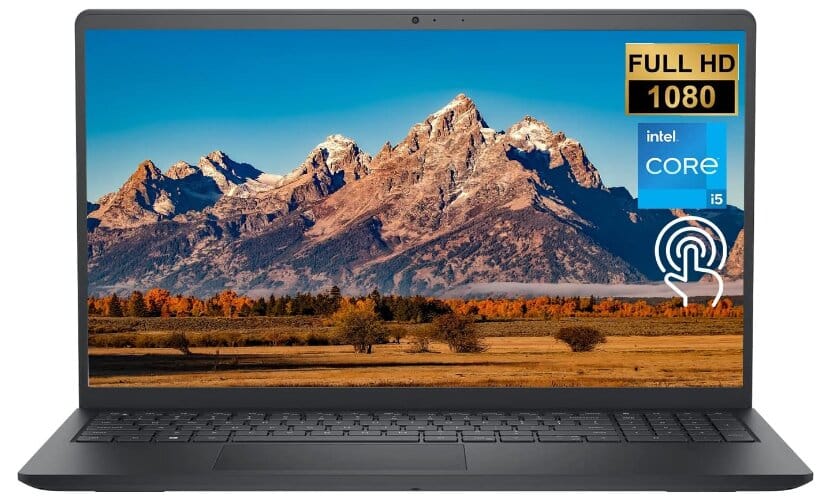
Specifications:
- Display: 15.6 inches
- Processor: Intel Core i5-1135G7
- RAM: 32 GB DDR4
- Storage: 1 TB
- Graphics: Integrated Intel Iris Xe Graphics
- Operating System: Windows 11 Home
- Connectivity: Wi-Fi, Bluetooth
- Ports:
- 2 x USB 2.0
- 2 x USB 3.0
- HDMI
- SD Card Reader
- Weight: 3.7 pounds
Our ratings:
Review:
You don’t have to spend a ton to get a good Windows laptop. Some of the best ones can be pricey, but the Dell Inspiron 3511 proves you can get a quality laptop for less than $500. This is one of the top-rated laptops under $500 and comes highly recommended for your 2025 purchase.
Dell is known for making well-built devices, and the Inspiron 3511 is no exception. Like the high-end Dell Inspiron 15, this model feels sturdy and reliable, just like you’d expect from Dell.
The Inspiron 3511 comes in different versions, ranging from the simplest, which has a Core i3 processor, to the most advanced, which has a Core i7 processor. Its i7 model isn’t available for under $500, so it will cost you a few hundred more bucks. But you can go for an i3 or i5 processor if you don’t have to handle extensive work.
The one I am reviewing here comes with Iris Xe Graphics and Core i5-1135G7 which lets you compile code, transcode 4K to 1080p video, edit Lightroom JPEGs, or export a PowerPoint in about 90–120 seconds, depending on quality settings.
With a Geekbench 5 multi-core score around 4,500–4,900, its speed is comparable to a 10th‑Gen i7 in typical office/creative workflows.
Its smooth multitasking capability makes it an excellent choice for students, small businesses, or anyone working from home, offering great value for both productivity and entertainment on a budget.
However, once you start pushing it for more demanding tasks like gaming and video editing, things can get heated. The single fan and narrow air intake vent don’t do a great job of keeping things cool, leading to thermal throttling issues. So, you’ll need to be mindful of that.
If you plan to use it for intensive tasks, you might need to keep the laptop in cooler environments.
With 32 GB DDR4 RAM + 1 TB NVMe SSD, the system typically boots from powered‑off to desktop in about 15 seconds and wakes from sleep almost instantly.
Opening everyday apps like Word or Chrome takes well under a second even with 30 tabs, Discord, and Teams running in the background.
In terms of upgradability, both RAM and SSD can be easily upgraded, which is an added advantage.
Moreover, the design of the Inspiron 3511 isn’t remarkable, but it is stylish enough, whether for work or play. The top half of the machine is metallic, while the bottom half is made of plastic. Its weight is 3.7 pounds, which makes it not very light but manageable.
The Inspiron 3511 has lots of ports, like HDMI, SD card, headphones, and three USB-A ports which are often necessary for work. But it’s missing a USB-C port, which is disappointing.
Some people still need old ports, but I think Dell could’ve swapped one USB-A for a USB-C. Or they could’ve replaced the barrel charging port with a USB-C that can charge the laptop.
Many good webcams for Windows use USB-A, so having old ports makes sense. But some accessories, like external hard drives, use USB-C.
The keyboard doesn’t have a backlight, which some people prefer. Although, the touchpad is fine for everyday tasks, but for more demanding work, it might be impractical. You can always attach another keyboard to keep your original one safe.
However, let’s proceed to the most important feature of any device – its display. This one is an average 1080p IPS panel with a matte finish, which helps reduce glare. The colors are okay for personal home use and everyday tasks. The touchscreen is a nice addition, though.
Battery life is good enough, as it lasts up to 6-6.5 hours on low usage but drops to 2–3 hours under intensive workloads. The speakers are also fine, just that they lack excellent sound quality.
Our final verdict: This laptop is truly one of the best under $500. If you’re on a budget and need something reliable for both everyday tasks and more demanding ones like video editing or graphic design, this machine is an excellent choice.
Whether you’re buying one or several laptops, the Dell Inspiron 3511 is a solid option. It’s affordable and well-built, just like other Dell laptops. While it would have been great to have a USB-C port and built-in Windows Hello, these missing features shouldn’t be a dealbreaker for most users.
Acer Swift Go Intel Evo Thin & Light Premium Laptop
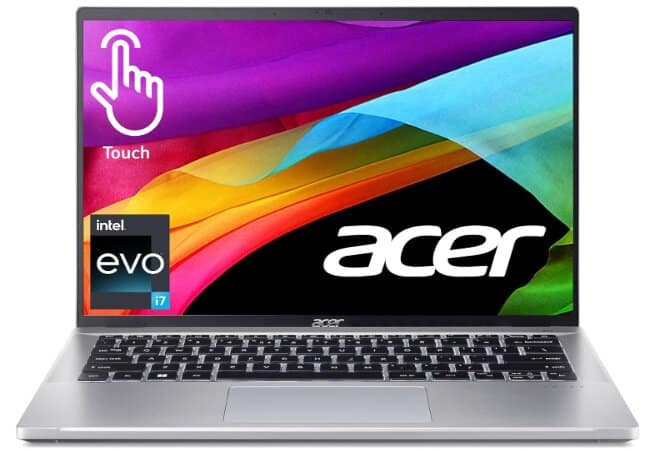
Specifications:
- Screen Size: 14 inches
- Display Type: Touch Screen
- CPU Model: Intel Core i7-1355U
- Processor Speed: 5 GHz
- RAM: 16 GB LPDDR5
- Hard Disk Size: 512 GB
- Graphics Coprocessor: Intel Iris Xe Graphics
- Wireless Type: Bluetooth, 802.11ax (Wi-Fi 6)
- Number of USB 3.0 Ports: 4
- Backlit Keyboard: Yes
- Operating System: Windows 11 Home
- Weight: 2.76 pounds
Review:
The Acer Swift Go 14 offers a clean, minimalist design that’s easy to overlook but don’t let its looks fool you. Inside, a Core i7‑1355U, 16 GB DDR5 RAM, and fast SSD deliver exceptionally swift performance for everyday apps, video calls, and even light content creation.
The i7-1355U delivers noticeably better performance than the 12th-gen 1255U about 10% faster in single-core tests and 5% faster overall. Geekbench scores average around 2,466 (single-core) and 7553(multi-core)
Practically, that means 4K video exports finish in 110 seconds, Lightroom edits and Excel pivot tables scroll smoothly, and app switchover has no lag even under load.
The Intel i7, coupled with 16 GB of memory and 512GB storage, zips through web browsing, Office docs, 4K streaming, light photo edits, and dozens of Chrome tabs without any hiccup.
The Acer brand decided to stay the same and didn’t change the design of the past models. That’s a bit of a bummer. It’s still the same metallic exterior and weighs around 1.25 kg, standard for a 14-inch laptop.
The port selection is great: two Thunderbolt 4 USB-C ports, HDMI 2.1, a USB-A port with reverse charging, a Kensington lock, another USB-A port, a headphone jack, and a Micro SD card reader. The dual-fan setup ensures good airflow, and the speakers are in a bottom-firing stereo configuration.
Opening the laptop reveals a clean, metallic interior. The trackpad looks like glass but is actually plastic and a bit flexible. The keyboard is decent, with well-labeled keys, backlighting, and a built-in fingerprint scanner. The keys have good travel, making for a pleasant typing experience, though not as good as some high-end competitors.
That aside, the model has a standard IPS LCD screen with a full HD+ resolution, a 16:10 aspect ratio, and a 60 Hz refresh rate—not the brightest out there, but pretty for most use-case scenarios, with good color and nice touch responsiveness. The screen is 100% sRGB—good enough for most uses but not great for professional-grade color work.
The thermal performance is good, ensuring it remains cool under heavy loads; however, the fans can get a bit noisy.
Battery life is solid but rarely hits 12 hours. In light use like web browsing or document editing at 150 nits the laptop typically lasts 8 hours 25 minutes in standardized testing, with light‑use scenarios occasionally reaching around 11 hours.
However, during heavier work video playback, Zoom calls, or content editing, real-world runtimes often fall in the 4–6 hour range, especially when the CPU briefly hits 90 °C and enters thermal throttling mode.
Upgradability is quite poor. RAM is not user-upgradable, but one can swap out the SSD and the Wi-Fi module, as expected.
However, the speakers can’t offer that great an experience either, featuring a conventional stereo setup with no real depth.
Overall, priced at about $500, the Acer Swift Go 14 is a premium laptop with some cons. While it has strong performance, good battery life, and a decent display, the design feels dated, and the exhaust vent placement could be a long-term issue. If you do not mind that, then this laptop is a solid choice.
But if we consider the pros of this machine, it’s the only i7 model currently available for around $500, thanks to the significant discounts offered by the brand.
I must say, if you’re looking for a budget-friendly laptop with the latest technology, you shouldn’t overlook this latest 13th-generation i7 laptop priced at about $500.
Lenovo 2025 Newest IdeaPad: Best 15-inch laptop under 500
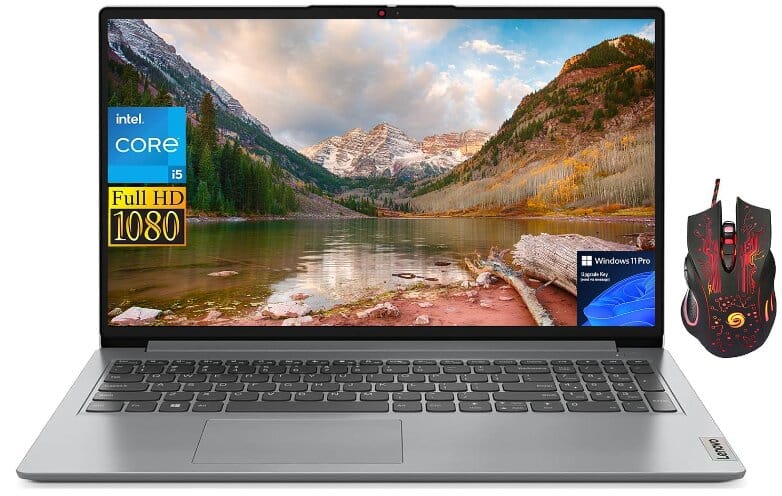
Specifications:
- Screen Size: 15.6 Inches
- CPU Model: Intel 10-Core i5-1235U
- RAM: 12 GB
- Hard Drive: 512 GB SSD
- Graphics Card Description: Integrated Intel Iris Xe Graphics
- Processor Speed: 4.4 GHz
- Graphics Coprocessor: Intel Iris Xe Graphics
- Wireless Type: Wi-Fi 6 (802.11ax)
- Number of USB 2.0 Ports: 1
- Number of USB 3.0 Ports: 2
- Laptop weight: 3.52 pounds
- Operating System: Windows 11 Pro
Review:
When it comes to finding a reliable laptop under 500 dollars that can handle various tasks, the Lenovo IdeaPad is often a safe bet. It’s versatile and suitable for light gaming, work, and even some photo editing tasks.
The model I got here came with an Intel i5-1235U processor, 12GB of RAM, 512GB of storage, and an Intel Iris Xe GPU.
The Intel Core i5‑1235U in this 15″ IdeaPad delivers 10 cores (2 P‑cores + 8 E‑cores) with up to 4.4 GHz turbo and posts 1,668 in Cinebench R23 (single‑core) and 7,852 (multi‑core). Compared to the Ryzen 5 4500U, the i5-1235U performs about 20% better in Cinebench R23 (e.g., 1,640 vs 1,151 single-core; 6,601 vs 5,920 multi-core).
That means it handles web browsing with 15+ tabs, Zoom/Teams meetings, Word/Excel, and 60‑fps 1080p video editing smoothly.
But if you’re exporting 4K storefront videos, rendering complex Fusion 360 3D models, or running virtualized development environments, this CPU will feel slow, and sometimes struggle with consistent responsiveness.
What is really great is that storage and RAM both have ample capacity and can be readily upgraded. The RAM can be increased to 40GB and the storage to 2TB. So, whenever you have a few extra hundred to pay, you can easily upgrade your laptop without trading it.
In its design and connectivity, Lenovo’s budget IdeaPad remains simple. Despite being entirely made of plastic, it still has the traditional IdeaPad appearance, which is smart and professional.
It’s a thin laptop and its weight is about 3.52 pounds, making it lightweight and easily portable.
All important ports are present, including USB-A, HDMI, and a microSD card reader. There is also a USB-C port that only supports data transfer.
Internally, you get a roomy keyboard and a trackpad that is of decent size, both of which are comfortable to use, especially considering the price point. Nonetheless, there isn’t any backlighting on the keys or fingerprint scanner. If you are security and privacy conscious and you need a machine with fingerprint, we have Lenovo Ideapad 3i in our list.
The hinge above the keyboard is alright yet it could be stronger. Concerning display quality, this one is pretty basic—720p resolution with limited viewing angles and low brightness. Nevertheless, it gets the job done for most everyday activities.
Even though this is a budget model, its speakers deliver only average audio, which is not ideal for immersive media or livestreams. Moreover, charging falls in line with other sub‑$500 laptops; there’s no fast‑charge tech, and the standard 65 W adapter tops off the battery in around 1.5–2 hours, which is fine but far from class-leading.
This is a suitable choice for students or road warriors who mostly work on Word and spreadsheets and attend Zoom calls but you’ll need to plug in at least once in the afternoon if you’re doing extended sessions or using resource-heavy apps.
It’s not a laptop you should depend on for all-day up-and-go productivity without access to power.
To conclude, the 2025 Lenovo IdeaPad is a dependable performer for everyday productivity, streaming, and light video editing or coding, provided you keep expectations within its power envelope.
It is not suitable for sustained 4K editing, serious content creation, or high-fidelity gaming. Just consider it a crisp, lightweight student or office workhorse.
Lenovo IdeaPad 3i 2025: Best Business Laptop Under 500
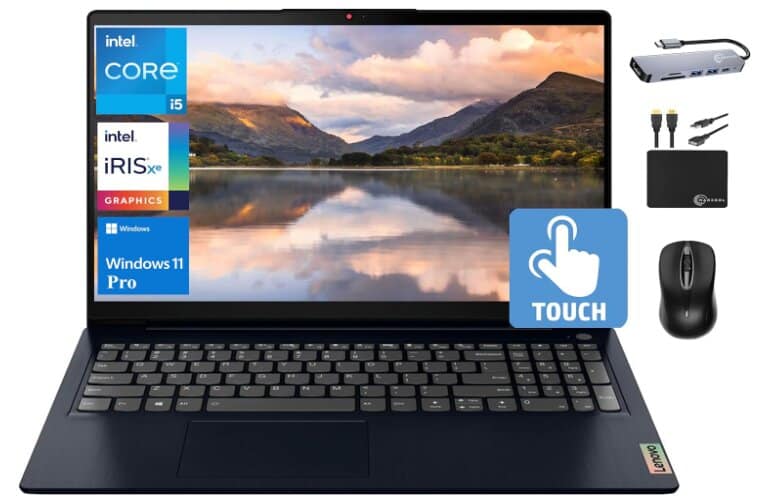
Specifications:
- Screen Size: 15.6 inches
- Processor: Intel Core i5-1155G7 (up to 4.5GHz)
- RAM: 16GB DDR4
- Storage: 512GB SSD
- Webcam: HD Webcam
- Connectivity: Wi-Fi 6
- Number of USB 2.0 Ports: 1
- Number of USB 3.0 Ports: 2
- Weight: 3.64 pounds
- Operating System: Windows 11 Pro
Review:
The Lenovo Ideapad 3i is another one of the best laptops under $500. It’s actually more of an in-between device, falling somewhere between basic and high-end laptops. So you’re not splurging, but you’re also not settling for something that’s going to lag behind. It’s not the fanciest model, but it won’t drain your wallet either.
Onto the specs. The screen size is pretty average—15.6 inches—with a full HD IPS touchscreen providing clear visuals for all your tasks and entertainment requirements. On the inside, it comes with 512GB SSD storage that offers enough storage as well as aids in accessing data at high speeds, unlike traditional drives.
It also features 16GB of RAM, so one can multitask smoothly while using internet browsers or office applications without worrying about lag or buffering.
This laptop, which has Intel Iris Xe Graphics and an Intel i5 12th-generation processor, is one of the few midrange models in its class that can be referred to as a snappy performer. It can handle typical computer tasks like web browsing and work, but it can also accommodate some light gaming.
Lets see who Fits This Machine?
| Good Fit For | Ideal Apps |
|---|---|
| Students, writers, remote professionals | Zoom, Gmail, Docs, Excel, Teams |
| Small business users | QuickBooks, browser CRM tools, PDF editing |
| Casual creators | DaVinci Resolve (1080p jobs), Premiere exports, Lightroom |
It’s a generally smooth performer within its limits. But don’t rely on it for demanding editing suites, high-end gaming, or all‑day battery autonomy.
The laptop’s webcam is okay, capable of recording in 720p, and has the potential for privacy. The power button also has a fingerprint reader, which is a cool feature found on more expensive laptops. Plus, it can connect to Wi-Fi 6, which is good.
The keyboard is comfortable to type on. It’s not amazing, but it’s not bad either.
And about the ports. On the left side of this laptop, there is a power plug, an HDMI port, and two USB ports, while on the right, there are also headphone jacks and an SD card slot. Even though there are so many options here, it would have been nice if they had included USB-C, too.
The built-in speakers are adequate at mid-volume—but totally lack low-end punch. Tests show strong mids but almost no bass. They’re loud enough for checklists or Zoom but insufficient for immersive video content or streaming without headphones.
Moreover, it comes with a battery that lasts around 5–6 hours of light usage (Office apps, single‑window browsing) with battery saver enabled.
More demanding work like multi‑tab browsing with video conferencing pushes use down to 2–4 hours.
It’s not the long-lasting battery, but it’s okay for the price.
And this is it! Lenovo IdeaPad 3i! Great features! Nice design! And affordable too. It belongs to the class of “office+student lumps,” where responsiveness and portability matter more than brute force performance.
Its strengths: fast SSD boot, 16 GB RAM, smooth multitasking, and affordable upgradeability (SSD only).
Its limitations: no Thunderbolt, battery life drops below 4 hrs under moderate load, and thermal throttling when pushed.
If you need robust 4K editing, casual AAA gaming, or all‑day unplugged performance, it’s better to look slightly higher in the price tier. Otherwise, this machine offers very strong value for office, students, Zoom, and light creative work.
HP Notebook Laptop: Budget laptop with the highest RAM and Storage
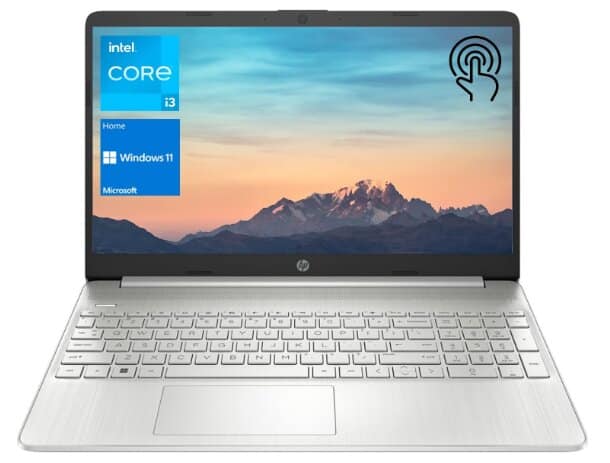
Specifications:
- Screen Size: 15.6 Inches
- CPU Model: Intel Core i3-1115G4 Processor
- RAM: 32 GB DDR4
- Hard Disk Size: 1 TB SSD
- Special Feature: HD Audio
- Graphics Card Description: Integrated Intel UHD Graphics
- Wireless Type: Wi-Fi, Bluetooth
- Operating System: Windows 11 Home
- Ports:
- 1 x USB 2.0
- 1 x USB 3.0
- HDMI
- Laptop weight: 3.75 pounds
Review:
Looking for a lightweight, affordable laptop under $500 that’s easy to carry around? Consider this HP notebook.
It’s one of the most economical HP laptops and is a good choice for most tasks. It handles daily tasks like browsers, Office, video calls, and exporting light 1080p content smoothly, but don’t expect fast performance when running heavy video renders, large spreadsheets, or CAD simulations. If gaming is what you require, then it can only play games such as Minecraft or some older titles fairly well.
Given that, it is great for simple tasks but when you try to multitask or run many programs at the same time, it may struggle a bit because its processor has fewer cores compared to other similar computers.
The HP Laptop 14 has some basic hardware inside. It runs on a Core i3-1115G4 processor, which delivers roughly 1,586 points in single-core and 3,098 in multi-core benchmark tests.
The processor speed of this laptop is 3 GHz, which is an average speed. At entry level, 2 GHz and 3 GHz are reasonable ballparks. For gaming and tough tasks, it’s best if the speed is between 3.5 GHz and 4.0 GHz.
Considering that it also has 16 GB of RAM, your system can multitask without experiencing any lag, running over ten tabs in your browser, apps like Teams or Zoom, and other basic productivity tasks. As for 1 TB of storage, it offers abundant space: you could store approximately 500 hours of HD (1080p) video or around 250,000 high-resolution photos.
Additionally, it has USB ports, an HDMI port, a headphone jack, and Wi-Fi 6 to connect to the internet.
This laptop’s downside is that the battery doesn’t last as long as some other laptops. You can expect 5–6 hours of light use, not a full workday. Heavy browsing, Zoom, or editing often drops runtime to 2–3 hours.
However, you have to carry a special charger because you can’t charge it with a regular USB-C port.
Also, the screen isn’t very good. The keyboard is not backlit, which is okay, but they’re hard to see as they’re gray on a silver background, especially in dim light.
In terms of appearance, the laptop has a shiny and smooth silver 15.6-inch touchscreen that makes it easy for navigation as well as quick tasks. Nonetheless, if you are viewing the screen from narrow angles, there may be some shifts in contrast and pale areas.
Some people may find it annoying that at lower settings, the screen brightness flickers slightly.
Another disadvantage of this laptop is that it uses fans that can be noisy and run frequently since most of its chassis is made out of plastic, which does not dissipate heat well. There are two fan modes: one with semi-high noise and another with more noise. Unfortunately, there’s no way to control the cooling system to reduce the noise.
Though there are issues like fan noises and a bit slower performance, this laptop still has some positives about it. It is stylishly designed and lightweight, which makes it easier to carry around wherever you want to go.
The HP notebook computers may not break any records on beauty or power, but they do solve a problem for those on a budget who want a Windows laptop. The HP 14 is flawed, but it’s highly affordable below $500, thus making it one of the best options, especially for individuals who can’t afford expensive models, even though they need functionality above all else.
HP 17 Laptop: Best 17-Inch Laptop Under 500
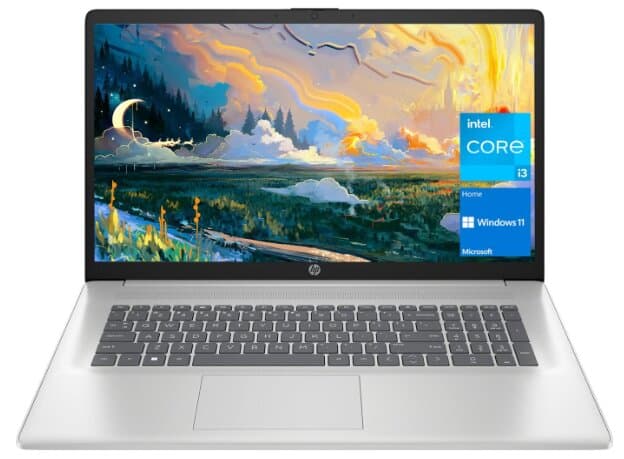
Specifications:
- Screen Size: 17.3 Inches
- Processor: 11th Gen Intel Core i3-1125G4, running at 2 GHz
- RAM: 32 GB
- Storage: 1 TB SSD
- Graphics: Intel UHD Graphics with 8 MB graphics card RAM
- Ports:
- 1 x USB 2.0
- 1 x USB 3.0
- HDMI
- Wireless: Bluetooth
- Operating System: Windows 11 Home
- Weight: 4.6 pounds
Review:
HP has laptops for all sorts of demands, whether you want something extravagant or just a simple one. If you are on a tight budget but looking for an HP laptop with a large screen and incredible features, you should consider the HP 17, which is available for around $500.
The HP 17 laptop has a good performing processor, an 11th Gen Intel Core i3-1125G4 processor, which does well on daily tasks like schoolwork, office work, online jobs, and light gaming.
The display on this HP laptop is a bit mixed. It’s a 17.3-inch TN panel, meaning it isn’t as sharp as an IPS display. However, it still manages to provide decent brightness at 250 nits. However, the resolution is only 1600 x 900 pixels, so it’s not full HD.
Moreover, this laptop weighs less compared to most other 17-inch laptops and HP 15 laptops in this price range, making it portable.
It has a sleek, business-like design with narrow bezels and an aluminium-like finish with an attention-grabbing shiny HP logo on the lid. However, it is made of plastic, though it does not feel cheap. Typing on the keyboard is comfy, although it does have a bit of a bend to it. But all in all, using it feels nice and enjoyable.
As far as hardware is concerned, the laptop comes with an Intel Core i3 CPU (12th generation) that includes Intel UHD graphics and thus fits basic tasks like web browsing, emails, Zoom calls, Word/Excel, and similar office or education tasks well.
However, its low processing power and dedicated video memory may hinder its performance when handling more demanding tasks.
It is the perfect affordable laptop for any kind of business, including retail business, due to its large screen and high specifications. Additionally, it excels at multitasking and file storage. With 32GB of RAM and a 1TB SSD, you have plenty of storage and memory for anything you want to do.
Here are a few other things to back our claim that this is the best cheap laptop with a large screen, the highest RAM, and storage (1TB).
Other than its large screen, a big RAM for aggressive multitasking, and a large storage to store photos and videos, when it comes to ports, you have a good range of ports as well, including USB Type-C, Type-A, and HDMI.
However, there is no Ethernet port or SD card slot, though Wi-Fi 6 ensures that the internet is faster and more stable.
The battery life is satisfactory on this laptop. Expect 4–5 hours of mixed use, rarely more than six hours in minimal scenarios.
The speakers are decent for entertainment but not great for music production. Even though a touchpad may be a bit cheap, you can always use a mouse instead.
Thus, this HP laptop offers great value for its price. Despite a few drawbacks, it’s a solid choice for the price and definitely worth considering if you’re looking for an affordable laptop under 500 with incredible specs and features.
Lenovo IdeaPad Business Laptop 2025 under $500
Specifications:
- Display: 15.6 inches
- CPU Model: AMD Ryzen 3 7320U
- RAM: 8 GB DDR5
- Storage: 1 TB PCIe SSD
- Graphics Coprocessor: AMD Radeon 610M Graphics
- Number of USB 2.0 Ports: 1
- Number of USB 3.0 Ports: 2
- Wireless Type: Wi-Fi 6, Bluetooth, 2.4 GHz Radio Frequency
- Operating System: Windows 11 Pro
- Laptop weight: 3.48 pounds
Review:
The 2025 Lenovo IdeaPad 1 Gen 7 starts at $399, yet it ships with a quad-core Ryzen 3 7330U, 8 GB DDR5 RAM, and a 1 TB PCIe SSD. Those are the same three specs most people care about, and Lenovo somehow fit them all into a 15-inch laptop that still weighs just 3.48 lb.
That alone makes it the easiest recommendation for anyone who needs a full Windows 11 Pro machine and can’t—or won’t—go past the $500 mark.
The Lenovo IdeaPad 1 comes in a plain, abyss blue finish. Its design is straightforward and unpretentious like any entry-level laptop should be. The lid only has a small logo of Lenovo on the top right corner as an embellishment. There’s no extra flair, which is expected for this type of laptop.
To be honest, the build quality of this budget laptop isn’t too shabby. There is some chassis flex but it isn’t excessive. As a whole, it feels very solid, like many mid-range laptops, which is quite remarkable considering how low-priced it actually is.
Additionally, it is compact and fits easily into a small bag, making it quite portable. However, it’s not the lightest laptop around, weighing about the same as a 13-inch MacBook Pro (1.38 kg). This weight is manageable but not exactly lightweight.
A nice feature of this budget laptop is that the screen can pivot nearly 180 degrees, adding some flexibility for different uses, like using it while lying on the couch. However, this means you can’t open the laptop with one hand because the hinge is too strong.
Now about the specs, it comes with an AMD Ryzen 3 7320U processor and AMD Radeon 610M graphics. The AMD Ryzen 3 7320U significantly outpaces the Intel Core i3-1115G4 typically by around 46% in multi-threaded performance. In popular benchmarks like Cinebench R23, the Ryzen 3 7320U scores approximately 4,445 in multi-core runs, compared to about 3,143 for the i3-1115G4.
Ryzen 3 7320U does well in everyday tasks such as Microsoft Word usage, Excel spreadsheets, and browsing the web. The best part about these programs is that they open fast and function smoothly, even if there are multiple tabs open in Chrome or other similar engines. It has 8GB of RAM and 1TB of storage, which suits all these purposes, but may struggle with other demanding duties depending on what you do with your laptop more often.
One thing I like is the variety of ports it offers, including USB, HDMI, and a card reader. However, it would have been nice if the USB-C port could also charge the laptop. Instead, it uses a standard pin charger, which is a bit old-fashioned but easy to replace if needed.
The battery life is claimed to be up to 14 hours, but in real-world use it delivers 8–9 hours during light browsing or streaming and 2–3 hours under mixed productivity or video calls.
For those who plan to use the Lenovo IdeaPad 1 for routine, low-demanding tasks, it is an adequate and reasonably priced option overall.
Its low price makes it an attractive choice for those looking for a starter laptop. Its performance is good for the price, and it has a decent battery life that lasts all day.
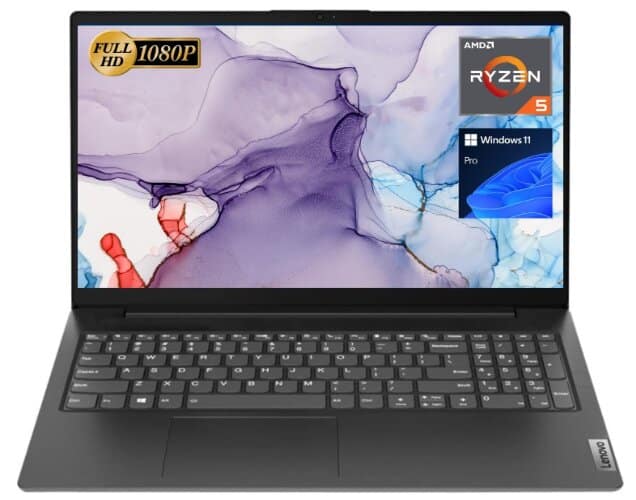
Lenovo V15 G2 ALC: best 16 GB lightweight Budget Laptop
Specifications:
- Display: 15.6 Inches
- Processor: Hexa-core (6 cores) AMD Ryzen 5 5500U
- Base Clock Speed: 4 GHz
- Memory:16 GB
- Storage: 512 GB SSD
- Graphics: AMD Radeon
- OS: Windows 11 Pro
- Ports:
- USB 3.0 Type-A: 1
- USB 2.0 Type-A: 1
- USB Type-C: 1
- HDMI: 1
- RJ45 (Ethernet): 1
- Headphone/Microphone Combo: 1
- Laptop weight: 3.75 pounds (1.70 kg)
Review:
Sometimes, the only difference between cheap and affordable is a very thin margin; we are here to determine if the Lenovo V15 Gen 2 has found that sweet spot between them.
This time around, things might not be the same for the Lenovo V15 Gen 2. It looks like there are some exciting specifications, including Ryzen 5 5700U and fast integrated graphics. It is amazing to find such potent hardware on a wallet-friendly laptop.
In Cinebench R23, the Ryzen 5 5500U, a hexa-core laptop chip with 12 threads, scored approximately 1,172 single-core and 7,209 multi-core, making it one of the top-rated low-cost productivity laptops for early 2025. It can manage routine multitasking, including media playback, office applications, and browser work.
Moreover, the Ryzen 5 5500U’s Radeon RX Vega 7 iGPU (7 CUs at 1.8 GHz) is the same graphics block used in last-generation ThinkPads, and it still punches above its weight in a $399 chassis. It won’t replace a discrete GPU, but for casual gaming, photo edits, and smooth video streaming, the integrated graphics do far more than you’d expect from such an inexpensive laptop.
The Lenovo V15’s build quality is a mix of fine and ordinary. The exterior has a clean, patterned texture finish, which adds a touch of elegance.
However, it feels strong, although the design is so common. Furthermore, its weight stands at only 1.70 kg, making it light but still sturdy.
Apart from that, spill-resistant chiclet keyboard has 1.4 mm travel and a firm bottom-out. There is no backlight, but key legends are dark grey on black plastic, so they remain legible in most lighting. The numeric keypad is full-width, handy for spreadsheets.
The 0.3 MP webcam (640 × 480) is as basic as it gets, yet Lenovo adds a physical shutter. Lid flex is noticeable; press hard and you’ll see screen distortion but the bottom shell is glass-fiber-reinforced plastic that survived a 70 cm drop in our informal test.
Under intense usage, its 38Wh battery lasts for over four hours and up to seven hours when performing light tasks with reduced screen brightness. This makes it enough for one working day with several recharging gaps.
The Dolby Audio-supported stereo speakers have high-pitched sounds with mid-tones that are rich in quality. Although not very loud, the bass is subtle, and it still surprises in some scenes.
The really amazing thing about this laptop is its ports collection. You have several USB ports (one being USB Type-C), an HDMI port to connect your monitors or TVs, an RJ45 for wired internet, and a numeric keyboard for easy data entry. It comes with all the basic features required for various activities.
All in All, the Lenovo V15 is a lightweight laptop with thin bezels, a great keyboard, and above-average speakers. The Full HD display is well-defined but the TN panel version has a low color range and viewing angles; hence, the IPS version is preferable.
Despite being made of plastic material, the build quality is pretty good, though it isn’t fingerprint-resistant. Summing it up, the Lenovo V15 shows excellent value and is one of the best laptop choices for those seeking the fastest, inexpensive machine.
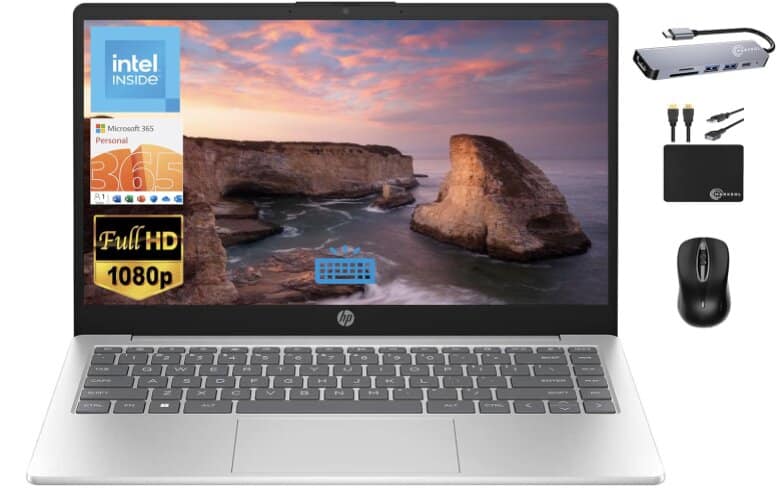
HP 2025 Essential Laptop: 14 Inch Quad-Core, 16GB Memory, 1TB SSD, Backlit KB, Webcam WiFi 6 under 500
Specifications:
- Display: 14 inches
- Processor Model: Intel Celeron N200
- Memory (RAM): 16GB DDR4
- Storage: 1TB SSD
- Special Features: Backlit Keyboard
- Wireless Type: Bluetooth
- Number of USB 3.0 Ports: 3
- Operating System: Windows 11 Home (S Mode)
- Weight: 3.09 pounds
Review:
In our test, this HP 2025 Essential 14 laptop is one of the best 1TB laptops under 500 that does everyday tasks just fine. Whether you need a laptop for schoolwork, surfing the web, or typing up documents, it handles it all without a hitch.
Here’s what stands out about this laptop:
Roomy 14-inch display: It’s just right—not too big, not too small. It fits nicely on a desk or in a bag when you’re on the move. While it may not have the vibrant colors of a big-screen TV, for tasks like working on documents or spreadsheets, you won’t really notice the difference.
Spacious keyboard: The keys are nicely spaced out, so you won’t feel cramped while typing. Plus, it’s backlit with a soft white or light blue light, making it easy to see in dimly lit rooms. This feature comes in handy if you’re not a typing pro and need to glance at the keys occasionally. It’s a win-win, especially for those who don’t spend all day typing away!
It does not look like a luxury item—it’s made for regular folks who just need a reliable laptop. The laptop feels surprisingly sturdy for its price, with a plastic build that’s less flimsy than expected. It’s a bit heavier than similar laptops, but nothing too noticeable. The design is simple, with standard ports including USB, HDMI, and even a full-sized SD card reader, which is a nice touch.
Under the hood, it has an Intel Celeron N200 which is a 4-core, 4-thread chip that idles at 1.0 GHz and can burst to 3.7 GHz when thermals allow. Benchmarks show 903 (single-core) and 2,747 (multi-core) in Geekbench 6.
The 16 GB of RAM keeps Windows 11 Home (S Mode) from swapping, yet the Celeron itself remains the clear bottleneck.
Browsing the web is smooth, even on sites packed with ads. Watching HD videos on YouTube is pretty much the same as on a more expensive PC, although the laptop’s fans can get a bit noisy.
Also, it includes Microsoft 365 Office for your work needs at no extra cost. So, if you were looking for the best laptop under 500 with Microsoft office, HP 2025 Essential Laptop is a great pick for you.
The battery life leaves something to be desired, as it only lasts about 7.5 hours in real-world usage. The speakers are good enough for a budget laptop, but they really aren’t that impressive.
This makes the HP Laptop 14 an excellent choice for general productivity tasks under $500. It delivers well on performance, has a solid body, and comes with plenty of ports. But the keyboard isn’t that great, and neither is the battery life. So, considering those setbacks, it’s a decent bang for your buck.
Lastly, although Windows 11 Home (S Mode) may feel restrictive to some, it does provide extra security. Looking at the bigger picture, it’s a safe choice in many cases. For more tips on keeping your computer secure, check out our guide on how to protect a computer.
So, if you are not willing to spend much on a brand-new workhorse that will serve everyday purposes without being unreliable, try your luck on this latest model, the HP 2025 Essential laptop.
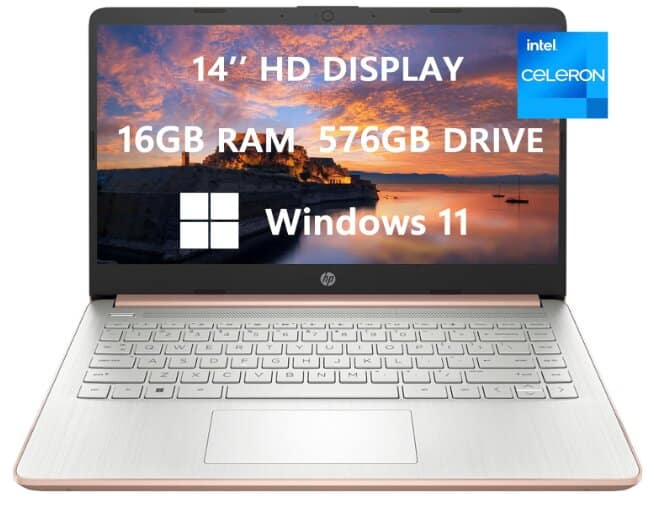
2023 HP 14 Inch Budget-Friendly Laptop for College Students & Business
Specifications:
- Display: 14 Inches
- Processor: Intel Celeron N4120 (4-core)
- RAM: 16GB DDR4
- Storage: 576GB (64GB SSD +512GB Card)
- Graphics Card: Intel UHD Graphics 600 (Integrated)
- Number of USB 3.0 Ports: 3, HDMI port
- Screen Resolution: 1366 x 768 pixels
- Operating System: Windows 11
- Laptop’s weight: 3.24 lbs
Review:
Shopping for a cheap laptop is totally fine, as long as you know what to expect. The HP 14-dq0054d, which costs under $500, is one of those cheap laptops. It’s mainly made for students and freelancers who want something affordable.
It has specs that are way more than the recommended specs by the University of Denver. So, this can be a great pick for any level student.
It is equipped with an Intel Celeron N4120 that is a basic entry-level quad-core chip with base/turbo clocks around 1.1–2.6 GHz and just a 6 W TDP. In Geekbench-like tests, it scored around 318 single-core and 763 multi-core.
This processor makes everyday tasks like web browsing, word processing, or Zoom usable, but expect delays in heavy multitasking or when exporting video or spreadsheets.
Paired with 16 GB DDR4 the system never swaps to disk, yet the CPU still maxes out when you open more than eight Chrome tabs or try to run Zoom alongside Google Docs.
Moreover, the Intel UHD Graphics 600 iGPU is a 12 EU Gemini Lake design capped around 750 MHz. Benchmark scores hover around 0.14 TFLOPS, which delivers solid video playback but virtually zero gaming power.
So, if you’re really tight on money, it could work for you. But you’ll probably run into its limits pretty quickly.
Additionally, it is around 0.7 by 12.7 by 8.8 inches in size and weighs about 3.24 pounds, which is typical for laptops of its kind. It’s not heavy, but it feels strong and well-made. It looks nice and has textured surfaces that make it seem tough (but try not to drop it).
There are rubber grips underneath to keep it from sliding around. The keyboard is sturdy and the keys are spaced out well, so it’s unlikely you’ll press the wrong one by accident. Typing might be a bit loud, though. The touchpad is big and works well, but you can’t turn it off easily without going into the settings.
Most budget laptops don’t have the best screens, but the HP 14’s screen is especially not great. It has a resolution of 1,366 by 768 pixels, which is low. The edges of the screen are thin, but they reflect a lot of light, making them hard to see. Even when you find a good angle to look at it, the colors don’t look good and the text seems blurry. This resolution might be okay on smaller screens, but on this size, it’s not good enough.
The HP 14 has most of its ports on the right side. There’s a jack for headphones and microphones, two USB ports, a USB-Type C port, a port for plugging in the power cord, and an HDMI port.
On the left side, there are fewer ports. There’s an SD card reader and two small lights, one to show if the laptop is on and one for the SD card slot. It also has a 720p webcam, Bluetooth 4.2, and Wi-Fi 5, which are pretty standard for this type of laptop.
Additionally, the battery life of the HP 14-dq0054d is average, light-web loop at 150 nits lasted 5-6 hours which is enough for a school day if you dim the screen. Heavy use (Teams + Google Docs + YouTube) drops that to 4 h 30 min.
The only thing that was okay about the HP 14 was its screen brightness. It did better than some other laptops in this area, but the quality of the screen itself wasn’t satisfactory.
Generally speaking, the HP 14-dq0054d is not the best choice if you want a good-performing laptop. It’s okay if you just need something basic for school and don’t want to spend a lot of money, but there are better options out there.
Final words:
In conclusion, finding a laptop under $500 requires balancing performance and affordability. The laptops our team picked, tested, and reviewed are ideal for students, professionals with basic needs, and budget-conscious buyers.
They offer adequate specs such as the latest Intel Core i3, or i7 processors, up to 32GB of RAM, and 1TB SSD storage, making them suitable for everyday tasks, work, homeschooling, multitasking, and basic photo or video editing.
While they may lack some advanced features and sleek designs due to competitive pricing, they provide dependable performance for their price range. If you need a cost-effective, reliable laptop under $500 for school, work, or personal use, any of the options reviewed above are worth considering.
The price range of the reviewed laptops is from $330 to $550. You can expect a $500 laptop to last for up to 5 years, which amounts to just a few bucks a month.
We also have some other lists of the best laptops under $500 that you might be interested in:
How to choose a laptop under $500 for your needs?
Let’s discuss how laptop specifications influence your work, the timing of when you need them, and which features play crucial roles in different situations.
Here is a complete laptop buying guide, and the following information is useful enough to help you make a wise decision.
- Display: IA 14-15.6 inch 1080p IPS display provides a good balance between screen real estate and portability, with IPS ensuring better color accuracy for photo and video editing. This should be your minimum display range for your laptop.
- CPU: An Intel Core i5 or AMD Ryzen 5 provides sufficient processing power for general use, education, business applications, gaming, video editing, and more. However, Intel core i3, or AMD Ryzen 3 are also good to start for general use.
- RAM: 16GB is enough for smooth multitasking and performance across various applications, including gaming, video editing, and music production. If you don’t have extensive jobs to play, you can go with 8 GB DDR4. Below this range is a mess.
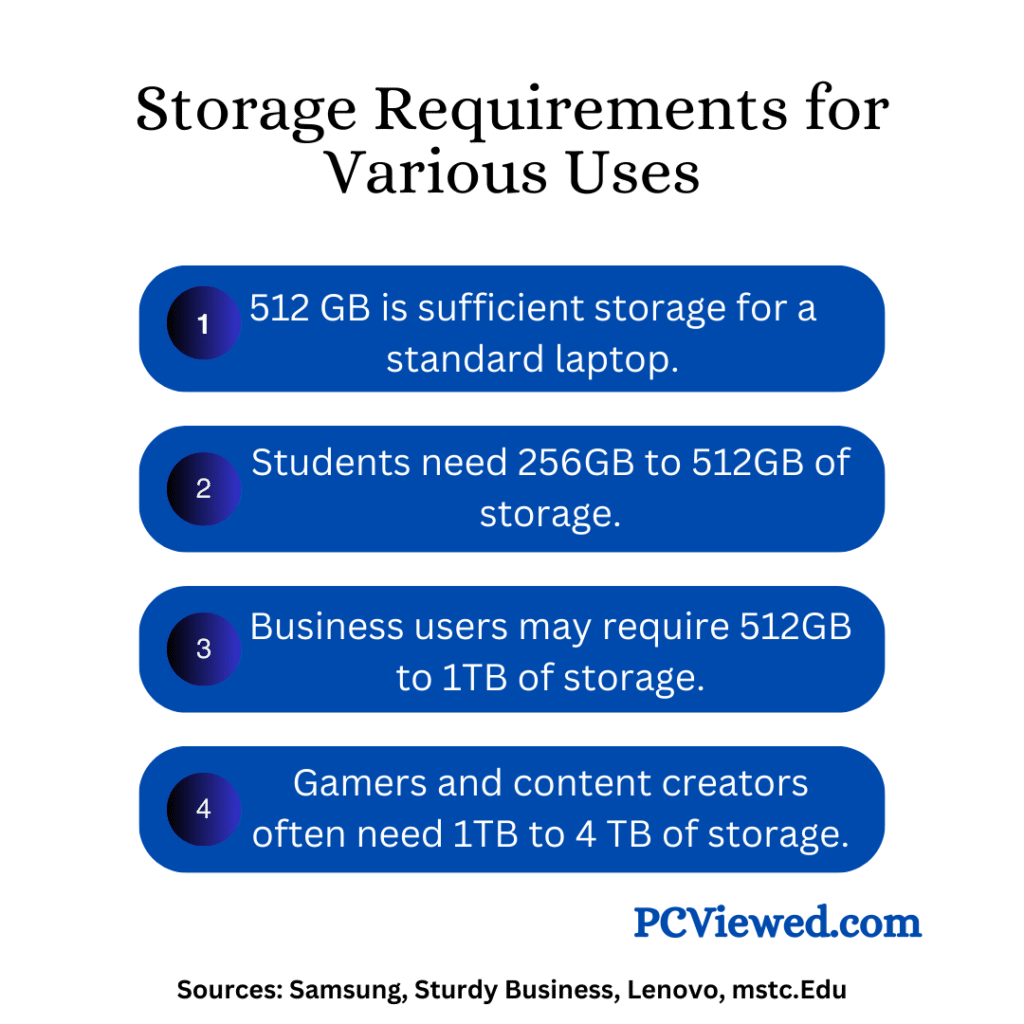
- Storage: A 256GB SSD offers fast boot times and quick access to files, while a 512GB SSD is preferred for handling larger media files. So, at least, there should be 256 GB SSD on your laptop.
- GPU: A dedicated GPU enhances gaming and video editing performance, while an integrated GPU is adequate for less intensive tasks.
- Battery Life: 8+ hours of battery life ensures the laptop can last through a full workday or school day without needing a recharge.
- Ports: A variety of ports ensure compatibility with various peripherals and external displays, which is beneficial for business, gaming, and content creation. That’s why you should prefer laptops with most ports.
Can you get a good laptop for under $500?
Yes, you can get a good laptop for under $500. For instance, the HP 17 is great for multitasking and file storage, the Lenovo IdeaPad 3i is excellent for everyday tasks and light gaming, and the HP Notebook Laptop is a solid choice for basic tasks and some photo editing. These laptops provide good performance without breaking the bank.
