
Finding a really good laptop under $500 is hard. Even popular websites recommending laptops under $500 sometimes include models priced well above that amount.
But we won’t do that without clearly pointing out the difference.
We’ve selected laptops that are mostly available for around $400–$500. However, for one of our top picks, you may need to spend a little more to get a powerful laptop with 16GB RAM, a high-performance processor, and several other features you won’t find together in other laptops around $500.
But price isn’t the only factor.
To make our list genuinely useful and meet different users’ needs, we follow a very simple strategy:
- We select and review laptops from trusted brands like HP, Lenovo, Dell, ASUS and Apple, which have decades of experience. It’s true that we haven’t tested every laptop ourselves. Sometimes, we rely on the experiences of other professionals who use these laptops for real-world tasks that simple tests cannot fully evaluate.
- Our experts also check the configurations required for different tasks. That’s part of their work in building the database for our PC Specs Finder tool.
To make a long story short, whether you’re looking for budget-friendly laptops for business, education, creative work, graphic design, Photoshop or light gaming like Minecraft, we’ll help you find a suitable laptop for around $500.
Quick Picks: Best Laptops Under $500 by Use
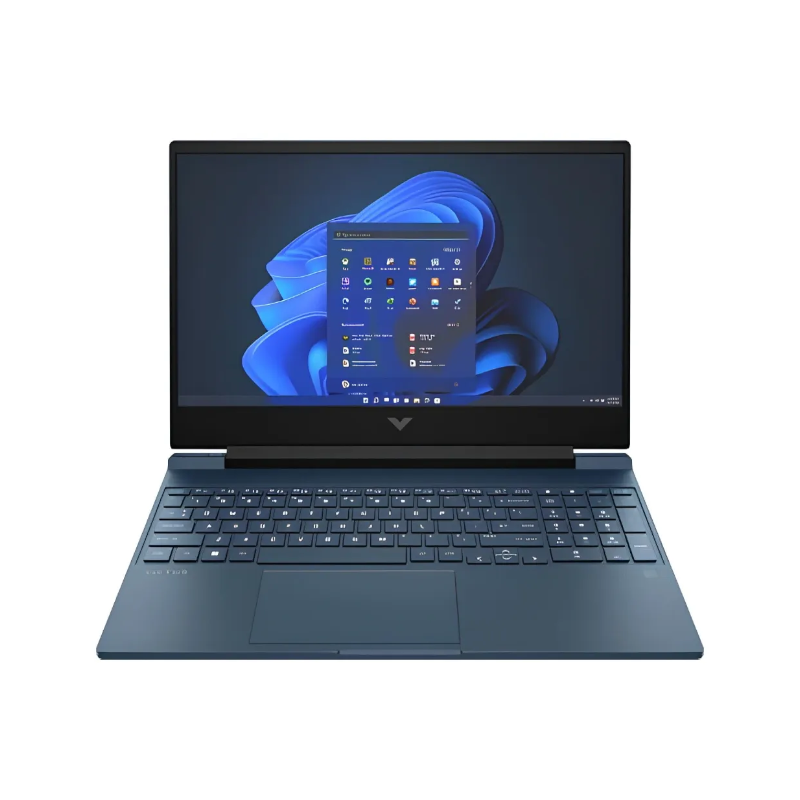
Best Gaming Laptop Under $500
HP Victus 15 (RTX 3050, renewed)
Dedicated RTX graphics and a 144Hz screen make this a stronger gaming choice than laptops with integrated graphics.
Deal-dependent: choose a qualifying refurbished offer at $500 or less.
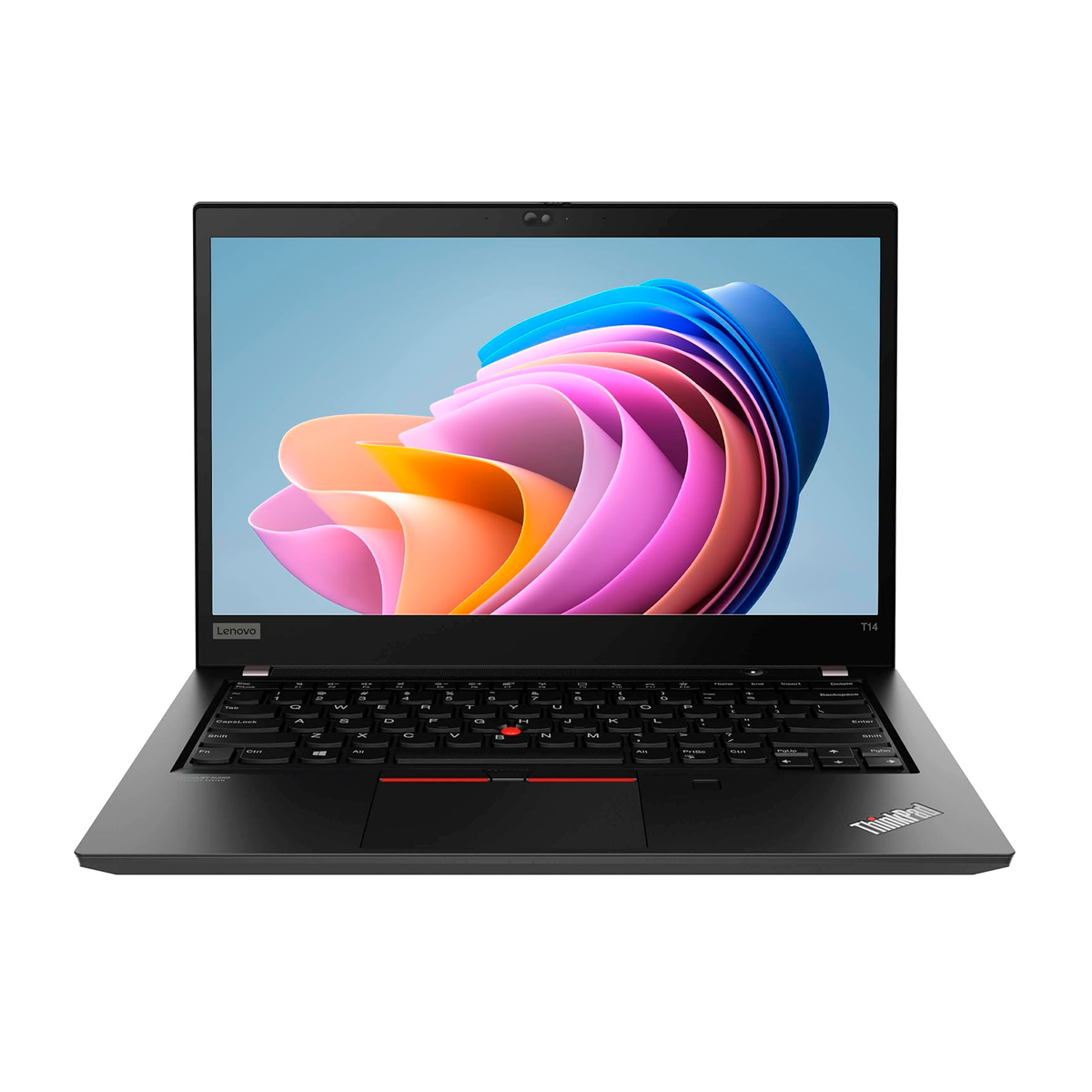
Best Work Laptop Under $500
Lenovo ThinkPad T14 Gen 2 (renewed)
A Ryzen 5 PRO CPU and 16GB RAM suit spreadsheets, accounting software, online meetings and business multitasking.
Refurbished; seller condition and price vary.

Best Laptop Under $500 for Students
Apple MacBook Air M1 (renewed)
The efficient M1 chip, Retina display and portable design suit assignments, research and everyday college work.
Refurbished; confirm macOS compatibility and battery condition.
Prices vary by seller and configuration. The gaming pick is a refurbished deal target, not a confirmed sub-$500 Amazon offer today.
Best Specs for Sub-$500 Laptops:
- Display: Choose roughly 13–17 inches based on portability and readability; Full HD IPS is a good target for Windows laptops, while the refurbished MacBooks have Retina displays.
- CPU: For multitasking, prefer a capable Intel Core i5 or AMD Ryzen 5-class chip. An older 11th-gen Intel or Ryzen 5000-series processor may still be sensible in a discounted or refurbished system; Apple M1 is practical for everyday macOS use. Compare the exact CPU model, not just its tier.
- Memory: 8GB minimum for basic use, preferably 16GB for frequent multitasking; MacBooks use unified memory.
- Storage: 256GB SSD is enough for many cloud-first students and home users; 512GB gives more room for local documents, photos and applications.
- GPU: Modern integrated graphics are suitable for office work, video and casual games; demanding gaming needs a dedicated GPU.
- Battery Life: Look for a good battery-life rating, but expect less on refurbished units with older batteries.
- Ports:
- USB-C
- USB-A
- HDMI
- Audio jack
- SD card reader (optional but useful for photo and video editing)
Now, let’s move forward to 10 budget-conscious laptops, including refurbished options and a few models worth considering slightly over $500.
Lenovo IdeaPad Slim 3 Ryzen 7 5825U: Best Business and Multitasking Laptop (Slightly over $500)
This is one of our best touchscreen laptops under $500 for business users and professionals who frequently multitask, provided a used-like-new offer falls within that budget.
Its eight-core Ryzen 7 5825U processor, 16GB RAM, and 15.6-inch Full HD touchscreen make it suitable for working with spreadsheets, presentations, video meetings, and multiple applications.
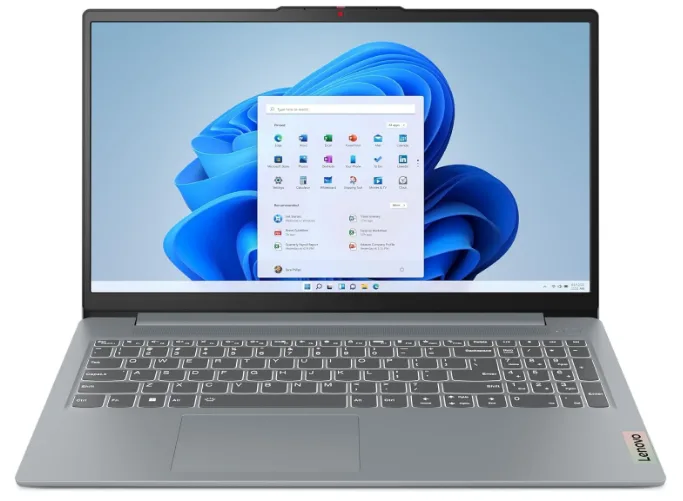
Specifications:
- Screen Size:15.6 inches, Full HD IPS touchscreen (1920 × 1080)
- Processor: AMD Ryzen 7 5825U (8 cores, 16 threads, up to 4.5GHz)
- RAM: 16GB DDR4-3200
- Storage:512GB NVMe SSD
- Webcam: 720p HD webcam and microphone
- Connectivity:Wi-Fi 6 and Bluetooth
- Number of USB 2.0 Ports:USB-C 3.2 Gen 1, plus HDMI and headphone jack
- Number of USB 3.0 Ports:2 USB-A 3.2 Gen 1
- Weight:Approximately 3.56 pounds
- Operating System:Windows 11 Home (Amazon headline configuration)
Review:
Two team members tested this model across different everyday tasks.
Our team confirms that it’s an in-between device, somewhere between basic and high-end laptops, and a stronger option for office work and students who multitask frequently.
Onto the specs. The screen size is 15.6 inches, with a Full HD IPS touchscreen for work and entertainment. The touchscreen bright and convenient for everyday use.
The IPS panel offers better viewing angles than cheaper TN variants, although hardware testers have reported around 60% to 67% sRGB color coverage on comparable panels.
That means colors can appear muted, so this screen is better suited to spreadsheets and streaming than color-critical photo editing.
The 512GB NVMe SSD provides sensible storage while keeping application and file loading responsive.
As you must have noticed that this laptop also features 16GB of DDR4 RAM, so you can keep browsers and office applications open while working without running out of memory as quickly as with an 8GB machine.
Our experts found it fast and responsive when switching between office applications, programming tools and numerous browser tabs. One of our web developers regularly runs several programs and tabs together and reports that it remains responsive.
This laptop uses an AMD Ryzen 7 5825U with 8 cores and 16 threads, a useful step up from the older 4-core Core i5-1155G7. It handles web browsing, spreadsheets, meetings and light creative work well, with integrated Radeon graphics for casual games.
The older Radeon Vega integrated graphics are better suited to lighter games such as Roblox and League of Legends than demanding AAA games. Our team reports noticeable slowdowns and louder fan noise during heavy 3D rendering, CAD and 4K video editing.
Lets see who Fits This Machine?
| Good Fit For | Ideal Apps |
|---|---|
| Students, writers, remote professionals | Zoom, Gmail, Docs, Excel, Teams |
| Small business users | QuickBooks, browser CRM tools, PDF editing |
| Casual creators | DaVinci Resolve (1080p jobs), Premiere exports, Lightroom |
It’s a generally smooth performer within its limits. But don’t rely on it for demanding editing suites, high-end gaming, or all‑day battery autonomy.
The laptop’s HD webcam is appropriate for routine video calls. However, its 720p video grainy in anything less than bright lighting. Wi-Fi 6 and Bluetooth are useful for connecting to modern networks and accessories, while the 15.6-inch touchscreen makes navigation convenient.
The keyboard is comfortable to type on. It’s not amazing, but it’s not bad either. The feel of the keystrokes and the dedicated numeric keypad, which is useful for entering figures in spreadsheets.
And about the ports. You get USB-C, two USB-A ports, HDMI and a headphone/microphone jack. That’s better for newer accessories than the earlier IdeaPad configuration, which lacked USB-C.
Its built-in speakers are adequate for calls and casual streaming, though headphones are still preferable for private meetings or better audio.
Moreover, you get a laptop designed for everyday portability rather than all-day operation at heavy load. Actual battery life changes with screen brightness, videoconferencing and browser activity.
More demanding work like video calls alongside several browser tabs increases power consumption, so it is sensible to keep the charger close when you have a long work session.
It’s not the long-lasting battery, but it’s okay for the price.
- Its strengths: Fast SSD storage, 16GB RAM, a Full HD touchscreen and 8-core CPU capacity for business multitasking.
- Its limitations: Integrated graphics aren’t meant for demanding AAA gaming, the backlit keyboard is not included.
Overall, this is one of our best laptop picks around $500 for business multitasking because its Ryzen 7 processor and 16GB RAM provide more processing power and memory than basic entry-level laptops.
It is particularly suitable for office workers and students who run several applications together, especially when a used-like-new model is available within budget.
Acer Aspire Lite 15 N150: Best 16GB Laptop for Students Under $500
This is one of our best laptops under $500 with 16GB RAM for students who need an affordable computer for assignments, online classes, research, and everyday use.
Its Intel N150 quad-core processor, 16GB RAM, and 256GB SSD provide a practical combination for browsing, document editing, presentations, and streaming.
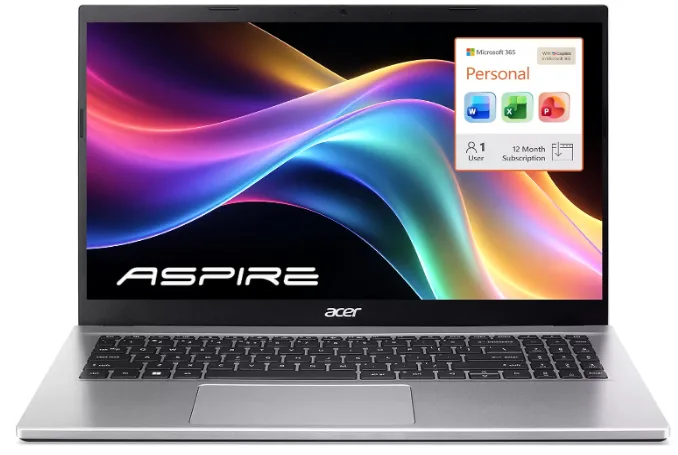
Specifications:
- Screen Size: 15.6 inches, Full HD 1920 × 1080, anti-glare
- Display Type: Non-touch; IPS claimed by seller (panel variant needs confirmation)
- CPU Model: Intel Processor N150, 4 cores / 4 threads
- Processor Speed: Up to 3.6GHz
- RAM: 16GB
- Hard Disk Size: 256GB NVMe SSD
- Graphics Coprocessor: Integrated Intel Graphics
- Cloud Storage: 1TB advertised as part of software bundle, not local storage
- Wireless Type: Wi-Fi 6, Bluetooth 5.2 (seller-listed)
- Ports: USB-C, 2 USB-A, HDMI (seller-listed)
- Keyboard: Numeric keypad
- Operating System: Windows 11
- Office Software: Microsoft 365 advertised; lifetime Office Professional Plus 2021 license not verified
Review:
The Intel N150 has four cores and four threads, reaching up to 3.6GHz. It handles everyday work, streaming and regular multitasking, but it is not in the same performance class as the Core i7 processor in the laptop it replaces.
Practically, that means you can work on assignments, Excel spreadsheets, presentations and browser-based applications without spending heavily on a laptop. The 16GB RAM gives you room for plenty of study tabs, while its 256GB NVMe SSD helps documents and applications load quickly.
And here is another consideration, especially for travelers: its slim 15.6-inch design makes it easy to carry between school, home and the office.
The port selection is useful: USB-C, two USB-A ports and HDMI provide connections for everyday accessories and external screens. Wi-Fi 6 and Bluetooth 5.2 keep you connected wirelessly.
The processor uses a low-power design aimed at everyday productivity, helping the laptop stay comfortable during browsing, writing and streaming sessions. It is not intended for demanding workstation tasks.
Its keyboard is decent, with a full-size layout and a numeric keypad. That is particularly useful when entering numbers into spreadsheets or working on accounting assignments.
Regarding its graphics, the model has a 15.6-inch Full HD (1920 × 1080) anti-glare display, which gives you a clear workspace for notes, documents, video calls and streaming. The seller describes an IPS panel, but this needs matching to the exact variant; the Acer N150 specifications also include non-touch panels, so we shouldn’t describe it as a touchscreen.
Battery life is one of the useful aspects of its low-power design. It is built for regular browsing, working on documents and watching videos away from a desk.
However, demanding video editing, heavy 3D work and modern games are beyond the strengths of the Intel N150 and its integrated graphics.
Its storage is a balance between local and online files. The 256GB SSD holds Windows, applications and documents. The offer also advertises 1TB of cloud storage, which is separate from the SSD and linked to the software bundle.
Another attraction is the advertised Office bundle. The listing mentions Microsoft 365 and also uses the words ‘lifetime Office Professional Plus 2021’, but those are different licensing models. A lifetime Office license has not been verified for this exact offer, so we shouldn’t promise one.
Overall, this is one of our best budget laptops under $500 for students because its 16GB RAM allows more room for browser tabs and study applications than an 8GB configuration.
It is a suitable choice for school, college, and everyday home use, rather than demanding gaming or professional editing.
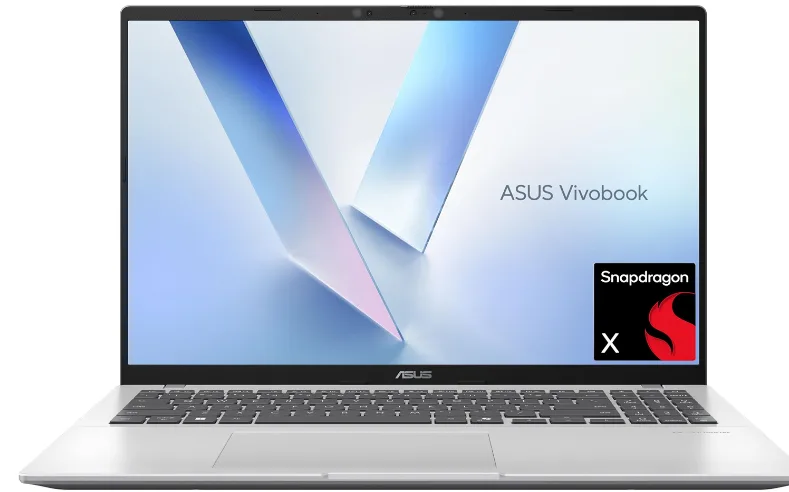
ASUS Vivobook 16: Highest Rated Laptop Under $500
It is one of our best Windows laptops under $500 for home users and students who prefer a larger screen for browsing, reading, watching videos, and working on documents.
Its 16-inch WUXGA display provides more vertical viewing space than a typical 15.6-inch Full HD screen, while the Snapdragon X processor and 512GB SSD support everyday computing.
Its Windows-on-ARM platform is best suited to compatible applications.
Specifications:
- Screen Size: 16 inches, WUXGA anti-glare (1920 × 1200), 16:10, 60Hz
- Processor: Qualcomm Snapdragon X X1-26-100 (8 cores, up to 2.97GHz)
- RAM: 8GB LPDDR5X onboard (not upgradeable)
- Storage: 512GB PCIe NVMe SSD
- Graphics: Integrated Qualcomm Adreno
- Display: 300 nits, non-touchscreen
- Special Features: Numeric keypad, webcam privacy shutter, lay-flat hinge
- Wireless: Wi-Fi 6E and Bluetooth 5.3
- Operating System: Windows 11 Home on ARM
- Ports: 2 USB-A 3.2 Gen 1, 2 USB4 Type-C, HDMI 2.1 TMDS, 3.5mm audio jack
- Color: Cool Silver
Review:
If you are looking for the highest rated laptop under $500 for home use, web browsing, documents and video calls, this ASUS Vivobook 16 is one of our best budget picks. You will get quick startup and responsive performance for ordinary work, though it is not designed for demanding gaming or graphics applications.
It is good for regular use and moderate multitasking. One professional used this laptop for accounting and finance and it’s rated 10/10 for causal accounting and finance use.
The ASUS Vivobook 16 has useful hardware inside. Its Snapdragon X X1-26-100 processor has eight cores and runs at up to 2.97GHz. Its integrated Adreno graphics are aimed mainly at everyday tasks.
Its Windows on ARM runs many familiar apps natively or through emulation, but some software, device drivers and games may not work correctly. Microsoft explains these compatibility limits, which matter if you rely on a particular Windows application.
As it has 8GB RAM, this configuration suits browsing, entertainment, school assignments and light office work better than heavy business multitasking. And its 512GB SSD gives you space for documents, applications and photos.
Additionally, it has two USB-A and two USB-C ports, HDMI, a headphone jack, Wi-Fi 6E and Bluetooth. One professional reports connecting two portable screens through USB-C cables without additional video wiring.
Regarding battery life, you can expect six to eight hours of everyday browsing and video use on a charge. The Vivobook also supports fast charging.
The 16-inch WUXGA anti-glare screen provides extra vertical room for documents and spreadsheets thanks to its 16:10 shape. Its display is clear and bright indoors. However, it is not a touchscreen, and the panel is not intended for color-critical photo editing.
In terms of appearance, the Cool Silver Vivobook has a clean, understated design. It comes with a comfortable keyboard and responsive trackpad. And its numeric keypad helps when entering figures.
If you work away from home, the large screen and relatively slim design are useful. It also has a webcam privacy shutter and a lay-flat hinge.
Regarding speakers and audio, we can confirm you will get clear speakers for everyday music and streaming.
Overall, this is one of our best large-screen Windows laptops under $500 for students and home users because its 16:10 display gives more room for reading, documents, and spreadsheets.
If you are looking for the highest rated laptop under $500 for everyday tasks and compatible Windows applications, the ASUS Vivobook 16 is a good choice, although its non-upgradeable 8GB RAM makes it less suitable for heavy multitasking.
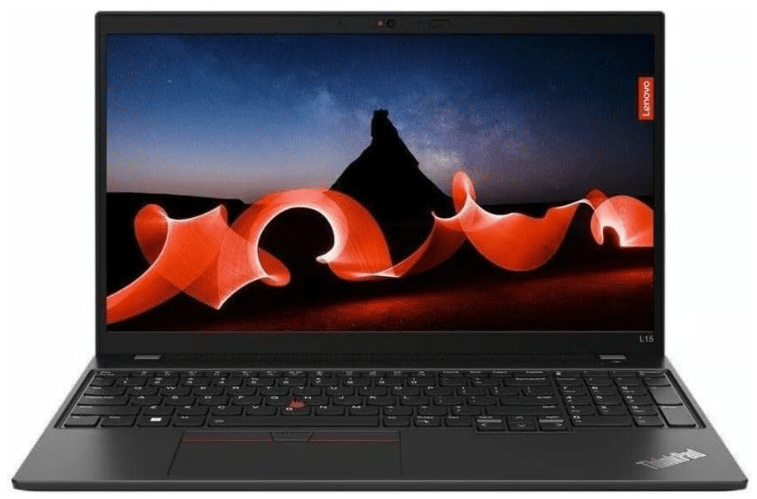
Lenovo ThinkPad T14 Gen 2: Best Overall Refurbished Laptop Under $500
This is our best overall refurbished laptop under $500 for small-business owners, office workers, and professionals working from home.
Its six-core Ryzen 5 PRO 5650U processor, 16GB RAM, and 512GB SSD make it suitable for spreadsheets, accounting applications, video meetings, and running several office programs together.
Specifications:
- Display: 14-inch Full HD IPS (1920 × 1080)
- Processor Model: AMD Ryzen 5 PRO 5650U (6 cores, 12 threads, up to 4.2GHz)
- Memory (RAM): 16GB DDR4
- Storage: 512GB NVMe SSD
- Special Features: Backlit keyboard, business-class ThinkPad design
- Wireless Type: Wi-Fi 6 and Bluetooth (varies with refurbished configuration)
- Number of USB 3.0 Ports: 2 USB-A, plus USB-C, HDMI and audio connections
- Operating System: Windows 11 Pro
- Weight: Approximately 3.3 pounds
Review:
The six-core Ryzen 5 PRO 5650U and 16GB RAM suit spreadsheets, accounting applications such as QuickBooks Desktop, video meetings and browser-based business software running alongside each other.
A 512GB SSD stores documents and applications, while its 14-inch Full HD screen makes it practical for carrying between home and work.
For compact business and study work, the ThinkPad T14 Gen 2 is one of the better-value 14-inch laptops to consider under $500. It handles schoolwork, surfing the web and documents with more CPU capacity easily than the old Intel N200 model.
Here’s what stands out about this laptop:
- Roomy 14-inch display: It’s not too big, not too small, it’s just right size for many professionals and students. The Full HD IPS screen makes long documents and spreadsheets easier to read than an entry-level low-resolution panel.
- Spacious keyboard: ThinkPads are known for a comfortable typing layout, and this model includes a backlit keyboard. That is useful when writing in dim light or working away from a desk.
- The chassis and ports are also designed for office work.
Under the hood, it has an AMD Ryzen 5 PRO 5650U processor with six cores and twelve threads, boosting up to 4.2GHz. That’s a perfect match for work across video calls, documents and browser tabs than an entry-level four-core Intel N200.
The 16GB RAM leaves room for several regular applications, while the 512GB SSD is a sensible capacity for school or business files. You give up some storage compared with the old 1TB model but gain a more capable processor and a stronger business laptop platform.
Browsing the web, working in Office and watching HD videos is comfortable on this machine but for demanding rendering or modern AAA games, the integrated graphics still have limits.
Battery life is worth considering on a refurbished laptop because the battery has already aged and this comes with a decent one. The speakers are fine for routine calls, but a headset remains preferable for meetings.
Lastly, Windows 11 Pro offers the familiarity and security features business users expect. For more tips on keeping your computer secure, check out our guide on how to protect a computer.
If you’re considering buying this laptop refurbished, you can find used laptops under $500 from many computer refurbishers. On Amazon, we recommend checking for an offer sold directly by Amazon or Lenovo, or a qualifying Amazon Renewed listing. Keep in mind that a laptop shown in Lenovo’s official Amazon Store may still be sold by a third-party retailer, so always check the Sold by information.
Amazon Renewed listings are inspected and tested. Eligible standard Renewed items generally come with a 90-day return or replacement guarantee; check the individual seller, coverage, and return terms before ordering.
Overall, this is our best overall refurbished laptop under $500 because its Ryzen 5 PRO processor, 16GB RAM, Windows 11 Pro, and business-oriented connectivity make it practical for regular office workloads.
It is particularly suitable for small-business owners and remote workers who want a compact refurbished business laptop, provided the seller’s condition and warranty terms are acceptable.
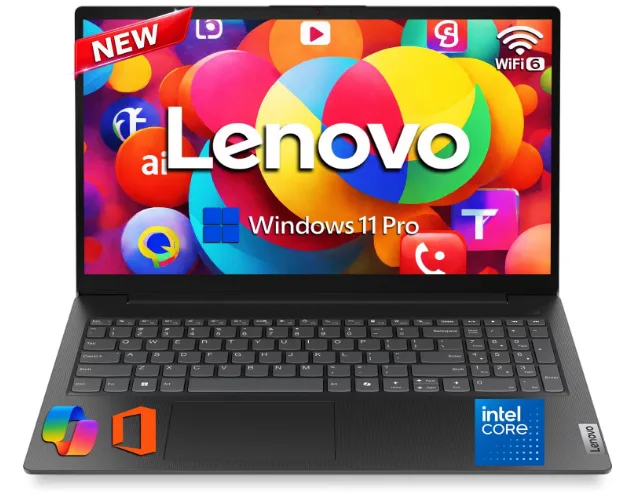
Lenovo 2026 V15 Slim: Best 16GB coding Laptop for just $500
This is one of our best work laptops under $500 for people who primarily use their computers for documents, spreadsheets, email, and online meetings.
Its Intel N150 quad-core processor, 16GB DDR5 RAM, and 15.6-inch Full HD screen support everyday productivity, while the RJ45 Ethernet port makes it practical for a fixed office setup.
Specifications:
- Display: 15.6-inch Full HD (1920 × 1080) anti-glare
- Processor: Intel N150 quad-core processor (4 cores, 4 threads)
- Memory: 16GB DDR5
- Storage: 256GB PCIe SSD
- Graphics: Integrated Intel graphics
- Operating System: Windows 11 Pro
- Wireless: Wi-Fi 6
- Ports: USB-C, multiple USB-A, HDMI, RJ45 Ethernet
- Webcam: Built-in HD webcam with privacy shutter
- Keyboard: Full-size keyboard with numeric keypad
- Battery: Up to 8 hours (advertised)
- Included Office Access: Microsoft 365 for the web (browser-based apps)
Review:
This time around, things are different for the Lenovo V15 Slim. It comes with an efficient Intel N150 quad-core processor, 16GB DDR5 RAM and a 256GB SSD. That is a useful combination for a wallet-friendly laptop built for regular office work and studying.
With four cores and four threads, the Intel N150 handles web browsing, online meetings, emails, documents and everyday office applications. It is an entry-level processor, so heavy programming, large creative projects and intensive multitasking are better handled by laptops with more powerful CPUs.
Moreover, the integrated Intel graphics handle video streaming, presentations and ordinary visual tasks well. They are not a substitute for dedicated graphics when you want to play demanding games or work on complex 3D projects.
The Lenovo V15’s build quality is a mix of practical and ordinary. The exterior has a clean, business-like finish without unnecessary decoration.
However, its slim design is convenient when carrying it between home, school and the office. It is a full-size 15.6-inch laptop rather than a compact 13-inch machine.
Apart from that, its full-size keyboard and numeric keypad make it convenient for typing reports and entering numbers into spreadsheets. The 16GB DDR5 RAM also gives you room to keep documents, browser tabs and video calls open together.
The built-in HD webcam is useful for online classes and work meetings, and the physical privacy shutter lets you cover the camera when you’re not using it. Its Windows 11 Pro operating system also includes business-oriented security and management features.
The listing advertises up to eight hours of battery life, which is useful for everyday school and office work away from a charger. That is an advertised rating, not a measured result from this specific configuration.
The built-in audio handles routine meetings, video lessons and streaming, providing the basic sound features expected from a laptop in this price range.
The really useful thing about this laptop is its ports collection. You get USB-C and USB-A connections, HDMI for an external monitor or TV, and an RJ45 Ethernet port for wired internet. Wi-Fi 6 also keeps wireless connectivity up to date.
All in all, the Lenovo V15 Slim has a 15.6-inch Full HD (1920 × 1080) anti-glare screen, 16GB RAM and a numeric keypad. That makes it practical for spreadsheets, documents, browsing and everyday productivity. The 256GB SSD loads Windows and applications quickly, although it provides less local storage than a 512GB model.
Overall, this is one of our best affordable laptops under $500 for routine office work and studying because it combines 16GB RAM, SSD storage, a full-size keyboard, and useful connectivity options.
It is particularly suitable for students and office users handling basic applications, rather than demanding programming or other CPU-intensive work.
Refurbished MacBook Pro 13-Inch M1 (2020): Best Budget MacBook for Freelancers
This is one of our best $500 laptop picks for freelancers, writers, and students who prefer macOS and want a capable refurbished MacBook.
Its Apple M1 processor, 13.3-inch Retina display, and built-in cooling fan make it suitable for writing, research, compatible productivity applications, and light creative work.
Specifications:
- Display:13.3-inch Retina IPS, 500 nits brightness
- Processor:Apple M1 chip (8-core CPU, 4 performance + 4 efficiency)
- RAM:8GB unified memory, not upgradeable
- Storage: 256GB internal SSD
- Graphics Card:Integrated Apple M1 8-core GPU
- Number of USB 3.0 Ports:2 × Thunderbolt / USB 4 (USB-C), plus headphone jack
- Screen Resolution: 2560 × 1600 pixels (227ppi)
- Operating System:macOS (installed version depends on refurbished unit)
- Laptop’s weight: Approximately 3 pounds (1.4kg)
Review:
The MacBook Pro has a sharp 13.3-inch Retina display and a comfortable backlit Magic Keyboard. This is useful for writing assignments, running compatible business apps and carrying a capable laptop to classes or client meetings.
It is equipped with Apple’s M1 chip, an eight-core processor with four performance and four efficiency cores. Compared with the old Intel Celeron model, it offers a far better foundation for browsing, calls and normal productivity.
This processor makes everyday tasks like web browsing, word processing and video calls comfortable. The M1 MacBook Pro also has a cooling fan, unlike the M1 MacBook Air, which helps it sustain performance during longer tasks.
Paired with 8GB unified memory, the system is fine for common study and office applications, but expect limits when you open large creative projects or many memory-heavy apps. The RAM is permanently built in.
Moreover, the M1 includes an integrated 8-core GPU and hardware media features that help with video playback and compatible editing apps. It’s still not designed for the latest demanding PC games, and some Windows-only apps will need alternatives.
So, if you’re really tight on money and want to use macOS, this can be a better choice than buying a very weak new laptop. But you’ll have to accept older hardware and a refurbished battery.
Additionally, it measures around 12 inches across and weighs about 3 pounds, making it a portable option for classes, business meetings and travel. Its aluminum chassis feels more premium than many cheap plastic laptops.
There are rubber feet underneath to keep it steady on the desk. The backlit Magic Keyboard has comfortable keys, while the Force Touch trackpad makes cursor control and gesture navigation easy.
Most budget laptops don’t have the best screens, but the M1 MacBook Pro’s Retina panel is a strong point. It has a 2560 × 1600 resolution, wide P3 color and a 500-nit brightness rating, making documents and photos look much sharper than on a 1366 × 768 laptop.
The MacBook Pro has two Thunderbolt/USB 4 ports, which handle charging, external drives and displays. You will need a USB-C adapter for traditional USB-A devices or HDMI connections.
There’s also a headphone jack, a 720p FaceTime HD camera and Wi-Fi 6. The port selection is limited, but it’s manageable if you mainly work wirelessly.
Additionally, Apple rated the model at up to 20 hours of video playback when new. This is a refurbished 2020 machine, so battery health and runtime depend on the individual unit and its age.
Another feature worth knowing is the Touch Bar, which gives you context-sensitive controls above the keyboard. Whether you prefer it over physical function keys is a personal preference.
Overall, this is one of our best refurbished laptop options around $500 for freelancers who prefer macOS because the M1 processor, sharp Retina display, and active cooling support everyday productivity and occasional creative tasks.
It is best for users whose applications work comfortably within its fixed 8GB memory and 256GB storage.
Refurbished MacBook Air M1 (2020): Highest Rated Refurbished Laptop Under $500
This is one of our best laptops under $500 for students who want a lightweight MacBook for assignments, online classes, research, and everyday college work.
Its Apple M1 processor, sharp 13.3-inch Retina display, and 2.8-pound design make it practical for studying at home, in libraries, or while traveling between classes.
Specifications:
- Display:13.3-inch Retina IPS, 2560 × 1600, 400 nits
- Processor:Apple M1 chip, 8-core CPU (4 performance + 4 efficiency)
- RAM:8GB unified memory (not upgradeable after purchase)
- Storage:256GB internal SSD
- Graphics:Integrated Apple M1 7-core GPU (base configuration)
- Operating System:macOS (installed version depends on the refurbished unit)
- Connectivity:Wi-Fi 6, Bluetooth 5.0
- Ports:2 × Thunderbolt / USB 4 (USB-C) and 3.5mm headphone jack
- Weight:2.8 pounds (1.29kg)
- Included subscription:Amazon Renewed / refurbished; grade, battery condition and included charger depend on the offer
Review:
If you are looking for the highest rated refurbished laptop under $500, you don’t have to spend a ton to get a MacBook for browsing, attending online classes, or working on documents. This refurbished MacBook Air M1 is worth considering for those tasks if you want macOS at a price normally associated with entry-level Windows laptops.
The model here comes with Apple’s M1 chip and 8GB unified memory. For writing assignments, checking emails, streaming videos, and working on spreadsheets in compatible apps, this is a responsive setup.
8GB RAM is more comfortable than the 4GB in the old HP pick, although it’s still limiting if you keep lots of browser tabs and several memory-heavy apps open together. The memory is built in, so you can’t upgrade it later.
The 256GB SSD is another improvement over a 128GB UFS drive. macOS and installed apps still use some of that space, so keep large photo or video collections on external storage or cloud services if necessary.
So, if you buy this for schoolwork and everyday files, the storage is workable, but an external USB-C drive may help when your photo library grows.
Moreover, its 13.3-inch Retina screen has a sharp 2560 × 1600 resolution and 400-nit rated brightness, which helps with reading, online lessons and editing documents.
I like that this model has a backlit Magic Keyboard and a large Force Touch trackpad. Both make a difference when typing assignments or working in a dim room.
In terms of portability, the MacBook Air weighs about 2.8 pounds, making it manageable for classes or travel. However, it only has two USB-C/Thunderbolt ports and a headphone jack, so you’ll need an adapter for HDMI or ordinary USB-A accessories.
Battery life was rated by Apple at up to 18 hours for video playback when the model was new. This is a refurbished 2020 laptop, so actual runtime depends heavily on the battery’s health and how the previous owner used it.
Overall, this is one of our best laptop picks for students under $500 because the M1 processor handles everyday academic applications efficiently, while the lightweight design and Retina display make it convenient for reading and writing.
If you are looking for the highest rated refurbished laptop under $500, the MacBook Air M1 is particularly suitable for students who prefer macOS and do not need Windows-only software or more than 8GB of memory.
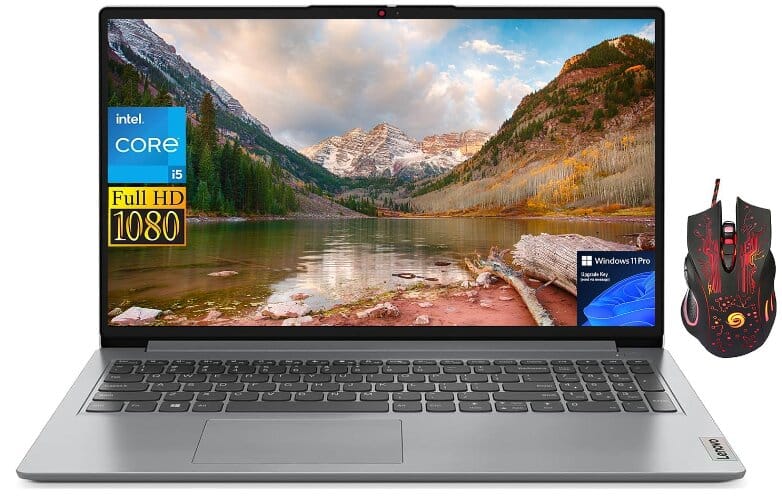
Lenovo 2025 IdeaPad Core i5: Best Overall New Laptop Under $500
This is our best overall new laptop under $500 for students and home users who need more processing power for everyday applications, light photo editing, and multitasking.
Its 10-core Intel Core i5-1235U processor, 12GB RAM, and 512GB SSD provide a practical combination for documents, browser-based work, video calls, and moderate workloads.
Specifications:
- Screen Size: 15.6 Inches
- CPU Model: Intel 10-Core i5-1235U
- RAM: 12 GB
- Hard Drive: 512 GB SSD
- Graphics Card Description: Integrated Intel Iris Xe Graphics
- Processor Speed: 4.4 GHz
- Graphics Coprocessor: Intel Iris Xe Graphics
- Wireless Type: Wi-Fi 6 (802.11ax)
- Number of USB 2.0 Ports: 1
- Number of USB 3.0 Ports: 2
- Laptop weight: 3.52 pounds
- Operating System: Windows 11 Pro
Review:
The model I got here came with an Intel i5-1235U processor, 12GB of RAM, 512GB of storage, and an Intel Iris Xe GPU.
The Intel Core i5‑1235U in this 15″ IdeaPad delivers 10 cores (2 P‑cores + 8 E‑cores) with up to 4.4 GHz turbo and posts 1,668 in Cinebench R23 (single‑core) and 7,852 (multi‑core). Compared to the Ryzen 5 4500U, the i5-1235U performs about 20% better in Cinebench R23 (e.g., 1,640 vs 1,151 single-core; 6,601 vs 5,920 multi-core).
That means it handles web browsing with 15+ tabs, Zoom/Teams meetings, Word/Excel, and 60‑fps 1080p video editing smoothly.
But if you’re exporting 4K storefront videos, rendering complex Fusion 360 3D models, or running virtualized development environments, this CPU will feel slow, and sometimes struggle with consistent responsiveness.
What is really great is that storage and RAM both have ample capacity and can be readily upgraded. The RAM can be increased to 40GB and the storage to 2TB. So, whenever you have a few extra hundred to pay, you can easily upgrade your laptop without trading it.
In its design and connectivity, Lenovo’s budget IdeaPad remains simple. Despite being entirely made of plastic, it still has the traditional IdeaPad appearance, which is smart and professional.
It’s a thin laptop and its weight is about 3.52 pounds, making it lightweight and easily portable.
All important ports are present, including USB-A, HDMI, and a microSD card reader. There is also a USB-C port that only supports data transfer.
Internally, you get a roomy keyboard and a trackpad that is of decent size, both of which are comfortable to use, especially considering the price point. Nonetheless, there isn’t any backlighting on the keys or fingerprint scanner. If you are security and privacy conscious and you need a machine with fingerprint, we have Lenovo Ideapad 3i in our list.
The hinge above the keyboard is alright yet it could be stronger. Concerning display quality, this one is pretty basic—720p resolution with limited viewing angles and low brightness. Nevertheless, it gets the job done for most everyday activities.
Even though this is a budget model, its speakers deliver only average audio, which is not ideal for immersive media or livestreams. Moreover, charging falls in line with other sub‑$500 laptops; there’s no fast‑charge tech, and the standard 65 W adapter tops off the battery in around 1.5–2 hours, which is fine but far from class-leading.
This is a suitable choice for students or road warriors who mostly work on Word and spreadsheets and attend Zoom calls but you’ll need to plug in at least once in the afternoon if you’re doing extended sessions or using resource-heavy apps.
It’s not a laptop you should depend on for all-day up-and-go productivity without access to power.
Overall, this is our best overall new laptop under $500 for students and everyday users because its Core i5 processor offers more computing headroom than basic entry-level processors, while the 512GB SSD provides useful storage for applications and files.
It is best for regular productivity and light creative tasks rather than intensive 4K editing or demanding gaming.
HP 17 Laptop: Best 17-Inch Laptop Under 500
This is one of our best laptops under $500 for home users who prefer a large display and generous storage over a compact design.
The reviewed HP 17 configuration combines a 17.3-inch screen, 32GB RAM, and a 1TB SSD, making it practical for keeping numerous files, photos, documents, and everyday applications on one computer.
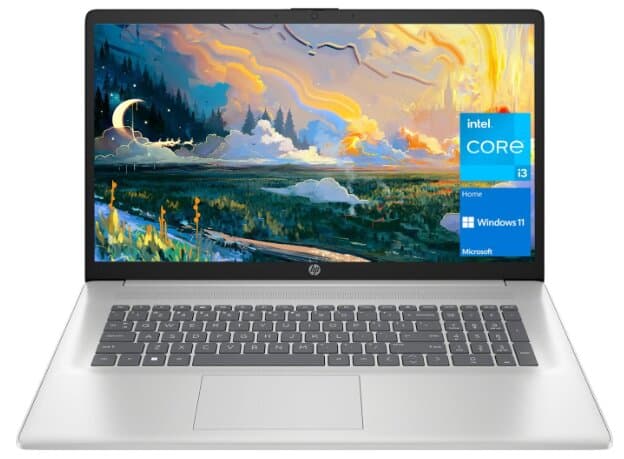
Specifications:
- Screen Size: 17.3 Inches
- Processor: 11th Gen Intel Core i3-1125G4, running at 2 GHz
- RAM: 32 GB
- Storage: 1 TB SSD
- Graphics: Intel UHD Graphics with 8 MB graphics card RAM
- Ports:
- 1 x USB 2.0
- 1 x USB 3.0
- HDMI
- Wireless: Bluetooth
- Operating System: Windows 11 Home
- Weight: 4.6 pounds
Review:
The HP 17 laptop has a good performing processor, an 11th Gen Intel Core i3-1125G4 processor, which does well on daily tasks like schoolwork, office work, online jobs, and light gaming.
The display on this HP laptop is a bit mixed. It’s a 17.3-inch TN panel, meaning it isn’t as sharp as an IPS display. However, it still manages to provide decent brightness at 250 nits. However, the resolution is only 1600 x 900 pixels, so it’s not full HD.
Moreover, this laptop weighs less compared to most other 17-inch laptops and HP 15 laptops in this price range, making it portable.
It has a sleek, business-like design with narrow bezels and an aluminium-like finish with an attention-grabbing shiny HP logo on the lid. However, it is made of plastic, though it does not feel cheap. Typing on the keyboard is comfy, although it does have a bit of a bend to it. But all in all, using it feels nice and enjoyable.
As far as hardware is concerned, the laptop comes with an Intel Core i3 CPU (12th generation) that includes Intel UHD graphics and thus fits basic tasks like web browsing, emails, Zoom calls, Word/Excel, and similar office or education tasks well.
However, its low processing power and dedicated video memory may hinder its performance when handling more demanding tasks.
It is the perfect affordable laptop for any kind of business, including retail business, due to its large screen and high specifications. Additionally, it excels at multitasking and file storage. With 32GB of RAM and a 1TB SSD, you have plenty of storage and memory for anything you want to do.
Here are a few other things to back our claim that this is the best cheap laptop with a large screen, the highest RAM, and storage (1TB).
Other than its large screen, a big RAM for aggressive multitasking, and a large storage to store photos and videos, when it comes to ports, you have a good range of ports as well, including USB Type-C, Type-A, and HDMI.
However, there is no Ethernet port or SD card slot, though Wi-Fi 6 ensures that the internet is faster and more stable.
The battery life is satisfactory on this laptop. Expect 4–5 hours of mixed use, rarely more than six hours in minimal scenarios.
The speakers are decent for entertainment but not great for music production. Even though a touchpad may be a bit cheap, you can always use a mouse instead.
Overall, this is one of our best large-screen laptop options under $500 for home use because its 17.3-inch display, 32GB RAM, and 1TB SSD offer plenty of workspace, memory, and storage.
It is best for users who prioritize screen size and capacity over portability, display sharpness, or demanding processing performance.
HP Victus 15-fa1093dx: Best Gaming Laptop Under $500 When Refurbished Deals Qualify
This is one of our strongest candidates for the best gaming laptop under $500 for budget gamers who want dedicated graphics rather than relying on integrated graphics, provided a qualifying refurbished offer is available.
Its Intel Core i5-13420H processor, NVIDIA RTX 3050 graphics with 6GB dedicated memory, and 144Hz Full HD display make it suitable for Minecraft, Roblox, esports games, and more demanding titles at appropriate settings.
Specifications:
- Model: HP Victus 15-fa1093dx, refurbished configuration
- Display: 15.6-inch Full HD (1920 × 1080) IPS, 144Hz
- Processor: Intel Core i5-13420H (8 cores, 12 threads)
- Graphics: NVIDIA GeForce RTX 3050 Laptop GPU with 6GB dedicated GDDR6 memory
- RAM: 8GB DDR4 (16GB is preferable for gaming and background applications)
- Storage: 512GB NVMe SSD
- Operating system: Windows 11 Home on the identified configuration
Pros: Dedicated RTX 3050 graphics; 144Hz Full HD display; fast NVMe storage; capable eight-core Intel CPU for this price class.
Cons: Only 8GB RAM in the targeted refurbished configuration; entry-level screen color coverage; variable used battery condition; current sub-$500 Amazon availability is unconfirmed.
Review:
If you are looking for a good gaming laptop under $500, the refurbished HP Victus 15-fa1093dx is a specific configuration worth watching for, not a promise that every Victus 15 costs less than $500. Its Core i5-13420H, 6GB RTX 3050 and 144Hz Full HD screen give it a credible gaming foundation. By contrast, cheaper laptops marketed as gaming machines may use integrated graphics that are far less suitable for graphically demanding games.
Why we recommend this configuration: The dedicated GPU has its own 6GB graphics memory instead of depending entirely on shared system memory. The 144Hz panel can display smoother motion in games that reach high frame rates, while the 512GB SSD offers substantially more space for game installations than 128GB or 256GB options. The 8GB system RAM is the main limitation: we would prefer 16GB if the listing, upgrade costs and total price still fit your budget.
Gaming limitations: This is an entry-level gaming laptop, not a high-end workstation. Recent demanding AAA games may need low or medium graphics settings, upscaling and realistic performance expectations. Battery life during gaming will be substantially shorter than for browsing or document work, and refurbished battery condition varies between sellers.
Price and availability: A refurbished listing of this model was reported at $499.99 in August 2026, but that is historical pricing. As of November 16, 2026, we could not confirm an active Amazon offer for the same RTX 3050 configuration at or below $500. The button below searches Amazon for renewed Victus RTX 3050 offers with a $500 price filter; it may return no qualifying listing. Check the model number, exact GPU, RAM, SSD, condition and final checkout price before ordering.
Overall, this is our strongest gaming laptop candidate under $500 because its dedicated RTX 3050 graphics, eight-core Intel processor, and 144Hz display offer a stronger gaming foundation than ordinary budget laptops with integrated graphics.
It is best for gamers willing to buy refurbished, provided the exact configuration costs $500 or less and they account for its 8GB RAM limitation.
How to choose a laptop under $500 for your needs?
Let’s discuss how laptop specifications influence your work, the timing of when you need them, and which features play crucial roles in different situations.
Here is a complete laptop buying guide, and the following information is useful enough to help you make a wise decision.
- Display: IA 14-15.6 inch 1080p IPS display provides a good balance between screen real estate and portability, with IPS ensuring better color accuracy for photo and video editing. This should be your minimum display range for your laptop.
- CPU: An Intel Core i5 or AMD Ryzen 5 provides sufficient processing power for general use, education, business applications, gaming, video editing, and more. However, Intel core i3, or AMD Ryzen 3 are also good to start for general use.
- RAM: 16GB is enough for smooth multitasking and performance across various applications, including gaming, video editing, and music production. If you don’t have extensive jobs to play, you can go with 8 GB DDR4. Below this range is a mess.
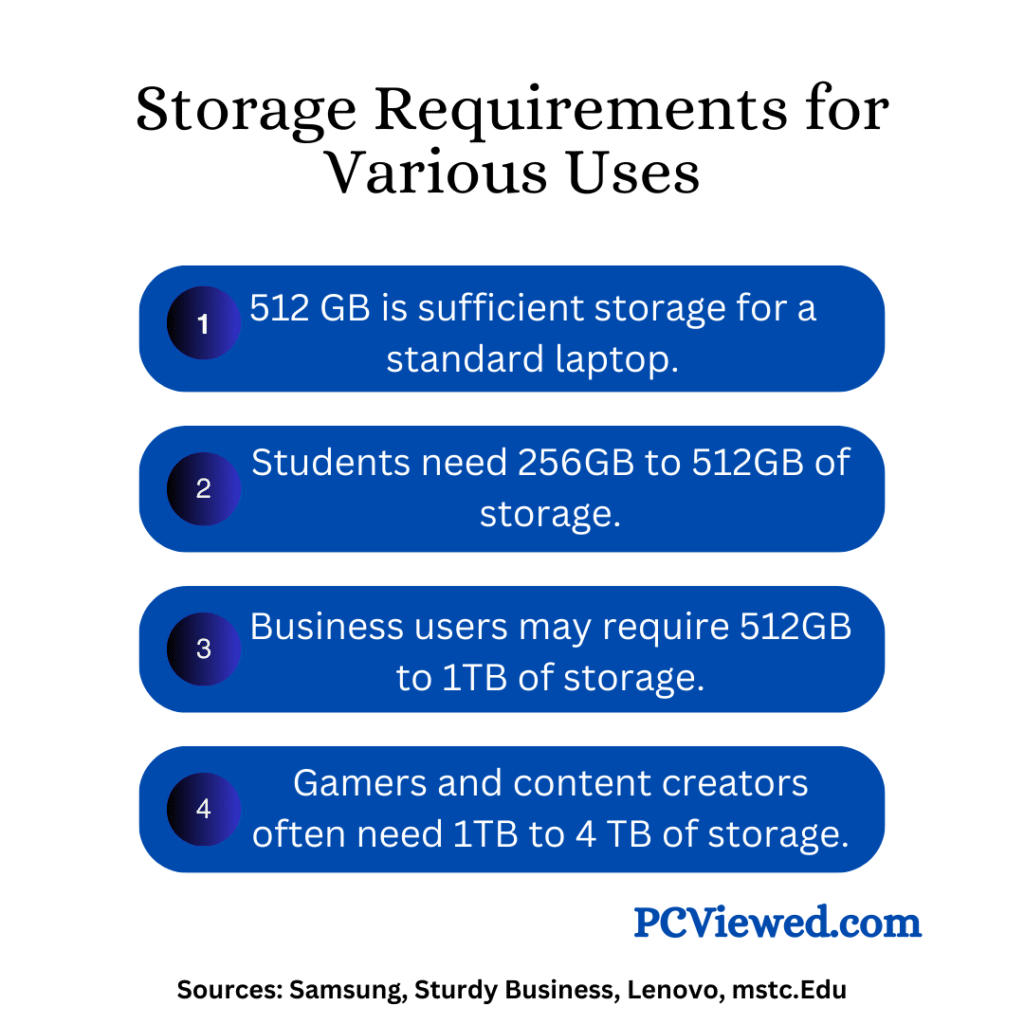
- Storage: A 256GB SSD offers fast boot times and quick access to files, while a 512GB SSD is preferred for handling larger media files. So, at least, there should be 256 GB SSD on your laptop.
- GPU: A dedicated GPU enhances gaming and video editing performance, while an integrated GPU is adequate for less intensive tasks.
- Battery Life: 8+ hours of battery life ensures the laptop can last through a full workday or school day without needing a recharge.
- Ports: A variety of ports ensure compatibility with various peripherals and external displays, which is beneficial for business, gaming, and content creation. That’s why you should prefer laptops with most ports.
Can you get a good laptop for under $500?
Yes, particularly if you consider refurbished laptops. The MacBook Air M1 and MacBook Pro M1 have both appeared below $500 on Amazon Renewed, while a refurbished ThinkPad T14 Gen 2 can provide 16GB RAM and a backlit keyboard around the same budget. Some newer Windows configurations may exceed $500, and those exceptions are identified in the individual reviews.
