
If you’re hunting for a budget-friendly Acer laptop, chances are you want something reliable that won’t empty your wallet.
Our team tested tens of Acer machines for different tasks and found some of the best Acer laptops under $500, which are not only affordable but suitable for everyday usage that includes web browsing, freelancing, education, light gaming, working on documents, and video streaming.
Simply put, these Acer laptops are solid options for students, professionals, or anyone who wants a dependable device without paying top dollar.
With Acer, you can expect to get quality, affordability, and features that are synonymous with a smooth and enjoyable computing experience.
So here are some of the best Acer laptops that are perfect for your budget and for your needs!
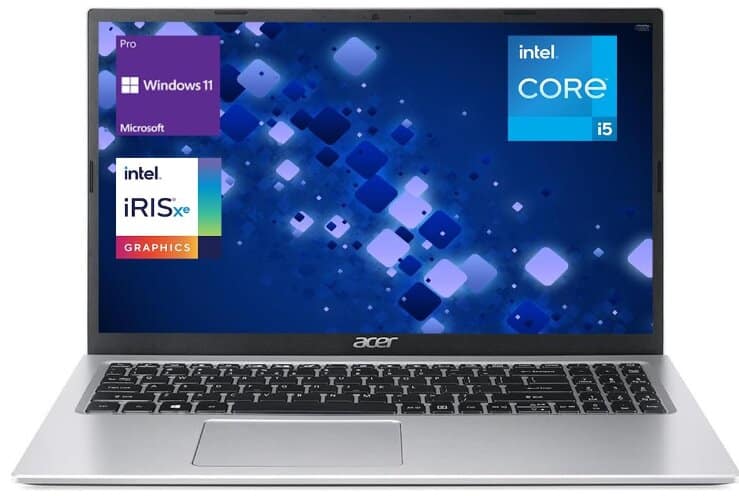
Acer Aspire 3 Laptop: Fast, Affordable, and Portable
Specifications:
- Screen Size: 15.6 inches
- Screen Resolution: 1920 x 1080 pixels
- Processor: Intel Core i5-1135G7
- Processor Speed: 4.2 GHz
- Memory: 20 GB DDR4
- Storage: 1 TB
- Graphics Coprocessor: Intel Iris Xe Graphics
- Ports:
- 2 x USB 3.0 Type-A
- 1 x USB 2.0 Type-A
- 1 x HDMI
- 1 x RJ-45
- 1 x Headphone/Microphone Combo
- Wireless Connectivity: Wi-Fi 6 and Bluetooth 5
- Operating System: Windows 11 Pro
- Laptop’s Weight: 3.75 pounds
Review:
The Acer Aspire 3 (model a315-24p) isn’t an expensive laptop, but it does its job well. You pay less than $500 for this notebook and get a 3.75-pound laptop with a 15.6-inch full HD screen, 20GB of DDR4 RAM, and 1TB of storage.
The laptop is equipped with an Intel Core i5-1135G7 processor, a good balance of performance and efficiency. Geekbench 6 scores average 1593 single-core and 4500 multi-core, indicating smooth everyday tasks like HD video, spreadsheet work, and moderate multitasking.
It has an adequate memory of 20GB for you, which means Cold-boot to the Windows 11 desktop in 12 seconds, and you can keep 25 Chrome tabs, a 1-hour Zoom call, Spotify, and Excel open at the same time without slowdown
When it comes to storage, The University of Denver’s 2025–2026 laptop specifications suggest at least a 512GB SSD for students handling large project files, videos, and research data. That’s why the 1TB SSD in this model is more than enough; it gives you double the recommended space, meaning you can store years’ worth of assignments, media, and apps without worrying about running out
One thing to keep in mind that Intel Iris Xe Graphics is far more fit for casual gaming and multimedia applications than higher-end applications, meaning you can smoothly run Netflix or Disney+ in 1080p, edit short clips in Adobe Premiere Rush, hold 50-tab Chrome research sessions, compile code in Visual Studio Code, and play Minecraft, League of Legends, or Rocket League at 40–55 fps on medium settings.
The 15.6″ Full HD IPS display is crisp and vivid, and it’s a great option for watching movies or working on projects that require good screen quality. However, there are users who find that the display is a bit dim, especially when the lighting conditions are too bright.
While it boasts a sturdy build quality, it’s worth noting that the laptop is somewhat bulkier compared to higher-end models. However, at 1.7 kg, it remains comfortably portable and easy to carry.
On top of this, the Aspire 3 has different ports, such as HDMI, USB 3.0, and RJ-45 Ethernet, that make it versatile in terms of compatibility with various hardware and connectivity options with other devices and networks. Moreover, there is support for Wi-Fi 6, so users will enjoy a faster internet connection.
The laptop running Windows 11 Pro benefits from increased security features and productivity tools like better Snap layouts and multitasking capabilities, along with deeper integration into Microsoft services, which makes it an excellent choice for personal use and business purposes as well.
The battery life for this laptop is what is expected for similar types. Even though it isn’t going to last all day if used heavily on a single charge, it’s good enough for normal everyday activities like browsing and working on documents. In cases of continuous usage, it would be advisable to have the charger nearby.
The Acer Aspire 3 is an excellent choice if you are looking for a cheap computer that can cater to your everyday needs. It features a fast SSD drive, enough RAM, and a good processor, which together ensure a user-friendly interface.
Nevertheless, if you need a machine with a brighter display or lighter construction, there might be other options available to you. In terms of price range, the Aspire 3 offers good value for money and it’s also very dependable.
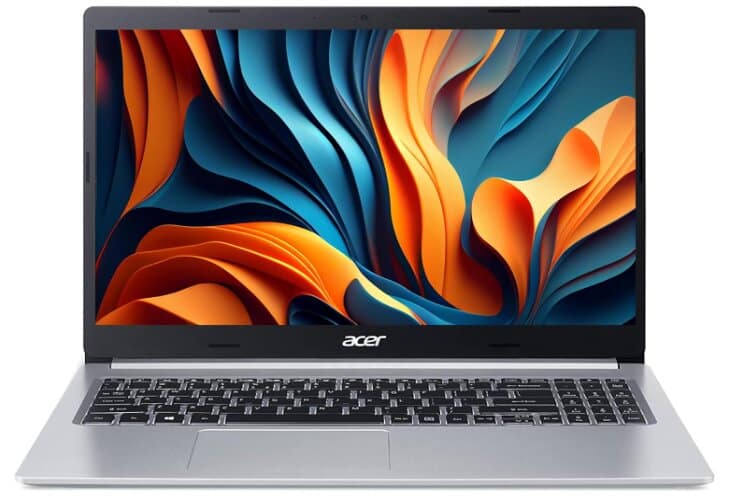
Acer Aspire 5: Budget Laptop with Solid Performance
Specifications:
- Screen Size: 15.6 Inches
- Hard Disk Size: 1 TB SSD
- CPU Model: Intel Dual-Core i3 Processor (Up to 4.1 GHz)
- RAM: 20 GB DDR4
- Operating System: Windows 11 S
- Special Feature: Built-In Webcam
- Graphics Card Description: Integrated Intel UHD Graphics
- Number of USB 2.0 Ports: 1
- Number of USB 3.0 Ports: 2
- Weight: 5.5 pounds
Review:
The Acer Aspire 5 is the best option for someone who seeks a cheap yet competent laptop. Usually, it retails under $400, but sometimes it’s under $300, although its performance is superb for the money. Clearly, this laptop does not position itself with the likes of the Dell XPS or MacBook. Still, for the price range, it’s a great deal.
This Acer Aspire 5 has an 11th-generation Intel i3 processor, 20GB of RAM, and a 1TB SSD. Benchmarks from Geekbench 6 put the Intel i3-1115G4 at 1364 single-core and 2836 multi-core, which is enough for running 10–12 Chrome tabs.This chip is well-suited for students and freelancers.
The RAM and SSD can both be upgraded by the user, but this requires the user to open the bottom panel of the laptop. With 20GB of RAM, boot times are typically under 2–3 seconds from SSD, and you can comfortably keep multiple productivity apps like Word, Excel, Zoom, and Spotify open without slowdowns. There is also space to add a 2.5-inch drive that is expandable.
All that for an attractive price of around $450 on Amazon.
Besides, the option of AMD variants with the Ryzen processor and Radeon graphics is also available. It should give an almost identical performance.
This Acer Aspire 5 has a 1080p full HD non-touch IPS display, which supposedly pulls in 320 nits of brightness. The display is silver, which discourages glare, and it makes sure that the laptop can be used even in bright environments. The colors are somewhat vibrant, and blacks and whites are well-articulated with minimal backlight bleed across the panel.
The overall quality of the panel is pretty good, and for the price range, it is better than some of the screens on competitors like the Lenovo IdeaPad 3 and Dell Inspiron 3000 Series. This gets the display a solid 4 out of 5.
The keyboard and trackpad are perhaps where the Acer Aspire 5 shows some of its limitations. The touchpad is a bit small and unresponsive, and it isn’t good for the user. I have rated it 3/5.
The keyboard is also full-sized and has a numpad; it is tactile but slightly plasticky, and it isn’t backlit. Because of this, the keyboard isn’t really good for someone who types a lot or works in low-light conditions. The keyboard, while it isn’t a dealbreaker, also gets a 3/5.
This laptop has an excellent collection of ports. This includes:
- TRRS headphone/microphone jack
- USB-A port
- Kensington lock
- USB-C super speed port
- Two more USB-A super-speed ports
- Full-sized HDMI port
- Gigabit Ethernet port
Unfortunately, the USB-C provided isn’t charging, and for some users, this will be a deal-breaker. Anyway, I/O here is above average, and I can rate it at 5/5.
Talking about its features, the Acer Aspire 5 has Wi-Fi 6 and Bluetooth, which means that it could be the best fit for most needs related to video conferencing. The aluminum cover gives this laptop a bit of durability, and its weight does not increase much either. But still, it misses a few things that most people would still like to have, including a fingerprint scanner or Windows Hello compatibility. This is the reason why features get a 4/5 rating.
The Acer Aspire 5 weighs slightly less than its Lenovo and Dell counterparts, and it is thus portable and easy to carry around. Even slightly more robust with the aluminum top cover, it is good for athletes who frequently travel or students. The battery life is average, giving 5-6 hours of practical usage, and this could definitely be higher on the AMD variant.
The onboard speakers are decent. They offer enough volume and definition for podcast listening and casual movie viewing but deliver little depth in terms of bass. Because the speakers do meet the bare minimum threshold for basic usage, I shall give them a 3/5.
The Acer Aspire 5 is surely one of the most outstanding budget laptops, and I would rate it from 3.75 to 4/5. It has a good blend of performance, display quality, port selection, and features—all at its price.
Surely, there are some trade-offs, with the keyboard and trackpad being the biggest ones, but they are few and far between for what you get here. If you’re a student, remote worker, or casual creator on a budget, the Aspire 5 hits a sweet spot. It is listed among the best budget laptops for its balance of price, port selection, and upgradeability.
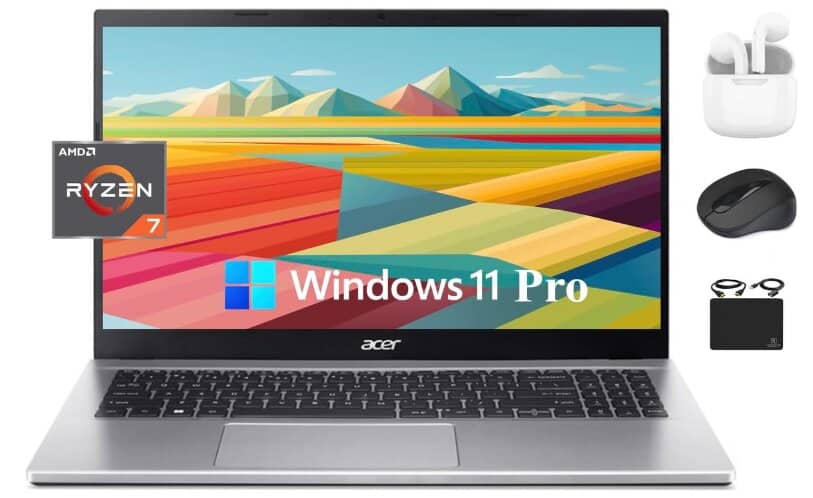
2024 Flagship Acer Aspire 3 for about $500
Specifications:
- Display: 15.6 inches
- CPU Model: AMD Ryzen 7 5700U
- Processor Speed: 4.3 GHz
- Number of Processors: 8
- RAM: 16 GB DDR4
- Storage: 1TB
- Number of USB 3.0 Ports: 4
- Operating System: Windows 11 Pro
- Laptop’s weight: 3.92 pounds
Review:
The Acer Aspire 3 stands out with its simple design, full-size keyboard with a number pad, and wide screen that’s great for video calls. Although it has some limitations because of its low $500 price, Acer brand has made smart choices to offer a lot of value for the money.
The Acer Aspire 3 has very powerful specs: a 4.3GHz AMD Ryzen CPU, 16GB of RAM, and a 1TB solid-state drive. It’s super robust and a good laptop for heavy business tasks on a budget.
In benchmark tests, the Ryzen 7 5700U scores 9,042 in Cinebench R23 multi-core and 1,260 in single-core, meaning it flies through office work, browsing with dozens of tabs, and even more demanding workloads like light video editing or coding.
It is equipped with 16GB of RAM, which helps it run smoothly even when you’re using a bunch of heavy-duty programs. This is especially helpful for people who use complicated software or have a lot of things open at the same time.
Now, many of you ask Is the Acer Aspire 3 good for gaming and work? Well, Acer laptops are really good at both, so it is.
The integrated Radeon Vega 8 performs respectably in GPU tasks with 3DMark Time Spy results of about 1,298 Geek Graphics Score and a total of 1,477, enabling smooth play in games like Valorant and Rocket League at medium settings.
In terms of work, it can handle things such as Microsoft Office use, editing PDFs, video calls on Zoom or other platforms.
Moreover, it has an HDMI port for connecting to external displays and one USB-C port for newer accessories. However, it doesn’t have an SD card reader or a second USB-C port, which you might miss. Having just one USB-C port can be inconvenient, but you can use an adapter to add more ports.
Weighing just under four pounds, the Aspire 3 isn’t super light, but for a bit of extra weight, you get a wide 15.6-inch screen and a full-width keyboard. As someone who uses spreadsheets a lot, I love having a number pad on such an affordable laptop.
The keyboard feels solid, with little flex or bounce when typing. This is important because cheap laptops often have weak structures that feel flimsy and can cause the mouse cursor to jump around.
The Aspire 3 also has a 1080p display, but now many other budget laptops have this resolution too, so it’s not as special. In 2024, 1080p is the minimum resolution you should accept, as 768p doesn’t display modern web pages well.
It meets the acceptable resolution range of 1080p for current devices. We liked the display of movies and videos. The color quality was decent, and it was bright enough for use in full sunlight.
The laptop has two small, downward-pointing speakers that are quite loud and work well for video calls and YouTube videos. However, the sound is a bit tinny for music with a lot of bass.
In video call tests, the Aspire 3 surprised us for a budget laptop. The HD webcam produced clear video, and the microphone picked up voices well, even with background noise.
We liked the Aspire 3’s webcam performance in low light. The HD camera, with temporal noise reduction, makes low-light video look clear and bright, better than many more expensive laptops.
The microphone also works well, thanks to Acer PurifiedVoice software that filters out noise and sends clear sound. For a laptop at this price, that’s impressive. Overall, the image and voice quality make the Acer Aspire 3 better for Zoom calls than some laptops that cost four times as much.
The Aspire 3 has good battery life. In our test, playing a movie on repeat, it lasted about eight hours, enough for a full workday. The charger is compact and easy to carry.
In short, if you want a powerful laptop at a reasonable price, this one is a great pick. It has impressive specs that deliver strong performance, so you won’t be disappointed.
Rating: ★★★★☆ (4.2/5) – Incredible CPU for the price, solid display, and better-than-expected build.
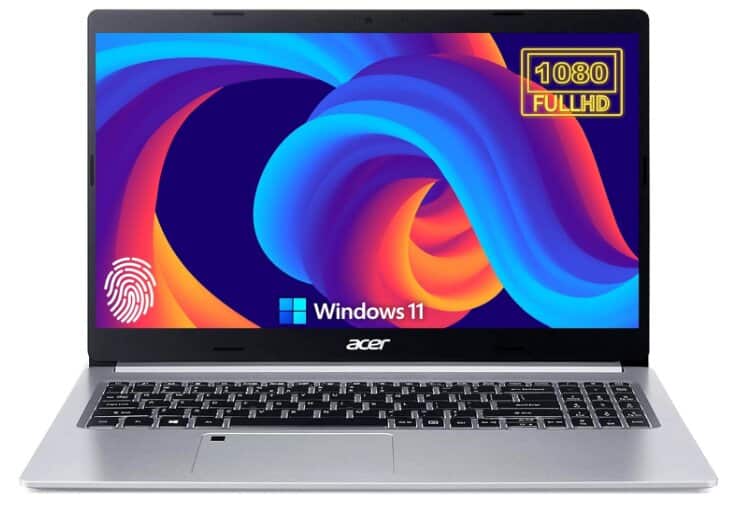
Acer 2023 Newest Aspire 5 Slim Laptop
Specifications:
- Screen Size: 15.6 Inches
- Display Type: Full HD IPS Display
- Screen Resolution: 1920 x 1080 pixels
- CPU Model: 10th Gen Intel Core i5-1035G1
- Processor Speed: 3.6 GHz
- RAM: 8 GB DDR4
- Hard Drive: 256 GB NVMe SSD
- Graphics Coprocessor: Intel UHD Graphics
- Wireless Type: Intel Wireless WiFi 6 AX201 (802.11ax)
- USB Ports:
- 1 x USB 2.0
- 2 x USB 3.0
- Average Battery Life: 8 hours
- Item Weight: 5.2 pounds
- Operating System: Windows 10 Home
Review:
The Acer Aspire 5 (A515-55-56VK) is a true workhorse, a low-cost laptop whose straightforward and useful design can appeal to both professionals and students. In comparison to more costly models, the aluminum casing may feel a little flimsy and brittle, but it was made to fit its price.
The laptop weighs about 5 pounds, so it’s somewhat easy to carry around, like when going to meetings or classes.
In benchmarks, the i5-1035G1 averages around 4,225 points in Cinebench R23 multi-core and 1,078 in single-core, making it capable for office work and smooth streaming.
Graphics are powered by Intel UHD integrated graphics, not a gaming powerhouse, but fine for casual games like Stardew Valley or The Sims 4, plus basic photo editing in Photoshop. It’s important to note that if you plan on running modern 3D games or heavy creative software, you’ll want a dedicated GPU.
Connectivity is a strong point here: Ethernet for wired reliability, three USB-A ports, a USB-C for modern peripherals, and an HDMI output for external displays. Wi-Fi 6 (AX201) ensures fast wireless speeds for streaming and large downloads. The built-in fingerprint reader adds an extra layer of security for students or office users.
A Kensington lock connector is an added feature for microchip-grade security. A full-size keyboard has very comfortable typing, although its flat keys sometimes are unresponsive.
The keyboard has a bit of light that makes it easier to see the keys in dark places. The trackpad works well, and there’s a fingerprint scanner to keep your stuff safe.
The screen is 15.6 inches wide and shows things in Full HD, which looks really good for work and browsing the web. But if there’s too much light, it might reflect off the screen.
You can tilt the screen back to 130 degrees, so you can see it from different angles. But it would’ve been better if it could tilt all the way back.
This particular Acer Aspire 5 runs an 11th Gen Intel Core i5—an ideal processor to get you through lag-free streaming and internet browsing while running through your day-to-day tasks.
The laptop comes with 8GB of RAM, which allows multitasking without any major lag, and 256GB of SSD to provide enough storage and faster app- and boot-loading times. You can store roughly 60,000 photos, 60 HD movies (4 GB each), or 120,000 three-minute MP3 songs.
In addition, the speakers deliver good bass output while maintaining sound quality. The center-mounted position of the 720p webcam over-the-top bezel also produces average quality, which is just fine for basic video calls.
Battery life is the one real drawback. In real-world testing, the Aspire 5 lasted just under 6 hours on Wi-Fi browsing and far less with video streaming—significantly below rivals like the Acer Swift Go 14, which can exceed 10 hours. If you’re a heavy user, you’ll want to keep the charger handy.
The Acer Aspire 5 Slim is a versatile, affordable laptop for students and professionals who need reliable everyday performance, modern connectivity, and a comfortable keyboard; just don’t expect marathon battery life.
Acer Aspire Go 15: Comfy Keyboard, Plenty of Ports
Specifications:
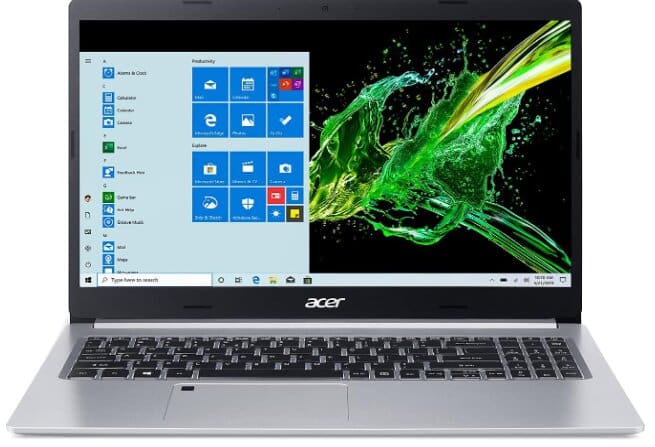
- Screen Size: 15.6 inches
- Processor: Intel Core i3-N305
- CPU Speed: 1.8 GHz
- Memory: 8 GB LPDDR5
- Hard Drive: 128 GB UFS
- Graphics Coprocessor: Intel UHD Graphics
- Operating System: Windows 11 Home in S Mode
- Wireless Type: Wi-Fi 6 (802.11ax), Bluetooth
- Number of USB 3.0 Ports: 3
- Laptop Weight: 3.86 pounds
Review:
The Acer Aspire Go 15 is an affordable laptop that feels much better than its price suggests. This 15.6-inch Windows 11 laptop might not have flashy features, but its $500 price tag is a big plus if you’re on a budget.
After using it for a week, I can say it’s a great option for saving money. It’s reliable and efficient for work or school, and it costs less than an iPad. Sure, it’s not the fastest laptop and you can’t upgrade it much, but its worth the price.
The standout feature here is the keyboard. It’s large, well-spaced, and surprisingly satisfying to type on, even rivaling the comfort of far pricier models like the Dell XPS. The rounded keys are easy to find without looking, and the inclusion of a full numeric keypad — without crowding the layout — is a rare bonus at this price point.
Port selection is equally impressive. While many new laptops strip things down to a single USB-C and a headphone jack, the Aspire Go 15 gives you two USB-A ports, one USB-C, HDMI-out, and a headphone socket. This means you can plug in older accessories, connect to an external display, and still have ports to spare — no expensive dongles required.
Performance is modest, as expected. The Intel Core i3-N305 and 8 GB RAM handle web browsing, word processing, video calls, and light gaming just fine, but you’ll feel the limits if you open too many Chrome tabs or try demanding software. Storage is another bottleneck, the 128 GB UFS drive leaves only around 47 GB free after Windows 11 and basic apps, so you’ll likely need cloud storage or an external drive.
The display is serviceable but unremarkable, and the 720p webcam is mediocre which is fine for casual calls but nothing more. Still, battery life is a pleasant surprise, with over 10 hours in testing. That’s enough to get through a full school or workday without hugging a power outlet. Acer even includes a long charging cable, which makes working in coffee shops or libraries much less awkward.
Bottom line: The Acer Aspire Go 15 isn’t built for speed or heavy multitasking, but for students, casual users, or anyone needing a dependable budget laptop, it’s a comfortable, well-connected, and long-lasting option that overdelivers for the price.
Acer Swift 3: A Budget-Friendly Contender with Impressive Performance and Battery Life
Specifications:
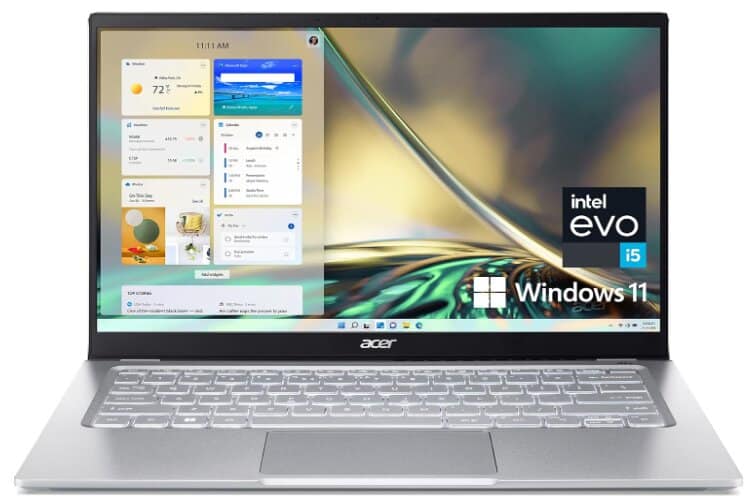
- Screen Size: 14 Inches
- Processor: Intel Core i5-1240P
- Processor Speed: 4.4 GHz
- RAM: 8 GB LPDDR4X
- Storage: 512 GB SSD
- Graphics Coprocessor: Intel Iris Xe Graphics
- Operating System: Windows 11 Home
- Wireless Type: Wi-Fi 6E AX1675
- Number of USB 3.0 Ports: 4
- Laptop Weight: 2.76 pounds
- Average Battery Life: 10.5 Hours
Review:
Acer’s 2023 Swift 3 refresh brings the budget-friendly ultrabook into Intel Evo territory, targeting students and professionals who want portability without breaking the bank. Now powered by the Intel Core i5-1240P, it delivers a real step-up in multitasking power while keeping battery life impressive.
In benchmarks, the i5-1240P scores around 1,688 points in Cinebench R23 single-core and 9,291 points in multi-core, putting it on par with midrange ultrabooks and well ahead of most AMD Ryzen 5000U-series chips.
The integrated Intel Iris Xe Graphics (in the i5-1240P) achieves approximately 1611 GFLOPS (FP32 performance), making it notably more capable than old ‘blue’ integrated GPUs like the UHD 620.
This level of performance enables playable experiences in casual games such as Stardew Valley, Rocket League, or The Sims 4 at medium settings, though it remains unsuitable for demanding 3D rendering or AAA titles.
The 8 GB LPDDR4X RAM runs at 4266 MHz in a dual-channel configuration, boosting integrated graphics performance and ensuring smooth multitasking. While 8 GB is fine for day-to-day work, students and professionals running heavy workloads (like video editing or multiple VMs) might notice limitations—especially since the RAM is soldered and not upgradeable.
Moreover, the 512 GB PCIe Gen4 NVMe SSD is quick for its class, with sequential read speeds around 3,200 MB/s and write speeds near 2,900 MB/s. This means lightning-fast boot times, instant app launches, and snappy file transfers. For a budget-friendly machine, this is flagship-level storage performance.
This laptop has two Thunderbolt, HDMI, and USB ports, as well as a combo headphone/microphone jack. It also has indicator lights and a Kensington lock slot. As for the trackpad, though not huge, it is good enough, and the keyboard feels comfortable for typing. Nevertheless, there is some pre-installed bloatware.
The trackpad isn’t large but feels smooth and accurate. The keyboard has a chiclet style and is snappy to type on, although the travel is a bit short.
The laptop’s speakers produce decent sound with clear mids and highs, although there’s not much bass. It’s suitable for media consumption and video conferencing.
The screen is bright with good colors, even in scenes that often look bad on other budget laptops. It has no noticeable bloom and a good contrast ratio.
The Acer Swift 3 may not be the best-looking one, but it compensates for that with its performance.
When we tried out the Acer Swift 3, it did really well. It’s fast for doing everyday tasks and even when we push it to the limit, it does not become too noisy like gaming laptops.
However, when compared to the M1 MacBook Air, the Acer Swift 3 performs worse. The MacBook Air also looks better, but lacks many different ports.
As per our tests, there are moments when the Acer Swift 3 can be slow, especially in terms of battery life. This could lead to programs or other things taking a few seconds longer than usual, which is annoying.
Battery life is where the Acer Swift 3 excels. In one test, it lasted over 14 hours, and played videos for more than 9 hours in another test. Even though I have a busy day at work, it can still keep going without being recharged.
All in all, the Acer Swift 3 with an i5 1240p is a huge winner, especially considering the price it sells for. The screen is pretty good, the performance is decent, and there’s dual NVMe for futureproofing. One will hardly be able to point out a major drawback of this budget laptop, which makes it appealing for students and professionals looking for something mobile and high-performing.
Acer Aspire 3: Affordable, Reliable, and Perfect for Everyday Tasks
Specifications:
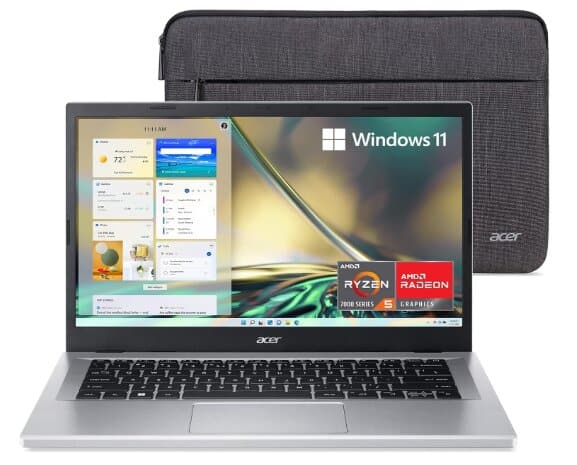
- Screen Size: 14.0 inches
- CPU Model: AMD Ryzen 5 7520U
- Number of Cores: Quad-Core
- Processor Speed: 4.3 GHz
- RAM: 8 GB LPDDR5
- Hard Drive: 512 GB NVMe SSD
- Graphics Coprocessor: AMD Radeon Graphics
- Wireless Type: Wi-Fi 6 (802.11ax)
- Number of USB 3.0 Ports: 3
- Item Weight: 3.09 pounds
- Operating System: Windows 11 Home
Review:
Priced at just under $500, the Acer Aspire 3 is defined by its casing strength, wide keyboard, large trackpad, and more. To be frank, playing games on this laptop is not its strong point, but this laptop is good for Zoom calls and routine working tasks.
In the crowded market of budget laptops, many options are cheap but lack quality. The Acer Aspire 3 breaks this trend with its simple, low-profile design, full-size keyboard with a number pad, and wide screen that’s perfect for video calls.
The laptop is equipped with an AMD Ryzen 7520U processor. This is a lower-end Ryzen chip but is built on the latest 6 nm process. It’s a four-core, eight-thread processor from the Mendocino architecture.
In Geekbench 5, you can expect 1,183 single-core and 3,727 multi-core. This is more than enough for web browsing, streaming, office apps, and light creative work, but not ideal for heavy video editing or gaming.
Moreover, the Ryzen 5 7520U delivers modest benchmark performance, reaching about 5.17% of the power of the top-end 96-core Ryzen Threadripper PRO 9995WX.
The Aspire 3 comes with 8GB of low-power DDR5 RAM, which is soldered onto the motherboard. Although this means you can’t upgrade the RAM, it operates in dual-channel mode, which helps with performance. The 512 GB M.2 NVMe SSD isn’t top-tier PCIe Gen 4, but it’s fast enough for quick boot times and app loading.
Connectivity options on the Aspire 3 are quite reasonable. It includes Wi-Fi 6 and Bluetooth 5.2, along with a selection of ports: USB A, USB C 3.2 Gen 2, HDMI, and a headphone jack. This variety means you won’t need to carry around a bunch of dongles, which is always a plus.
The display of this laptop is a 14-inch full HD IPS panel. It doesn’t have a wide color gamut or full sRGB coverage, but for most users, that’s totally okay. It completely changes the story for most in comparison to the year-over-year poor displays most budget laptops used to carry.
The one thing missing, however, is a backlit keyboard.
On the flip side, it does have that essential tactile feel, yet the travel it gives off is rather decent. There’s also the compact number pad, which is a bit cramped for some users, but it’s great to have. The trackpad, on the other hand, is quite large and feels somewhat modern, so it’s user-friendly.
The build quality is just typical of a budget laptop; it’s generally plastic and feels neither premium nor flimsy. It offers very good battery life, thanks to the low-power components. You should expect 10 to 12 hours of light productivity work—a tad more than enough for it to last throughout the full day.
The Acer Aspire 3 has the right combination of affordability and decent functionality. If you need a rather simple business notebook or an affordable back-to-school laptop, the Acer Aspire 3 should definitely be included in your list.
Acer Aspire 1: Cheap Acer Machine for Basic Tasks and Entertainment
Specifications:
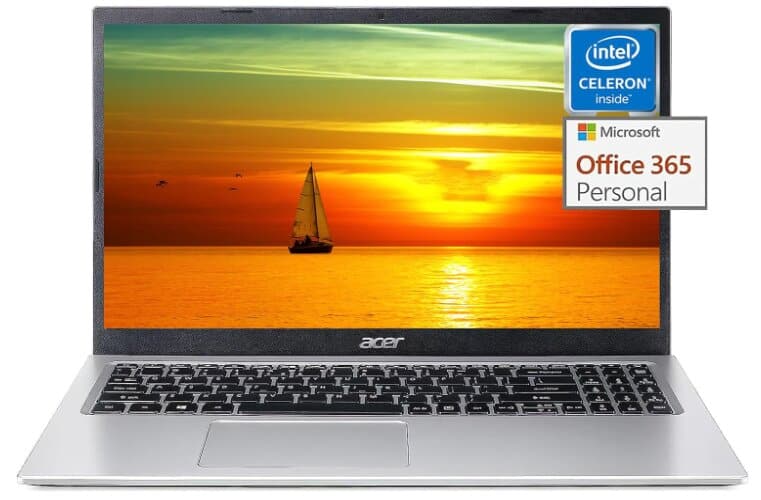
- Screen Size: 15.6 inches
- CPU Model: Intel Celeron N4500
- Processor Speed: 2.8 GHz
- RAM Installed Size: 8 GB DDR4
- Hard Disk Size: 128 GB
- Graphics Coprocessor: Intel UHD Graphics
- Number of USB 2.0 Ports: 1
- Number of USB 3.0 Ports: 2
- Laptop Weight: 3.64 pounds
- Operating System: Windows 11 Home (S Mode)
- Intended Use: Suitable for students and business
Review:
The Acer Aspire 1 is one of the most affordable options in Acer’s lineup, offering a large 15.6-inch display, lightweight design, and enough performance to handle everyday basics. It is powered by the Intel Celeron N4500 processor, a dual-core chip that runs at up to 2.8 GHz, paired with 8 GB of DDR4 RAM and a 128 GB SSD. While this configuration is not built for demanding workloads, it is adequate for web browsing, word processing, streaming, and other light computing tasks.
Benchmark results give a clearer picture of what to expect. In Geekbench 6, the Celeron N4500 scores around 439 in single-core and 720 in multi-core performance. In Cinebench R23, it reaches roughly 723 points in the multi-core test. These scores place it well below mid-range CPUs like the Intel Core i5-10300H delivering under 25% of the performance, but for light workloads, it is still perfectly serviceable.
The 8 GB of RAM is enough for basic multitasking, although users may notice slowdowns when switching between multiple tabs or applications. Storage is handled by a 128 GB SSD, which is much faster than a traditional hard drive, but its limited capacity means space can run out quickly, with only about 40–50 GB free after setup.
The display is a 15.6-inch panel with up to 1080p resolution. While it is sharp enough for watching videos and working on documents, it suffers from limited brightness and narrow viewing angles. To get the best picture quality, you need to sit directly in front of it.
On the connectivity side, the Aspire 1 comes with one USB 2.0 port, two USB 3.0 ports, an HDMI output, an SD card slot, an Ethernet jack, and an audio port. Wireless performance is handled by Wi-Fi 5 and Bluetooth 4.1, and a Gigabit Ethernet port is available for wired connections.
The build quality is surprisingly solid for the price. It weighs just 3.64 lb and features a brushed metal finish, giving it a more premium look than expected in this price range. The keyboard is comfortable to type on, though it lacks backlighting, and it includes a number pad for convenience. The touchpad is responsive and works well for everyday navigation.
Battery life is another strength—the Aspire 1 can last around nine hours in video playback tests, making it a reliable option for working or studying on the go.
Overall, the Acer Aspire 1 is a well-rounded entry-level laptop for users with modest needs. It handles browsing, document editing, and media playback without issue, but it struggles with heavy multitasking or more demanding software. For students, professionals with basic computing needs, or anyone looking for an inexpensive secondary laptop, it represents good value—provided you keep your expectations realistic.
