
If you’re looking for a budget gaming laptop, you may not find high-performance gaming laptops for around $500 (or €500).
Still, there are plenty of budget-friendly options available for casual and mid-range gamers, ranging from $500 to $800.
If you’re a non-tech-savvy and new to gaming, it can be daunting to figure out which specifications will let you play your favorite games or which brands you can trust. That’s why we’re here to help you find the best budget gaming laptops.
Each quarter, we explore and evaluate budget-friendly gaming laptops, keeping our recommendations fresh and relevant. We thoroughly test these machines and consider user feedback to ensure you have the best choices available.
In this guide, we’ll walk you through everything you need to know when buying a budget gaming laptop.
We’ll cover essential specifications, what games you can expect to play, and any limitations you should be aware of. Let’s get started and find the ideal gaming machine for your needs!
Quick Tips for Buying a Budget Gaming Laptop:
- Prioritize the Graphics Card (GPU):
- Since gaming heavily relies on graphics rendering, investing in a good GPU is essential.
- A powerful GPU will significantly enhance your gaming experience, providing better visuals and smoother gameplay.
- In a budget laptop, you should focus on models featuring capable dedicated graphics cards, such as the NVIDIA GeForce RTX or AMD Radeon series.
- If opting for integrated graphics, look for AMD Ryzen 5 or Intel Iris Xe for decent performance.
- Consider the CPU:
- A solid CPU is essential for overall performance. Look for at least an Intel Core i5 or AMD Ryzen 5 to ensure smooth gameplay and efficient multitasking.
- Consider RAM capacity:
- RAM is crucial for multitasking and can impact gaming performance.
- For budget laptops, aim for at least 8GB of RAM. That’s good for casual gaming.
- But for mid-range to high-end games, you should not go below 16GB or 32GB DDR4.
- Evaluate storage options:
- Some games take up to 50 GB of storage. So, you should not go below $512GB SSD.
- Check keyboard quality:
- A good keyboard is vital for a satisfying gaming experience. Look for laptops that feature responsive and comfortable keyboards.
- Mechanical keyboards are highly recommended for their durability and tactile feedback, which can enhance your gameplay.
- Assess build quality and portability:
- Budget laptops should be portable yet sturdy. Check for materials and build quality that can withstand regular use.
- Lighter models are easier to carry around, making them ideal for gamers on the go.
- Look for a weight of around 3.5 to 4.5 pounds for a balance between durability and portability.
- Review battery life:
- Gaming can drain battery life quickly, so aim for laptops that offer a minimum of 6 to 8 hours of battery life under normal use (not gaming). This ensures you can enjoy gaming sessions without constantly searching for an outlet.
- Don’t overlook cooling solutions:
- Good cooling systems are crucial in budget gaming laptops to prevent overheating during extended gaming sessions.
- Look for models with effective cooling designs or additional cooling features, like extra vents or thermal management systems.
When considering a budget gaming laptop, it’s important to know what types of games you can realistically play. Here are some categories and specific titles that are well-suited for the gaming laptops reviewed below:
Suitable Games to Highlight:
- eSports and indie games: Titles like League of Legends, Valorant, CS
- , Rocket League, Fortnite, Minecraft, and Among Us will run well on most of these laptops.
- Older AAA titles: Games such as GTA V, Skyrim, The Witcher 3, Fallout 4, and Dark Souls III can run decently at medium settings, especially on laptops with dedicated GPUs.
- Casual and indie games: For machines with more limited graphics power, you can still enjoy popular indie games like Hades, Celeste, Stardew Valley, Undertale, and Slay the Spire.
NUC Intel X15 (the best gaming laptop under $800)
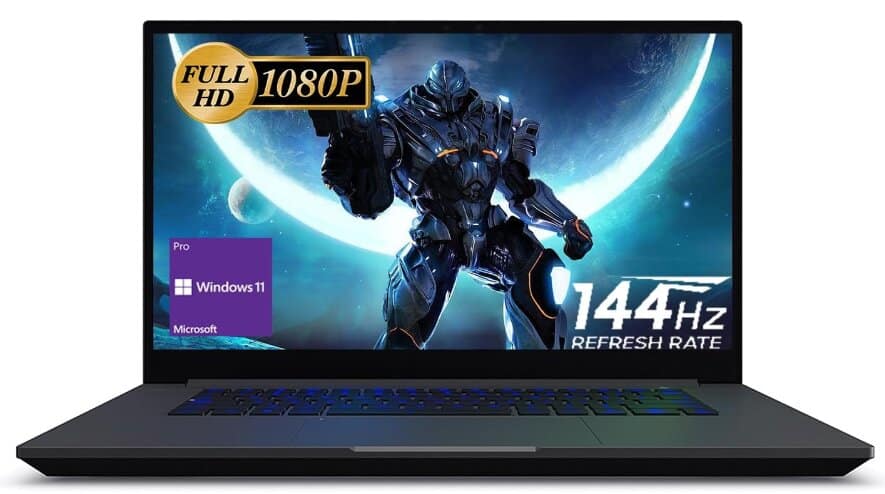
Specifications:
- Display: 15.6″ FHD (1920 x 1080 pixels) with a refresh rate of 144Hz
- Processor: Intel Core i7-12700H (14-core), up to 4.7 GHz
- Memory: 32 GB DDR5 RAM
- Memory Speed: 3200 MHz
- Storage: 1 TB SSD (PCIe x4 interface)
- Graphics: Intel Arc A550M Graphics (Dedicated)
- Keyboard: RGB Backlit Keyboard
- Ports: 4 x USB 3.0
- Operating System: Windows 11 Pro
- Weight: 3.63 pounds
Review:
Gaming laptops used to be heavy and big but presently they are becoming thinner and lighter, which is very preferable to all. However, what has not changed much is their ability to be customized.
Intel’s NUC X15 gaming laptops are changing that. Their latest release lets you have a say in what goes on your laptop before it’s even delivered to you.
For instance, if you require a better display or a faster graphics card, you could choose these options. Additionally, you get to choose how much RAM and storage space you need in a sleek design.
First things first, let us delve into the essentials of gaming laptops: what’s inside. This particular model I am reviewing here features an Intel Core i7-12700H and the latest Intel Arc A550M Graphics, 32GB of memory RAM, 1TB of storage plus Wi-Fi 6, and a 2.5 gigabit Ethernet port.
The Intel NUC X15 boots Windows 11 Pro in 12 seconds thanks to its Core i7-12700H (14-core, up to 4.7 GHz) that scores 15,453 points in Cinebench R23.
The Arc A730M uses a DG2 GPU with 12 GB of GDDR6 memory and a 192-bit interface (336 GB/s). Performance-wise, in raw benchmarks like PassMark and 3DMark, it aligns closely with RTX 3050 Mobile and even competes with RTX 2060 Max-Q in some tests. It runs Fortnite at 1080p high for 110–120 FPS fps and Cyberpunk 2077 at 1080p medium for 71 fps.
Thanks to 32 GB of DDR5 RAM, memory bandwidth sees a substantial boost—initial DDR5 modules operate around 4.8 Gbps per pin, which translates to nearly 50% more bandwidth than DDR4’s 3.2 Gbps rates. You’ll have zero lag when multitasking, streaming, or running heavy game clients like Steam, Epic, or Battle.net simultaneously.
The 1TB PCIe 4.0 SSD gives you blazing-fast game load times (e.g., under 5 seconds to load Elden Ring). And you can store roughly 250 full HD games (10GB each) or up to 250,000 high-res images, 500,000 MP3 songs, or 500 full-length 1080p movies.
On the other hand, it comes with a display panel of 15.6 inches that employs IPS technology while supporting resolutions up to 1080p with 144Hz refresh rates. It doesn’t have much to offer in terms of thickness, as it only measures about 24mm thick and weighs roughly 1.65 kilograms.
The laptop feels solid and stable, which should be expected from an Intel NUC. But you will see hardly any branding on it: only a metallic logo sticker and an RGB light bar on the front, which looks super cool.
This laptop comes with several ports that include two USB3 ports, a full-sized SD card reader, another USB3 port, a combo jack (3.5mm), a Thunderbolt 4 port, a 2.5GbE jack, an HDMI2.1 port, etc.
With a 94W/hr battery, the NUC X15 offers impressive battery life for a gaming laptop. While you won’t get hours of gaming on intensive titles, you can still enjoy some gameplay on the go without being plugged in. However, I would advise that you connect it to power if you are planning for a long day ahead.
However, this machine goes beyond just being a gaming device. Due to its performance and high refresh rates, it is perfect for work purposes, making reading through documents and spreadsheets quite easy.
It comes with a backlit keyboard, which is a favorite among gamers because it makes the keys easier to see, especially in low light or at night. Surprisingly, the speakers are pretty good, providing clear sound and even a bit of bass.
Intel’s NUC X15 series focuses on lightweight and easy-to-carry gaming. With customizable options, users can make their laptop just the way they like it, which used to be only possible with big PC towers. Whether you like ready-made setups or want to personalize every little thing, Intel’s NUC X15 laptops have something for every gamer.
Lenovo IdeaPad Laptop 2024
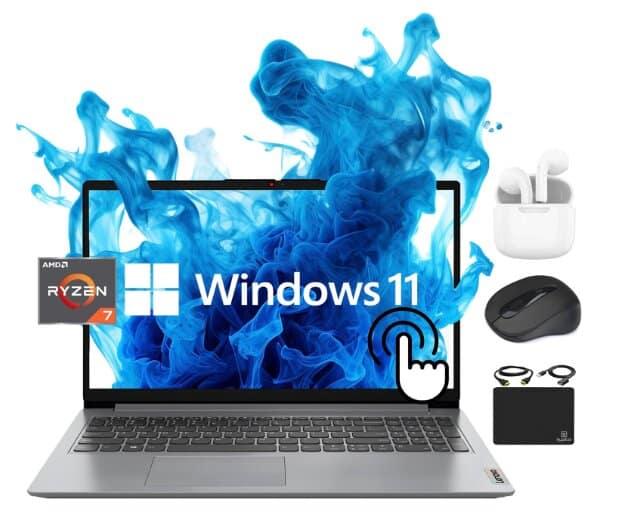
Specifications:
- Display: 15.6″ FHD (1920 x 1080) IPS touchscreen display, 300 nits brightness, anti-glare, IPS technology for wide viewing angles
- RAM: 16GB DDR4
- Storage: 512GB PCIe NVMe M.2 SSD
- Ports: 3 USB ports
- Processor: Octa-Core AMD Ryzen 7 5700U
- GPU: AMD Radeon Integrated Graphics
- Networking: Wi-Fi 6, Bluetooth 5.1 combo
- Special Feature: Memory Card Slot, Numeric Keypad
- Operating System: Windows 11 Home
- Weight: 3.55 lbs
Review:
Lenovo laptops are workhorses. But did you know they can also be gaming beasts? This laptop, in particular, is built for creative tasks such as video and photo editing; however, that doesn’t imply it’s only for artistic people. This computer can be useful for a variety of purposes and for different people. Whether you’re a student taking Zoom classes or someone who enjoys spending their weekends gaming nonstop, it can serve you well.
Lenovo offers the IdeaPad series at affordable prices. However, the latest release falls within this line. The new Lenovo IdeaPad features an AMD Ryzen 7 5700U processor, making it one of the few laptops with Octa-Core processing power and a 15-inch FHD IPS touchscreen.
Here’s what you need to know about this laptop: It has a clear and sharp 1080p IPS touch display. It comes equipped with 16GB of DDR4 RAM (which is great for multitasking), and it boasts a roomy 512GB SSD. Whether you’re working from home or playing games late into the night, this machine won’t let you down.
This laptop is great in terms of performance. It is powered by an octa-core AMD Ryzen 7 5700U processor that ensures seamless gaming and intense application performance characterized by high clock speeds.
The chip comes with eight cores, which foster multitasking and efficiency due to the employment of simultaneous multithreading. It can also reach a maximum speed of 4.3 GHz for heavier workloads.
In Cinebench R23, the Ryzen 7 5700U scores 9042 (multi-core), strong enough for mid-tier gaming and video rendering. It performs better than the Ryzen 5 7520U.
You can run games as well as edit videos or photos without any lag on this machine thanks to its capacious 16GB of RAM and fast processor. It also has a 512GB SSD, which loads apps quickly and speeds up system setup compared to conventional hard drives.
Just think of speeding down the digital highway at top speed! This is what this laptop offers.
It has a clear display with crisp visuals and a large 15.6-inch full HD touch screen, which is incredible for watching movies or playing games. IPS technology allows wide viewing angles so you can share what’s happening on your screen easily with anyone. Additionally, the energy saving feature lets gamers continue their activities longer without worrying about battery life.
On the left side of the laptop, you’ll find the place to plug in the power cord, a slot for connecting to a TV or monitor, a special USB port that can charge your devices and connect to a screen, and a place to plug in headphones. On the other side, there are two regular USB ports, a slot for memory cards, and a button to turn the laptop on and off.
Being loaded with Windows 11, this laptop will provide you with all the latest features as well as updates. Windows 11 marks a big move forward for Microsoft. Microsoft is really putting effort into making things better for users. It has a new look that’s easier to use, runs faster, and is even better for playing games.
The Lenovo IdeaPad equipped with Ryzen 7 5700U performs decently for light to moderate gaming. Expect around 50–60 FPS in GTA V at medium settings, and generally smooth play in lighter, less demanding titles.
All things considered, if you are someone who is looking for a strong yet adaptable device, this laptop has got you covered!
HP Victus 15: Best Gaming Laptop Under $600
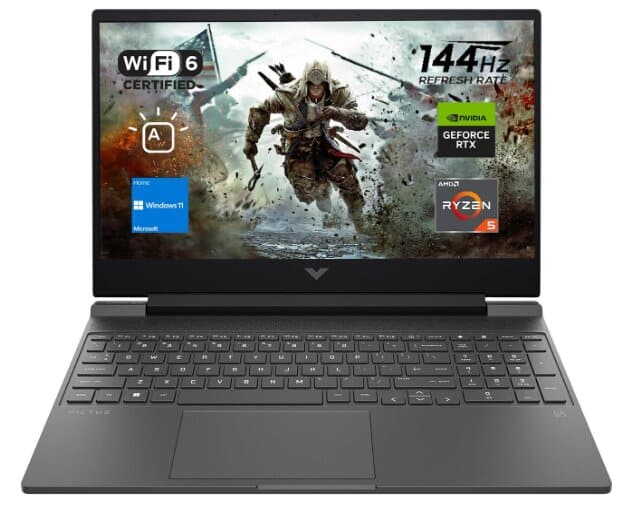
Specifications:
- Screen Display Size: 15.6 Inches
- Storage: 1 TB PCIe M.2 Solid State Drive
- RAM Memory: 16 GB DDR5
- Special Feature: Backlit Keyboard, Webcam
- Processor: AMD Ryzen 5 7535HS
- Graphics Card: NVIDIA GeForce RTX 2050
- Number of Ports: 3
- Connectivity: Wi-Fi 6
- Operating System: Windows 11 Home
Review:
You no longer have to break the bank just to get a good gaming laptop. The HP Victus 15 comes equipped with some serious power under its hood: the AMD Ryzen 5 7535HS processor, 16GB of DDR4 RAM, and an NVIDIA GeForce RTX 2050 graphics card. Not only that, but you also get an ultrafast storage option in the form of a 1TB solid-state drive, along with Wi-Fi 6 and Bluetooth 5.3.
The AMD Ryzen 5 7535HS is equipped with 6 cores and 12 threads, a base clock of 3.30 GHz and a boost up to 4.55 GHz, and is built on a 6 nm process. In Geekbench 5 it scores 1770 in single-core and 7022 in multi-core.
With this combo, you can expect fast game load times and excellent multitasking. What 16 GB DDR5 means: enough headroom to run Chrome (25 tabs), Discord, plus background apps like Steam, WhatsApp Desktop, and even Photoshop simultaneously while still leaving 4 GB free. Boot-up is fast too, usually under 7 seconds. The 1TB SSD gives you room for about 200 Full HD games (5GB average size) or over 250,000 photos or 180 Full HD movies.
Additionally, it features a large and impressive 15.6-inch display with a Full HD resolution of 1920 x 1080 pixels and an ultra-fast refresh rate of up to 144Hz, making it ideal for gaming with smooth visuals. The IPS panel offers good viewing angles, but brightness could be better—it’s limited to just 250 nits.
This gaming laptop’s design makes it outstanding among other budget models. The exterior of the laptop itself is made out of plastic, which feels strong, although that wouldn’t be my preference.
There are also all the ports that you would want on both sides, such as USB-A, USB-C, HDMI, as well as a full-size SD card reader. Also, there’s an audio jack for all your gaming sessions.
The color, called Mika Silver, is more like a darker version of space grey, which actually looks pretty cool. It’s not super light, weighing in at about 5.05 pounds, but that’s pretty normal for a gaming laptop.
At its top, there is a smooth plastic surface that has a huge reflective “V” logo that looks very nice. On the other side of it are some large heat exhaust fans to keep things cool during intense gaming sessions.
As far as performance goes, this laptop excels because its Ryzen 5 processor and RTX 2050 graphics card are specifically designed for multitasking in addition to gaming.
It runs games like Fortnite, RS6, Rocket League, and War Thunder, all of which require at least 100 frames per second on high settings when powered by AC.
These numbers make it a strong option for competitive gaming as well as modern AAA titles with tuned settings
Another great thing about the HP Victus is that you can upgrade this laptop. Through the PCIe Gen4 NVMe slot, you may increase RAM by up to 64GB and expand storage.
While battery life is average for gaming, general use like YouTube or MS Office gives you around 5–6 hours on a single charge. During gaming, expect 90–120 minutes depending on brightness and settings.
Unfortunately, the dual speakers on the HP Victus leave a lot to be desired. The bass is practically non-existent, and there’s noticeable distortion at higher volumes.
However, considering its performance and upgradability, it’s still a solid choice for gamers on a budget.
On the whole, at a reasonable price, the HP Victus 15 offers an almost no-compromise gaming experience. However, there are some faults with it, but it has a very balanced blend of functionality and affordability. If you want a gaming laptop that can hold its own but won’t burn a hole in your pocket, then this is definitely one to keep in mind.
Acer Aspire Vero AV15-51-5155: Best Gaming Laptop Under $500
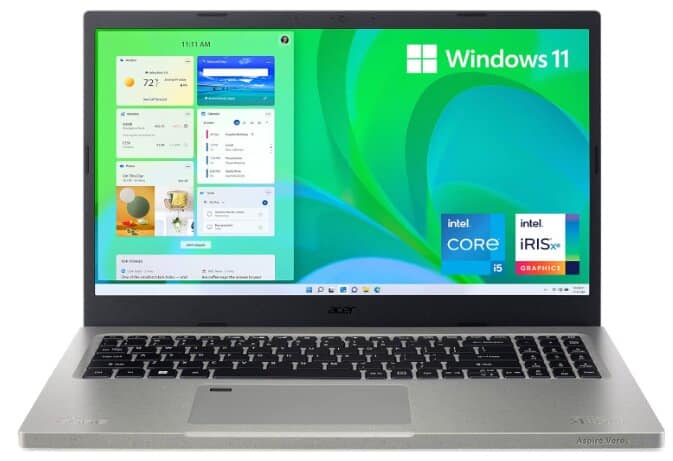
Specifications:
- CPU: Quad-core Intel Core i5-1155G7
- Memory: 8GB DDR4
- Storage: 256GB
- Graphics: Intel Iris Xe
- Display: 15.6-inch, 1920×1280 IPS
- Operating System: Windows 11
- Networking: Wi-Fi 6, Bluetooth 5.0
- Biometrics: fingerprint reader
- Battery life: 7.5 Hours
- Dimensions: 14.3 x 9.4 x 0.7 inches
- Laptop’s weight: 3.97 pounds
Review:
An excellent option for gamers seeking a laptop under $500 is the Acer Aspire Vero AV15-51-5155. Your gaming experience will be outstanding because of the great specifications it possesses.
Eco-friendly laptop:
This laptop is made with some recycled materials, which demonstrates that Acer really wanted to make an effort. For example, this is one of Acer’s greenest laptops, as they have already shown their commitment to sustainability. This way, they recycle and thus prevent solid waste from polluting the environment.
Compared to other 15-inch laptops on the market, it appears more realistic. Its case has 30% PCR, while its keys are produced from 50% PCR.
In addition to being very appealing on sight, it is eco-friendly, and feels nice and firm upon touch, so people would wonder at its beauty and toughness even from afar.
Let us now talk about the processor. This laptop is a beast, no doubt; it is in the form of an 11th Gen Intel Core i5-1155G7. It runs heavily loaded games without any stuttering or lag, hence providing an amazing performance. Additionally, there are intelligent Iris Xe Graphics, which ensure that you have clear images and more beautiful colors to make your gaming experience more life-like.
In Technical city’s full-HD medium‑preset tests, Intel Iris Xe G7 delivers around 55–60 FPS in Fortnite, 90–95 FPS in Valorant, 40–45 FPS in Battlefield 5, and 30–33 in Far Cry 5.
This laptop also contains a 15.6″ FHD IPS display. You can achieve accurate and realistic colors by having 100% sRGB coverage. Whether you are playing intense multiplayer matches or exploring huge open worlds, this enhances the visual quality and overall gaming experience.
Similarly, it has 8 GB of RAM. E.g., larger capacity multitasking can take place where you can easily play games without interruptions even when running multiple applications at the same time.
In addition, it boots quickly and loads games faster due to its 256GB SSD storage; hence, one can enjoy uninterrupted playing with their favorite titles.
A 256 GB SSD can typically hold around 60,000 high-definition photos, 250 HD videos (1 GB each), or 83,000 songs (3 MB each).
Thus, this gaming laptop seems like a heavyweight by virtue of its powerful processor, crisp display, and spacious storage. For any serious gamer who requires high performance and affordability, this laptop is the best option.
It also comes with such features as a fingerprint reader for added security and convenience, a battery life of 7.5 hours and it weighs only 3.97 pounds, making it light to carry around.
Nevertheless, among higher-end gaming laptops such as the Acer Predator Helios 300, this is not the most powerful spec-wise; however, the Acer Aspire Vero offers acceptable gaming within budgetary constraints. Note that you probably need to play around with game settings to maximize performance, depending on the limitations of your hardware resources.
To sum up, if you are on the hunt for budget gaming laptops, then you should consider getting yourself an Acer Aspire Vero for sure.
Acer Aspire 3
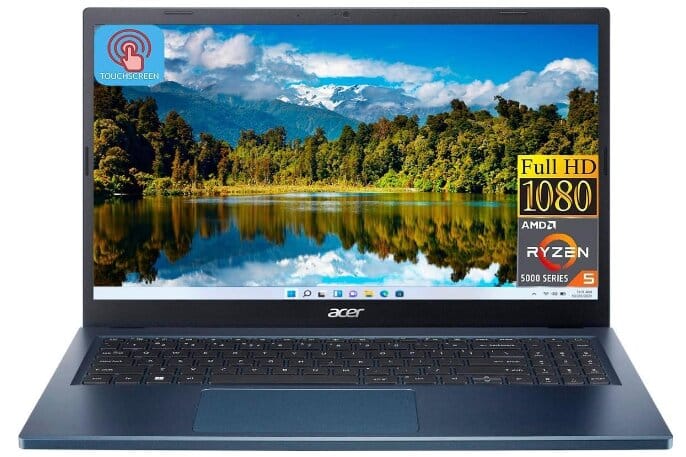
Specifications:
- Screen size: 15.6 inches
- RAM memory: 8GB
- Storage: 512GB
- Operating system: Windows 11
- Processor model: AMD Ryzen 5
- Graphics/GPU: AMD Radeon
- Dimensions: L x W x H (inches): 14.29 x 9.35 x 0.74 inches
- Product Weight: 3.92 pounds
- Connectivity: Bluetooth
Review:
This Acer Aspire 3 laptop has remained almost the same over generations, but it is not all bad. It is a good, low-cost entry-level machine.
This laptop is not for gaming like many other Acer laptops, but having a few games on this machine and playing them occasionally won’t hurt.
The 15.6-inch 1920×1080 IPS panel is bright enough indoors at 250 nits, but the fixed 60 Hz refresh and 25 ms response time mean fast shooters feel sluggish next to 120 Hz+ screens. Color coverage is 45 % NTSC (≈ 65 % sRGB), so expect washed-out reds and greens in vibrant games like Overwatch 2.
The AMD Ryzen 5 7520U processor will be an excellent choice for someone on a tight budget for gaming. It outperforms the i7‑1165G7 in efficiency and multi-core tasks, scoring about 84% in multi-core benchmarks compared to the i7’s 100%, with single-core performance around 75‑80% of the i7’s level.
When it comes to casual gaming or multitasking, the 8GB RAM size is relatively okay.
Nevertheless, if you are going to play demanding games or open multiple programs at once, then it may be better to increase your RAM so that you can have a smoother experience.
This gaming laptop falls under the $500 price range. That will, of course, limit the number of games you can play.
The 512GB SSD enables fast storage and quick loading times, which are really important in gaming. You will not experience any slowdown issues when installing your games the way you choose.
The integrated Radeon 610M (2 CUs, 1.9 GHz) is essentially a cut-down RDNA 2 iGPU. While the Radeon 610M is not built for heavy gaming, it can still handle light and competitive titles. For example, Counter-Strike 2 runs at about 50 fps on 1080p Low, and older pre-2019 games are generally playable.
In general, it’s a very affordable laptop with great battery life for task handling and even light gaming, but if you are a heavy gamer, you need to upgrade your choice in that case.
MSI Modern laptop: A Smart Choice for Light Gaming and Everyday Work
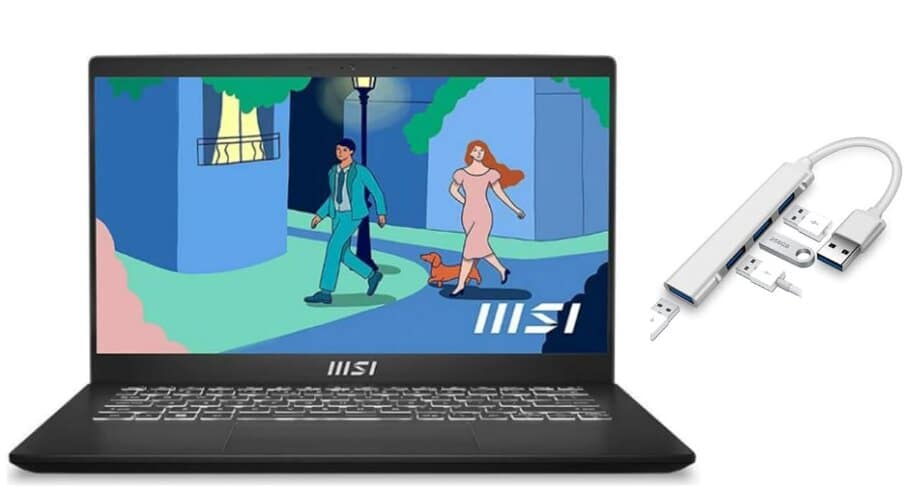
Specifications:
- Screen size: 14 inches
- RAM memory: 16GB DDR4
- Operating system: Windows 11
- Processor: Intel core i5
- Storage: 512GB SSD
- Product dimension: 14.13 x 9.49 x 0.78 inches
- Laptop’s weight: 3.75 pounds
- Graphics: Intel Iris Xe graphics
Review:
The MSI Modern 14 raises expectations for a “gaming-capable” laptop under $500, but the reality is more modest. With a 14-inch FHD screen, 16 GB of RAM, a 512 GB SSD, and Intel Iris Xe integrated graphics, it excels at productivity but struggles with demanding gaming.
Powered by a modern 13th Gen Intel Core, the MSI Modern 14 handles day-to-day tasks with ease; think Office apps, web browsing, and light multitasking with minimal fan noise.
The MSI Modern 14 with a Core i5-1335U and Intel Iris Xe struggles in modern games. Borderlands 3 averages 10 FPS on high, Civilization VI hits 16 FPS on high (63 FPS on low), and Shadow of the Tomb Raider runs at 14 FPS. Even CS:GO/CS2 hover around 50–76 FPS but suffer from stutters, making only older or lightweight titles playable
Battery life is another area where the MSI Modern 14 disappoints. In actual usage, it delivers about 4.7 hours during video playback, barely 3.4 hours under light gaming, and a paltry 1.4 hours during intensive tasks. If you’re hoping to go a full day unplugged, you’ll be tied to an outlet.
Build quality is mixed. While the laptop is impressively slim and weighs under 4 pounds, great for portability, the chassis lacks rigidity. It flexes easily when twisted, giving it a less durable feel compared to sturdier models.
Yet, it’s not all downside. It is praiseworthy for its upgrade potential—being able to add up to 64 GB of RAM and expand storage was a major plus, despite some early soldered models lacking this flexibility.
Battery performance in daily use was also solid for some; with smart settings, they achieved 6–7 hours on light workloads.
Conclusively, The MSI Modern 14 is a lightweight, upgrade-friendly laptop that handles everyday tasks with ease and offers some light gaming capability. But it’s not built for serious gaming, its battery won’t last, and the build quality, especially the hinges, raises long-term reliability concerns.
It’s a fine fit if you prioritize portability and future upgrades over graphic performance or rugged durability. Just don’t expect to game freely or unplug for very long.
Dell Inspiron 3515
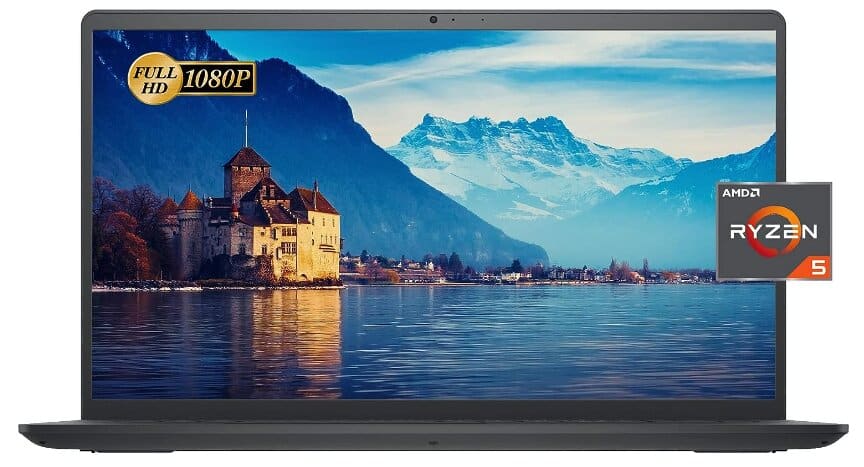
Specifications:
- Screen size: 15.6 Inches
- RAM memory: 32GB
- Operating system: Windows 11
- Processor: AMD Ryzen 5
- Screen resolution: 1366 x 768 pixels
- Product dimensions: 14.11 x 9.27 x 0.74 inches
- Graphics: AMD Radeon
Review:
The Dell Inspiron 3515 is a basic 15.6″ laptop featuring the Ryzen 5 3450U processor, 32 GB RAM, and integrated Radeon Vega 8 graphics, offering solid multitasking but limited graphical performance.
The display is a standard 15.6-inch HD panel with 220 nits brightness and narrow viewing angles, making it serviceable for everyday use but lacking the sharpness of full HD or better
Under the hood, the Ryzen 5 3450U is a four-core, eight-thread chip from 2019, delivering modest CPU performance. Benchmark tests show a multi-core score of 3197, revealing that while it’s more than capable for productivity apps and basic multitasking, it’s not in the same league as newer ultrathin laptop processors.
Integrated Vega 8 graphics struggle partly due to the basic 1366×768 TN display, which further diminishes visual fidelity. Apart from that, its gaming score is very low, around 1.6 out of 10, indicating that most modern games will struggle to run smoothly.
Still, less demanding titles like League of Legends can reach roughly 50 FPS at 1366×768 on very low settings, while heavier games such as Valiant or Fall Guys hover closer to 30 FPS, making light and older games playable if you dial graphics down.
Some of its features that make it great includes its generous 32 GB of DDR4 RAM (running at 2400 MHz across two slots), and a spacious PCIe SSD often as big as 1 TB which delivers fast loading times for both apps and files. This memory setup ensures smooth multitasking—think dozens of browser tabs and productivity apps running without lag.
If your needs are strictly professional like typing, browsing, or consuming media, the Inspiron 3515 is decent (especially with that impressive 32 GB RAM). Just don’t expect it to run graphically intense games well. The low-res screen and underpowered iGPU mean gaming will always require dialed-down settings if it runs at all.
CHUWI CoreBook XPro
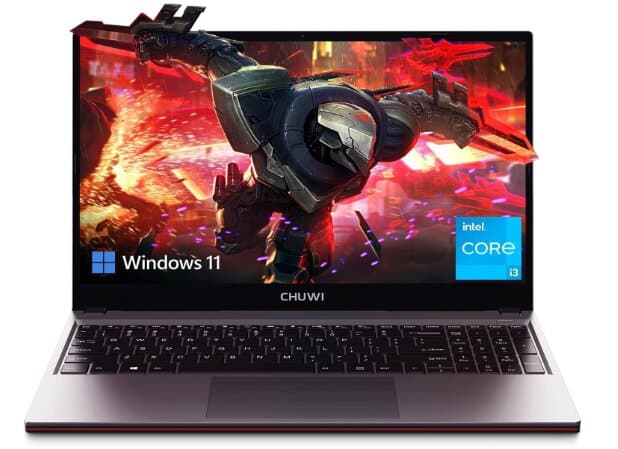
Specifications:
- Screen size: 15.6 Inches
- RAM memory: 8GB
- Storage: 512 GB
- Processor: Intel core i3
- Screen resolution: 1920 x 1080
- Battery life: 8 hours
- Graphics: Intel Iris Plus Graphics 655
- Operating system: Windows 11
Review:
Will $500 get you a good gaming laptop? Chuwi believes that the CoreBook XPro’s fast-refresh screen and low cost could be appealing to buyers. Additionally, it is well-priced when compared to rival products, except for one major “catch.”
The CPU, a 12th‑Gen dual‑performance‑core i3 that taps out around 4.4 GHz, handles general multitasking comfortably.
However, only 8 GB of RAM means multitasking hits a ceiling fairly quickly; adding more RAM (the system has an accessible SODIMM slot) would be a sensible upgrade. Storage is user-upgradable too, with two M. 2 bays accessible through bottom flaps are a rare convenience at this price point.
The 15.6‑inch IPS display, while having clear visuals and thin bezels, only covers about 63 percent of sRGB and isn’t particularly bright—fine for casual use, but not for tasks needing accurate color.
Battery life hovers around 4–6 hours under mixed usage, which is modest but acceptable for its price range.
The CHUWI CoreBook XPro is impressive for what it offers on a budget. The Core i3 and fast SSD make everyday use smooth and responsive. Expandability via RAM and SSD slots is commendable for the price. For a lightweight, upgradable work laptop that can pull off casual gaming, it’s a solid value; just don’t expect durability and premium graphics prowess.
Lenovo V15 Laptop
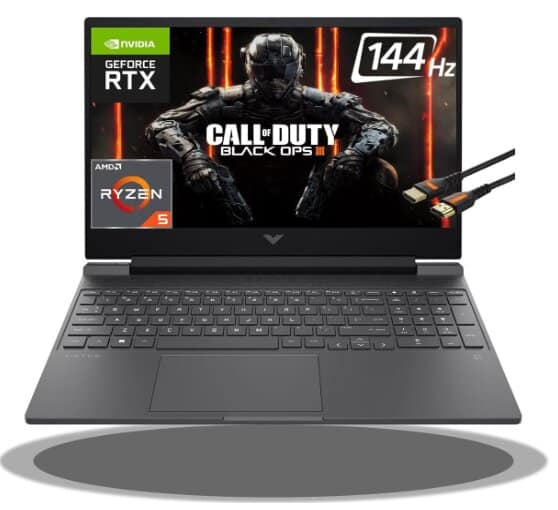
Specifications:
- Screen Size: 15.6 Inches
- Processor: AMD Ryzen 5 5500U Hexa-core Processor
- RAM: 16GB DDR4
- Hard Drive Size: 1TB SSD
- Graphics Coprocessor: Integrated
- USB Ports: 1 x USB 3.0, Type-A 1 x USB 2.0, Type-A 1 x USB Type-C
- Operating System: Windows 11 Pro
- Connectivity Technology: Wi-Fi, HDMI, RJ45
- Laptop’s weight: 3.75 pounds
Review:
The Lenovo V15 is one of the most stylish 15.6 inches laptops by Lenovo. They also have a 14-inch alternative in the Ideapad View series. What has been causing so much talk about this laptop is its Ryzen 5 processor, which works together with a speedy 16GB of RAM and a 1 TB SSD drive. This combo makes it more than just your average laptop; it can handle some heavy-duty tasks like creative work and gaming.
But, you know, with laptops in this price range, there’s always a little surprise waiting for you, isn’t there?
It’s a mix of good and average build quality. It’s sleek in black with a textured finish but not too fancy. Still, they have an iron gray option if you don’t want black.
When you open it up, typing feels pretty smooth thanks to the sturdy keyboard. It’s not backlit, though, except for the Caps Lock and number pad buttons. But fear not; there’s a fancier backlit version available in the pricier IdeaPad 5 series.
The touchpad’s spacious and responsive, with a solid clicking mechanism. Lenovo’s thrown in all the usual ports – USBs, HDMI, headphone jack – on the left side. Security-minded folks will appreciate the webcam with its privacy shutter up top. It’s got decent picture quality, good enough for casual use or maybe even serious gaming if you tweak the settings.
Now, onto the screen. It’s nearly 16 inches of LED goodness, with full HD resolution. Perfect for everyday stuff, but if you’re all about those vibrant colors, spring for the IPS version.
Performance-wise, it’s no slouch. Booting up Windows takes just 9 seconds, thanks to the SSD drive. Plus, there’s room for upgrades if you’re into that sort of thing.
The Ryzen 5 processor handles multitasking like a champ, with no annoying fan noise to ruin your concentration. Games run smoothly too, though you might want the GeForce MX version for the more demanding titles.
Although the Lenovo V15 laptop is not designed for gamers, it handles casual gaming well. With its AMD Ryzen 5 5500U processor and huge RAM, it has enough power to support the smooth running of most popular games. The FHD display and powerful graphics options make the game interesting.
It can handle playing GTA V, but here’s the deal: you’ll want to set all the graphics settings to low for the best performance.
After testing out some games on this laptop, I came to the following verdict:
Fortnite:
- Starting off strong, but encountering some lag issues.
- Despite the lag, visuals are decent, and most things load in nicely.
- Getting around 6 frames per second initially, but improving to 20-30 frames per second.
- Playable, but with noticeable jittering.
Grand Theft Auto:
- It runs smoothly enough, but the window size is oddly small.
- Definitely not the ideal gaming experience, but still playable.
Friendly reminder: Playing games at higher graphics settings can sometimes lead to problems such as game crashes, your computer being overloaded or even melting your graphics chip. You should be careful on this point.
Lastly, battery life’s not too shabby either, lasting over 4 hours even under heavy use. And those stereo speakers? They deliver clear sound with decent bass, though audiophiles might want to invest in headphones.
So, is the Lenovo V15 as good as Lenovo laptops are? Will its Ryzen 5 processor survive your work-related and game-related activities without any drag? Yes and yes! If you want to have a laptop that will get things done quickly, then the Lenovo V15 is the best choice.
It has remarkable performance and features to cater to diverse applications. This laptop guarantees outstanding results, whether it is used for business and productivity, entertainment and multimedia, or even occasional gaming.
ASUS ROG Strix G16
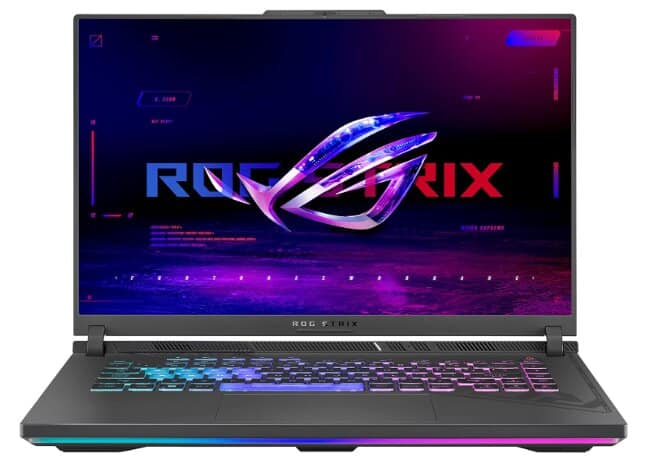
Specifications:
- Display: 16 inches
- Storage: 1 TB PCIe Gen4 SSD
- RAM: 16 GB DDR5
- Processor: Intel Core i7-13650HX
- Speed: Up to 4.9 GHz
- Graphics Card: NVIDIA GeForce RTX 4060
- Ports: USB 3.0: 2 ports
- Battery: Lithium Ion (included)
- Operating System: Windows 11 Home
- Wireless Connectivity: Wi-Fi 6E
- Weight: 10.13 pounds
Review:
The ASUS ROG Strix G16 gaming laptop is a beast, showcasing how the Republic of Gamers excels in producing elite gaming gear. It’s not surprising that ASUS dominates this category, but the performance and design of the G16 take it to another level.
It isn’t too large for a 16-inch laptop in terms of size and weight. Nevertheless, it is a bit thicker at the back than other laptops. If you add in the weight of the power brick as well, then you will notice an increase in weight, which is typical for gaming laptops.
It has a QHD+ display that measures 16 inches with a refresh rate of 240 Hz, which makes the gameplay more fluid while having vibrant visuals as well as clear audio. The 720p webcam is perfect for video calling and content viewing purposes.
The Intel Core i7-13650HX delivers outstanding performance and punchy multitasking for today’s most demanding workloads. In Geekbench 5.5, it scores about 1,845 single-core and approximately 13,729.5 multi-core points, outperforming the Core i7-12700H by a significant 20%.
In real-world gaming, the RTX 4060 holds its own incredibly well. On Cyberpunk 2077 at 1080p, it averages about 61 FPS (with ray tracing off) and sits near the average for this GPU. It also showed exceptional performance in Borderlands 3 at 187 FPS, RDR2 at 81 FPS .
These specs make it good for gaming and other resource-intensive tasks that may require high quality graphics.
Additionally, the keyboard comes with RGB backlighting, which makes it look great but some keys can be difficult to see depending on how well lit the room is. Its key travel distance is reasonable at 1.9 mm, making typing very satisfying in general.
It is good in terms of gaming but may not be the best keyboard for extensive typing as it lacks a full sized numpad and has awkward spaces between keys. However, its programmable hotkeys and crisp webcam and mic make it excellent for everyday things such as video calls and browsing.
There are enough ports, mostly on the left side. This includes power input, gigabit ethernet, HDMI output version 2.1, etc among others Plus, you can also charge through one of the Type-C ports.
One thing that’s cool about this laptop is that storage, memory, or Wi-Fi can be upgraded, allowing it to be more future-proof and customized according to your needs.
While its battery lasts long enough for casual use, it doesn’t do so well during gaming sessions because that’s just within the average gaming laptop in this price bracket.
Overall, the ASUS ROG Strix G16 is a stylish and powerful gaming machine that prioritizes performance. On the other hand, even though it might not be ideal for extensive typing, its superb gaming capacity makes it stand out among the top choices for gamers.
Games have never felt so alive with their fast processors, powerful graphics cards, and vibrant displays. This is another victory for ROG; we cannot wait to see what they bring next.
Conclusion
Great gaming experiences often come with dedicated graphics cards, but finding a budget-friendly gaming laptop with dedicated graphics can be challenging due to their typically higher prices.
If you are a passionate gamer seeking a device to play professional-level games, it is advisable to be patient, gather additional funds, and invest in a reasonably priced gaming laptop equipped with dedicated graphics and other essential gaming specifications.
You can also wait for the best times to buy, such as Black Friday, Cyber Monday, back-to-school sales, or holiday promotions.
However, for individuals who enjoy casual gaming or prefer mid-range gaming, the list mentioned above provides some of the best budget gaming laptops priced between $400 and $700.
